

Filtering Behaviour
Ajax Filter for WooCommerce overviewFreeGet Ajax Filter for WooCommerce →
Your filters are configured on the Advanced tab of the plugin settings (WB Plugins → Ajax Filter → Advanced). This page covers the first card, Filtering behaviour, which controls how filters apply and how results arrive.
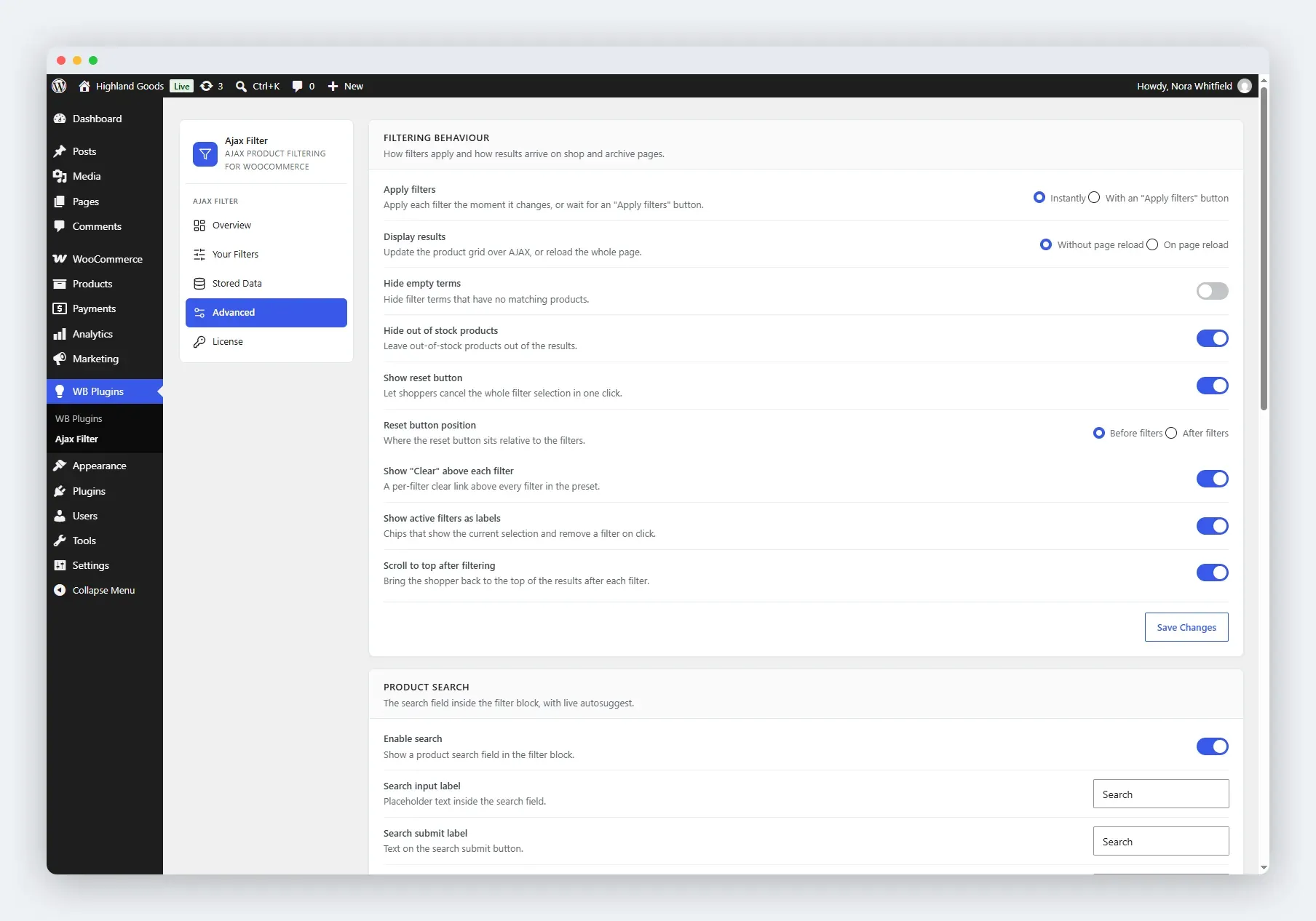
Apply Filters
Section titled “Apply Filters”Choose how a shopper’s selection takes effect:
- Instantly (default) - results update the moment a shopper ticks a checkbox or moves the slider.
- With an “Apply filters” button - the shopper makes their selection, then clicks a button to apply it. Useful for stores with expensive queries or many products.
Display Results
Section titled “Display Results”- Without page reload (default) - the product grid refreshes over AJAX. No full page load.
- On page reload - the page reloads with the filtered results. A fallback for unusual caching setups, or when you want URL-fresh results on every change.
Toggle Options
Section titled “Toggle Options”| Option | Effect |
|---|---|
| Hide empty terms | Hides filter terms that currently have no matching products. |
| Hide out of stock products | Leaves out-of-stock products out of the results. On by default - so a store that never wants to hide stock should turn this off. |
| Show reset button | Lets shoppers clear the whole selection in one click. On by default. |
| Show “Clear” above each filter | A per-filter clear link above every filter in the preset. On by default. |
| Show active filters as labels | Chips above the results showing the current selection, each with a close button. On by default. |
| Scroll to top after filtering | Jumps back to the top of the results after each filter. On by default. |
Reset Button Position
Section titled “Reset Button Position”When the reset button is enabled, choose where it sits:
- Before filters (default)
- After filters
Saving Changes
Section titled “Saving Changes”Click Save Changes at the bottom of the card. The settings apply immediately to the frontend.
Related
Section titled “Related”- Product Search - the search field with autocomplete.
- Appearance - colours and layout.