

The first tab of the plugin’s admin area is not a settings form - it answers “what is this plugin doing on my store right now?”
Open it from WB Plugins → Ajax Filter (the plugin lands here after activation).
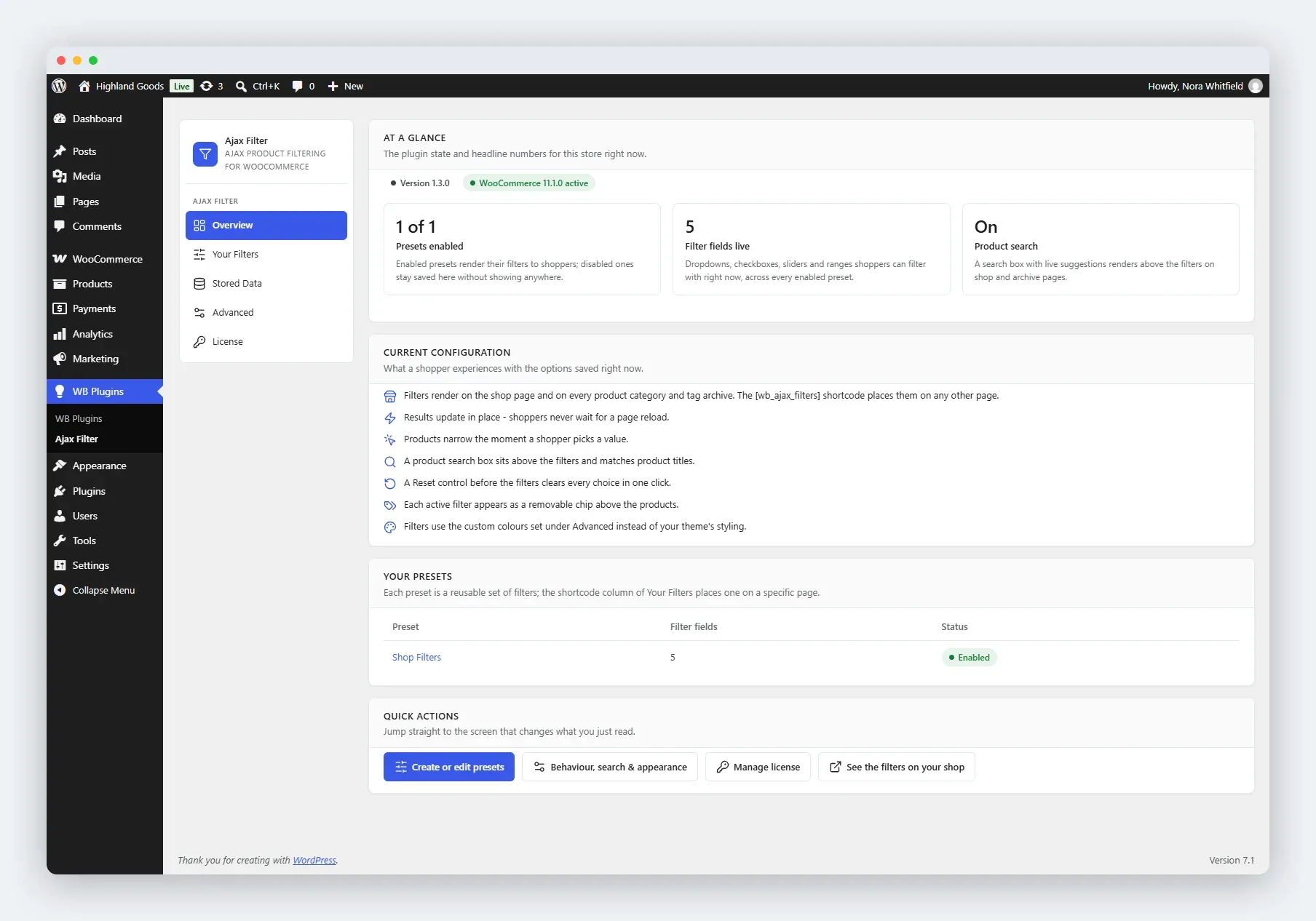
What You See
Section titled “What You See”Stat Tiles
Section titled “Stat Tiles”Three numbers, each with an explanatory caption:
- Presets enabled - shown as “X of Y”: how many of the saved presets actually render to shoppers.
- Filter fields live - the total dropdowns, checkboxes, sliders, and ranges shoppers can filter with, across every enabled preset.
- Product search - whether the search box above the filters is on or off.
A bare number is not information, so each tile says what the number means in store terms.
Current Configuration Snapshot
Section titled “Current Configuration Snapshot”A plain-language rundown of what shoppers experience, not stored values - for example “products narrow the moment a shopper picks a value” instead of a raw option flag. It covers:
- Where filters render (shop page, category and tag archives, or anywhere via the shortcode).
- Whether results update in place or reload the page.
- Whether filtering is instant or needs the Apply filters button.
- Whether the product search box is on, and whether it matches titles only or titles and descriptions.
- Whether a Reset control appears, and where.
- Whether active filters show as removable chips.
- Whether filters use the theme’s colours or your saved appearance colours.
Your Presets
Section titled “Your Presets”A table of every preset with its field count and enabled status, each title linking straight to its editor. Long lists are truncated with a pointer to the full list under Your Filters; an empty store gets a “create your first preset” prompt instead.
Quick Actions
Section titled “Quick Actions”Shortcuts to the screen that changes each thing just described:
- Create or edit presets - Your Filters.
- Behaviour, search & appearance - Advanced.
- Manage license - the License tab.
- See the filters on your shop - the storefront, opened in a new tab.
Meta Row
Section titled “Meta Row”Shows the installed plugin version, the WooCommerce state, and a warning badge when no preset is enabled yet, so you learn about a broken setup before hunting for it.
Related Pages
Section titled “Related Pages”- Quick Start - first-run walkthrough.
- Your Filters - enable and disable presets.