

Manual Point Awards
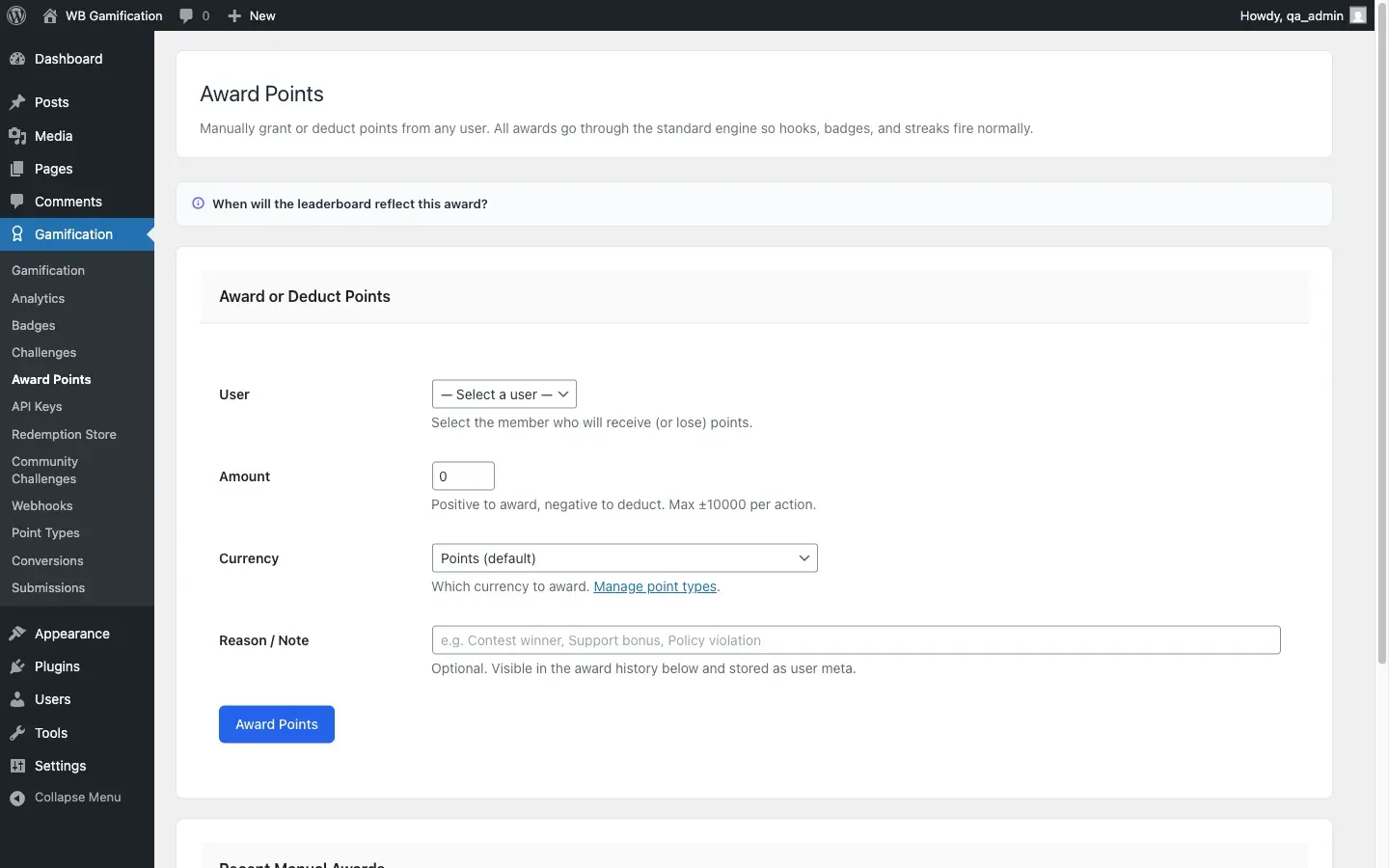
Go to WB Gamification > Award Points in your admin menu.
Use this page to grant or deduct points from any member directly. All awards go through the standard points engine, so badges, level-ups, streaks, and hooks fire exactly as they would for any automatic event.
The Award Form
Section titled “The Award Form”A dropdown listing all WordPress users. Select the member who will receive or lose points.
Points
Section titled “Points”Enter a positive number to award points. Enter a negative number to deduct points.
The maximum you can award or deduct in a single action is ±10,000 points.
Examples:
100- awards 100 points-50- deducts 50 points10000- awards the maximum in one action
Reason / Note
Section titled “Reason / Note”Optional. A short note stored with the award entry and shown in the recent history table below. Maximum 200 characters.
The note is visible only to admins. It is not shown to the member.
Use this to document why you made the adjustment. Examples from the form placeholder: “Contest winner,” “Support bonus,” “Policy violation.”
Click Award Points to submit.
Recent Manual Awards
Section titled “Recent Manual Awards”The table below the form shows the 20 most recent manual awards. Each row shows:
| Column | Description |
|---|---|
| User | The member’s display name |
| Points | The amount awarded (green badge) or deducted (red badge) |
| Note | The reason entered at the time |
| Date | The date and time of the award in your site’s date/time format |
Each row shows the note entered with that award or deduction. Awards made before version 1.6.6 kept only a member’s latest note, so those older rows show no note.
After you press Award Points, the page reloads and confirms “Points awarded.” at the bottom of the screen.
Common use cases
Section titled “Common use cases”Rewarding contest winners Run a community photo contest. Award the top three entries 500, 300, and 100 points respectively. Enter “Photo contest - 1st place” in the reason field.
Support bonuses A member helped another user solve a complex problem. Award 50 bonus points with the note “Community support bonus.”
Policy violations A member spammed the activity feed. Deduct 100 points with the note “Spam warning - policy violation.” Combine this with a WP role change via Rank Automation if needed.
Onboarding boosts Give new members a 25-point welcome bonus to help them reach the first level threshold faster.
- You cannot award more than ±10,000 points per form submission. For larger adjustments, submit the form multiple times.
- Deducting points below zero is possible. A member’s total can go negative if you deduct more than they have earned.
- All manual awards appear in the points log alongside automatic events.