

Outbound Webhooks
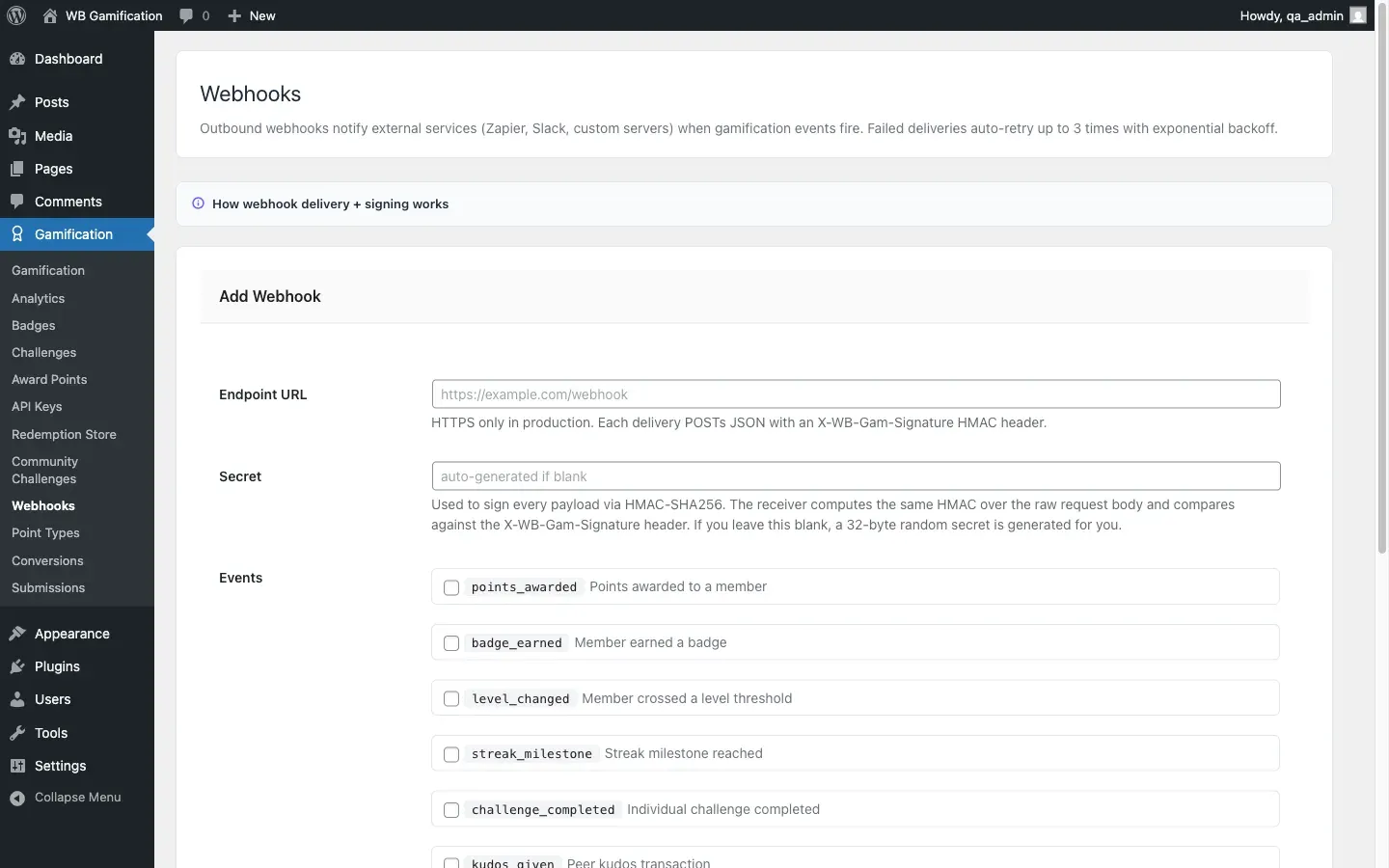
Outbound Webhooks let WB Gamification send real-time event data to external services like Zapier, Make (formerly Integromat), or n8n. Each time a qualifying event fires on your site, the WebhookDispatcher sends a signed HTTP POST to your configured endpoint.
Supported Events
Section titled “Supported Events”| Event | When It Fires |
|---|---|
points_awarded |
Any time a member earns points |
badge_earned |
A badge is awarded to a member |
level_changed |
A member moves to a new level |
streak_milestone |
A member hits a streak milestone |
challenge_completed |
An individual challenge is completed |
kudos_given |
A member gives kudos to another member |
Creating a Webhook
Section titled “Creating a Webhook”- Go to WB Gamification → Webhooks → Add Webhook.
- Enter the destination URL (your Zapier webhook URL, Make webhook, etc.).
- Check the events you want this endpoint to receive.
- Click Save. The plugin generates a secret key for this webhook.
You can create multiple webhooks for different destinations or event subsets.
Payload Format
Section titled “Payload Format”Each POST request sends a JSON body:
{ "event": "points_awarded", "user_id": 42, "data": { ... }, "timestamp": 1700000000}The exact data keys vary by event type.
Verifying Signatures
Section titled “Verifying Signatures”Every request includes an X-WB-Gam-Signature header. The value is an HMAC-SHA256 hash of the raw request body, signed with the webhook’s secret key.
To verify in your receiving application:
$signature = hash_hmac( 'sha256', $raw_body, $secret_key );// Compare with the X-WB-Gam-Signature header value.Always verify signatures before processing webhook data. Reject any request where the signature does not match.
Admin Management
Section titled “Admin Management”View all registered webhooks, their last delivery status, and recent delivery logs at WB Gamification → Webhooks. You can pause, edit, or delete any webhook from this screen.