

Quick Start Guide
Get WB Gamification running in five minutes. This guide shows you the complete loop from activation to your first member earning points.
Step 1: Activate and Run the Wizard (2 minutes)
Section titled “Step 1: Activate and Run the Wizard (2 minutes)”- Activate the plugin from Plugins > Installed Plugins.
- The Setup Wizard opens automatically.
- Click the template that matches your site. For a BuddyPress community, choose Community Engagement. For a blog, choose Blog / Publisher.
- Click Use This Template.
The wizard saves your point values and redirects you to the Gamification dashboard.
Step 2: Check What Is Already Working (30 seconds)
Section titled “Step 2: Check What Is Already Working (30 seconds)”Go to Gamification > Settings. You will see every action that is currently active on your site - things like “Post an activity update,” “Join a group,” and “Complete a course.” These are already wired up. No additional configuration is needed.
Step 3: Have a Member Do Something (1 minute)
Section titled “Step 3: Have a Member Do Something (1 minute)”Log in as a regular member. Do one of the active actions - for example, post an activity update on a BuddyPress community page, or leave a comment on a blog post.
Within a few seconds, a toast notification appears in the bottom-right corner showing how many points were earned.
Step 4: Check the Member’s Points (30 seconds)
Section titled “Step 4: Check the Member’s Points (30 seconds)”Points appear immediately in three places:
- The member-points block on any page where you have placed it
- The member’s BuddyPress profile under the Gamification tab (if BuddyPress is active)
- Gamification > Members in the admin, where you can view any member’s full point history
Step 5: View the Analytics Dashboard (30 seconds)
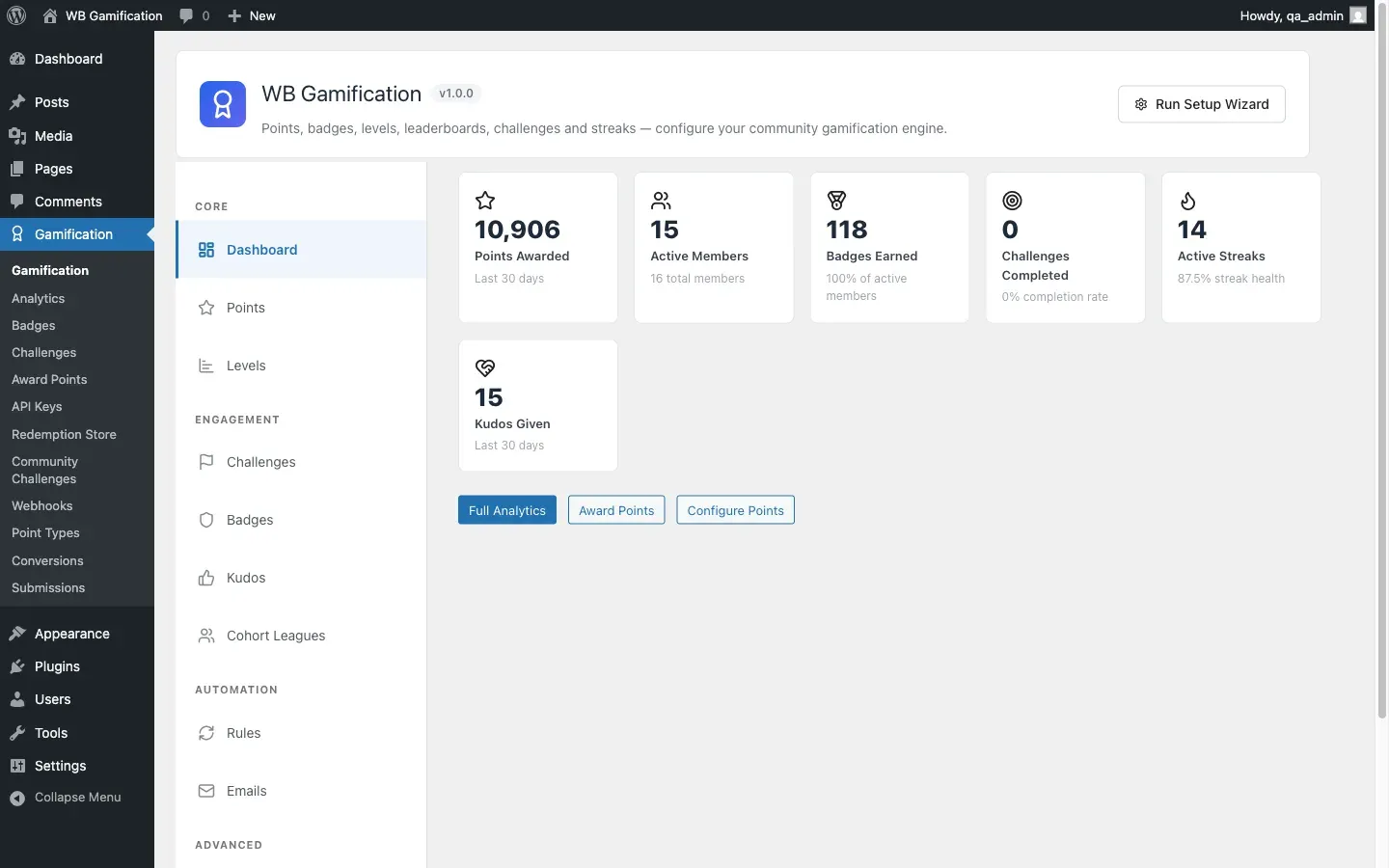
Section titled “Step 5: View the Analytics Dashboard (30 seconds)”Go to Gamification > Analytics. You will see KPI cards showing total points awarded, active members, badges earned, and more. The dashboard refreshes every 10 minutes.
What Happens Automatically
Section titled “What Happens Automatically”From here, the plugin handles everything on its own:
- Members earn points as they take actions
- Badges award automatically when members meet the conditions
- Levels advance when members cross point thresholds
- Streaks build each day a member is active
- The leaderboard updates on a rolling basis
You do not need to do anything to keep it running. Explore Gamification > Badges, Levels, and Challenges to customize the experience for your community.