Skip to content
Wbcom Designs Docs

Wbcom Designs Docs

Menu

Close
  • Home
  • Release notes
  • Home
  • Release notes

BuddyX Theme

  • Getting Started (3)
    • Installation
    • Theme Setup
    • Demo Installation
  • Branding with BuddyX (1)
    • Site Identity
  • Menu Management (2)
    • Primary Menu
    • User Menu
  • Theme Options (18)
    • Site loader & Page Mapping
    • Site Layout
    • Site typography
    • Site Header
    • Site Sub Header
    • Site Skin(Site Color Scheme)
    • Site Blog
    • Site Sidebar
    • WP Login
    • Site Footer
    • Site Performance
    • Header Image
    • Background Image
    • Menus
    • Widgets
    • Homepage Setting
    • BuddyPress Nouveau
    • Additional CSS
  • Translate BuddyX (2)
    • Translating BuddyX with WPML Plugin
    • Translate with Loco
  • Meta Setting (1)
    • Meta Settings
  • FluentCart Integration Guide (1)
    • BuddyX Theme - FluentCart Integration Guide
  • SureCart Integration With BuddyX (1)
    • SureCart Integration User Guide for BuddyX Theme
  • Wbcom Essentials (1)
    • Wbcom Essentials
  • Code Snippets (1)
    • Custom Login Page with BuddyBoss - BuddyX Theme

Site loader & Page Mapping

You Can implement site loader on your website by navigating to the Appearance > Customizer > General > Site Loader.

Click the Site Loader, and you’ll be redirected to a new screen where you can enable the site loader.

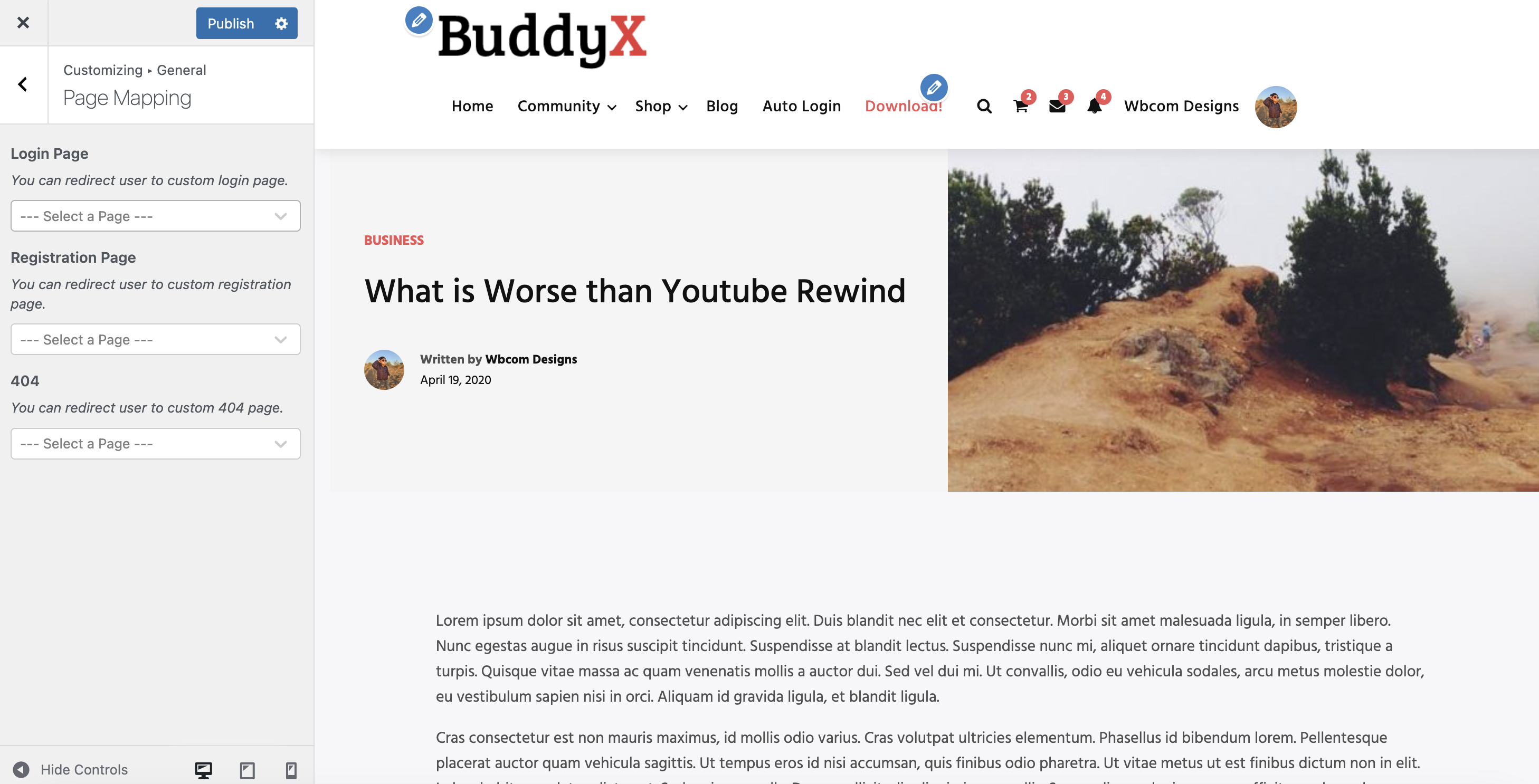
Page Mapping

These setting lets you map the below pages for your website.

  • You can redirect user to custom login page.
  • You can redirect user to custom Registraion page.
  • 404 Page: You can redirect user to 404 login page.
Last updated: October 23, 2023
Next Site Layout
Copyright © 2026 Wbcom Designs
Privacy Policy