

Blog Blocks (Category grid, post slider, news ticker)
Also called: category grid, category list, post slider, blog carousel, latest posts slider, news ticker, news bar, breaking news bar.
This page covers three blocks that show your blog. Category Grid shows your categories as cards. Post Carousel is a post slider or grid. Posts Ticker is a scrolling news bar. They appear in the block inserter under Essential - Blog and need no other plugin.
Every block here also has the Spacing and Advanced settings described in Blocks Overview.
Category Grid
Section titled “Category Grid”Your WordPress categories in a grid, with an image, name, post count and hover effect on each card.
What it is for: Use it to let visitors browse your blog by category.
Add it
Section titled “Add it”- Open the block inserter.
- Search for Category Grid.
- Select it to insert it into the page.
Settings
Section titled “Settings”| Panel | Setting | What it does | Default |
|---|---|---|---|
| Layout | Columns (Desktop) | Columns on desktop. | 4 |
| Layout | Columns (Tablet) | Columns on tablets. | 2 |
| Layout | Columns (Mobile) | Columns on phones. | 1 |
| Layout | Gap (px) | Space between cards. | 24 |
| Layout | Border Radius (px) | Roundness of each card. | 12 |
| Query | Select Categories | Pick the categories to show. Hold Ctrl or Cmd to select several. Leave empty for all. | All |
| Query | Max Categories | Upper limit of cards. | 8 |
| Query | Exclude Empty Categories | Hides categories with no posts. | On |
| Query | Order By | Name, Post Count or ID. | Name |
| Query | Order | Ascending or Descending. | Ascending |
| Display Options | Show Post Count | Shows the number of posts on each card. | On |
| Display Options | Show Image | Shows the category image. Turn it off for compact text tiles (name and post count) in the theme’s card colours. | On |
| Display Options | Image Ratio | Square (1:1), Portrait (3:4), Landscape (4:3) or Wide (16:9). | Portrait (3:4) |
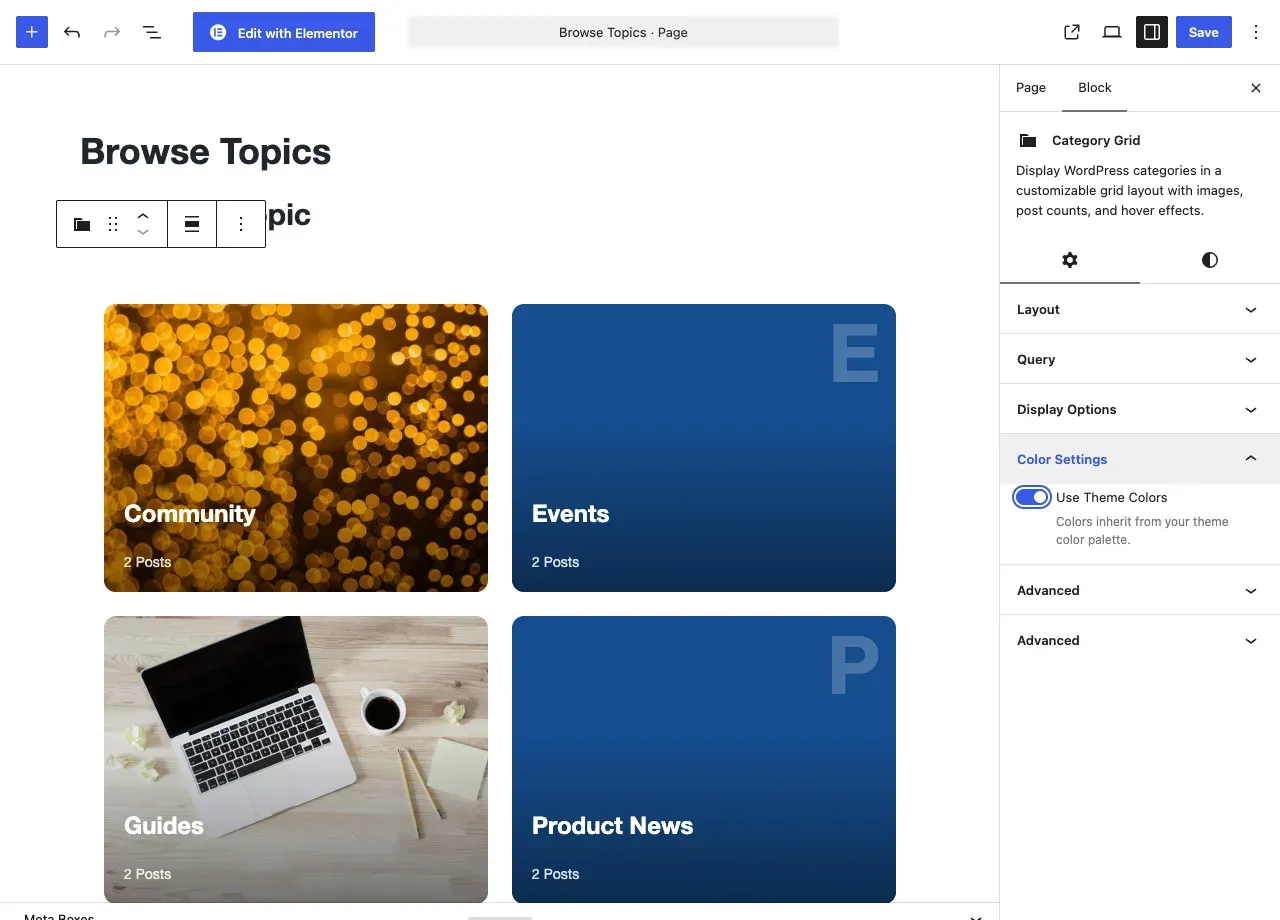
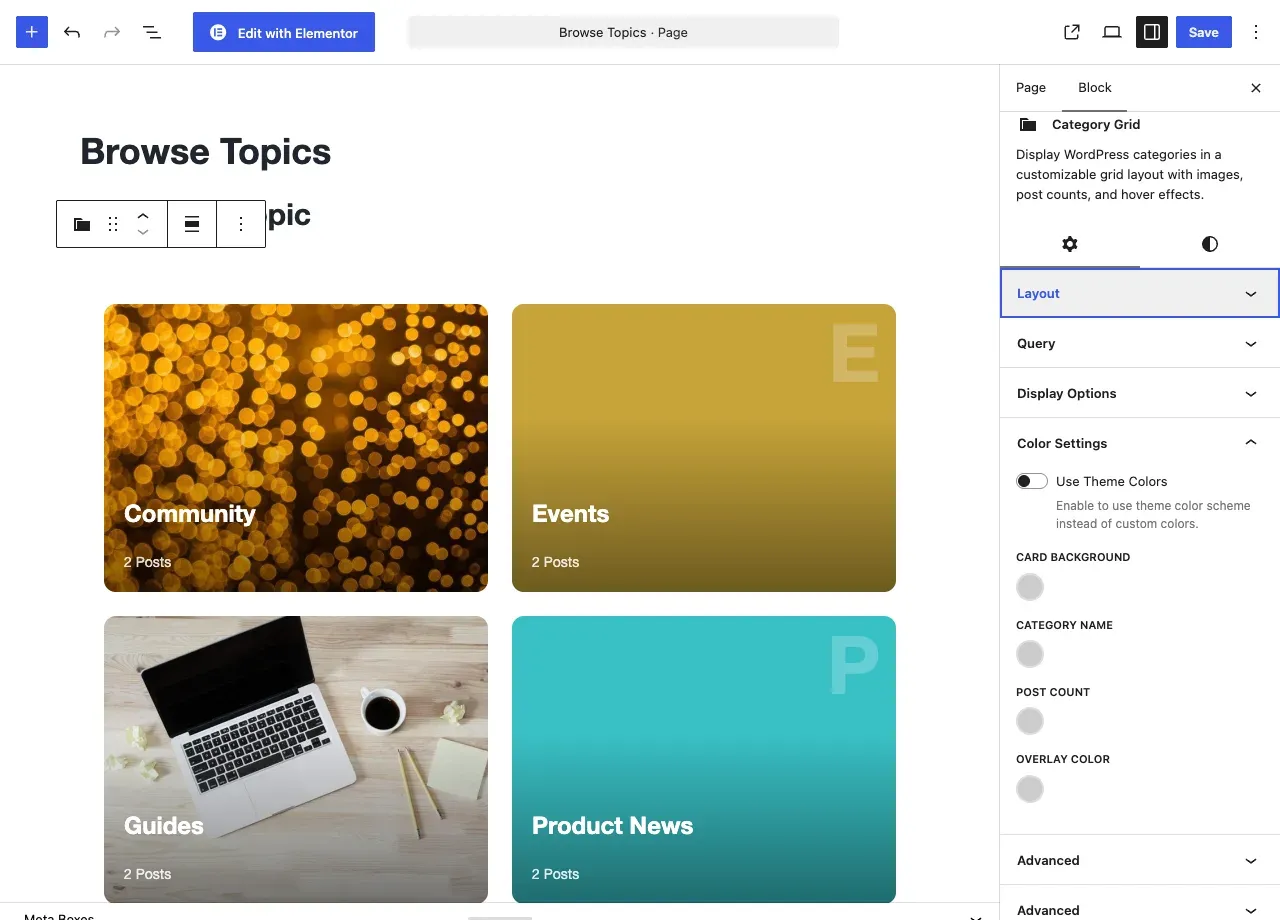
| Color Settings | Use Theme Colors | Takes card colors from your theme palette instead of the custom colors below. | Off |
| Color Settings | Card Background | Card background. Shown when Use Theme Colors is off. | Blank |
| Color Settings | Category Name | Color of the name. Shown when Use Theme Colors is off. | Blank |
| Color Settings | Post Count | Color of the count. Shown when Use Theme Colors is off. | Blank |
| Color Settings | Overlay Color | Color of the hover overlay. Shown when Use Theme Colors is off. | Blank |
| Advanced | Box Shadow, Border Radius | Adds a shadow and rounds the block corners. | Shadow off |
- The card image is read from a thumbnail saved on the category. Standard post categories have no image field. Their cards show no picture unless another plugin or your own code adds one.
- The block says “No categories found” if no category matches.
- A category without an image shows a faint capital letter of its name behind the name. With Use Theme Colors on, that letter and the card use your theme accent color.
Post Carousel
Section titled “Post Carousel”Your posts as a carousel, a one-at-a-time slider or a plain grid, with cards you can style.
What it is for: Use it to show your latest posts as a slider on your home page or any page.
Add it
Section titled “Add it”- Open the block inserter.
- Search for Post Carousel.
- Select it to insert it into the page.
Settings
Section titled “Settings”| Panel | Setting | What it does | Default |
|---|---|---|---|
| Query Settings | Post Type | The post type to list. | Post |
| Query Settings | Posts Per Page | How many posts to show. | 6 |
| Query Settings | Order By | Date, Title, Modified, Menu Order, Random or Comment Count. | Date |
| Query Settings | Order | Descending (newest first) or Ascending (oldest first). | Descending |
| Display Mode | Display Mode | Carousel (Swiper), Slider (full-width, 1-at-a-time) or Grid (CSS Grid, no JS). | Carousel |
| Display Mode | Slides Per View (desktop) | Cards visible at once. Carousel mode only. | 3 |
| Display Mode | Autoplay | Moves slides automatically. Carousel and Slider modes. | On |
| Display Mode | Autoplay Delay (ms) | Time between slides. | 5000 |
| Card Settings | Show Featured Image | Shows the post image. | On |
| Card Settings | Image Ratio | 16:9, 4:3, 3:2, 1:1 (Square) or 21:9 (Cinematic). | 16:9 |
| Card Settings | Show Category Badge | Shows the post category. | On |
| Card Settings | Show Excerpt | Shows the excerpt. | On |
| Card Settings | Excerpt Word Length | Number of words in the excerpt. | 20 |
| Card Settings | Show Date | Shows the publish date. | On |
| Card Settings | Show Author | Shows the author name. | Off |
| Style | Card Background | Card background. | (empty: follows the theme) |
| Style | Title Color | Color of the post title. | (empty: follows the theme) |
| Style | Excerpt Color | Color of the excerpt. | (empty: follows the theme) |
| Style | Meta Color (date, author) | Color of the date and author. | (empty: follows the theme) |
| Style | Accent Color (category, links) | Color of the badge and links. | (empty: follows the theme) |
| Style | Border Radius, Box Shadow | Rounds the card corners and adds a shadow. | Shadow off |
- The block says “No posts found” if no post matches.
Posts Ticker
Section titled “Posts Ticker”A horizontal news ticker that scrolls your latest post titles, with a label at the start.
What it is for: Use it for a moving news bar with your newest post titles.
Add it
Section titled “Add it”- Open the block inserter.
- Search for Posts Ticker.
- Select it to insert it into the page.
Settings
Section titled “Settings”| Panel | Setting | What it does | Default |
|---|---|---|---|
| Query Settings | Posts Per Page | How many posts scroll in the ticker. | 10 |
| Ticker Settings | Label | Text in the label box at the start. | Latest News |
| Ticker Settings | Scroll Speed (lower = faster) | How fast the ticker moves. | 30 |
| Ticker Settings | Direction | Left (RTL scroll) or Right (LTR scroll). | Left |
| Ticker Settings | Height (px) | Height of the ticker bar. | 44 |
| Ticker Settings | Separator Style | Dot, Pipe, Slash or None between titles. | Dot |
| Ticker Settings | Pause on Hover | Stops scrolling while the pointer is over the ticker. | On |
| Ticker Settings | Show Date | Shows the post date. | On |
| Ticker Settings | Show Category | Shows the post category. | On |
| Style | Label Background | Background of the label box. | (empty: follows the theme) |
| Style | Label Text Color | Text color of the label. | (empty: follows the theme) |
| Style | Ticker Background | Background of the bar. | (empty: follows the theme) |
| Style | Text Color | Color of the titles. | (empty: follows the theme) |
| Style | Link / Accent Color | Color of links and accents. | (empty: follows the theme) |
| Style | Box Shadow, Border Radius | Adds a shadow and rounds the corners. | Shadow off |
- The block says “No posts found” if no post matches.
You’ll know it worked when
Section titled “You’ll know it worked when”View the page. You see your categories or posts as cards, or a news bar that scrolls your latest titles.
Good to know
Section titled “Good to know”Why do my category cards have no picture?
Section titled “Why do my category cards have no picture?”Standard post categories have no image field. Another plugin or your own code must add one.
Can the Post Carousel show a plain grid?
Section titled “Can the Post Carousel show a plain grid?”Yes. Set Display Mode to Grid.
For developers
Section titled “For developers”Each block has an internal name, used in block markup and code.
| Block | Internal name |
|---|---|
| Category Grid | wbcom-essential/category-grid |
| Post Carousel | wbcom-essential/post-carousel |
| Posts Ticker | wbcom-essential/posts-ticker |