

What Reign TutorLMS Addon does (Overview)
Reign Tutor LMS Addon overviewPremiumGet Reign Tutor LMS Addon →
Also called: Tutor LMS add-on for Reign, course page layouts, course grid styles, course list, student profile courses, course shortcodes.
What this does
Section titled “What this does”The add-on gives you more ways to show your Tutor LMS courses on the Reign theme. It adds course page layouts, course card styles, a related courses row and a Courses tab on member profiles. Your courses, lessons, quizzes, reviews, wishlist and certificates stay in Tutor LMS.
Version 2.3.0 is a full rebuild. It uses Tutor LMS’s own pages and data instead of copying them.
Before you start
Section titled “Before you start”- You need Reign 8.1.0 or newer, Tutor LMS 3.0 or newer and PHP 8.1 or newer. If one is missing, the add-on pauses and shows a notice. Your settings are kept.
- This is a paid add-on, sold apart from the Reign theme. Buy it here. Add your licence key under Reign Settings > License to get updates.
- Reign 8.1.0 and up already draws the course page, the courses page and the cards in light and dark mode. The add-on adds choices on top.
- The theme has its own guide in the Reign documentation.
What you get
Section titled “What you get”- Course page layouts. Reign default, Spotlight and Academy. You choose one for the whole site. See Course page layouts.
- Related courses. A few courses from the same category appear below the course content. See More courses below a course.
- Course card styles. Classic, Soft and List, with switches for the instructor, category, duration and progress. See Course grid and list styles.
- Courses tab on profiles. Members see their enrolled courses. Instructors also see the courses they teach. It works on BuddyPress, BuddyBoss and PeepSo profiles. See Courses on member profiles.
- Shortcodes.
[reign_tutor_course]and[reign_course_categories]put course lists on any page. See Show courses on any page.
- Read the requirements.
- If Tutor LMS is not set up yet, follow Set up Tutor LMS for Reign.
- Install the add-on.
- Go to Reign Settings > Integrations, then Configure on the Tutor LMS tile.
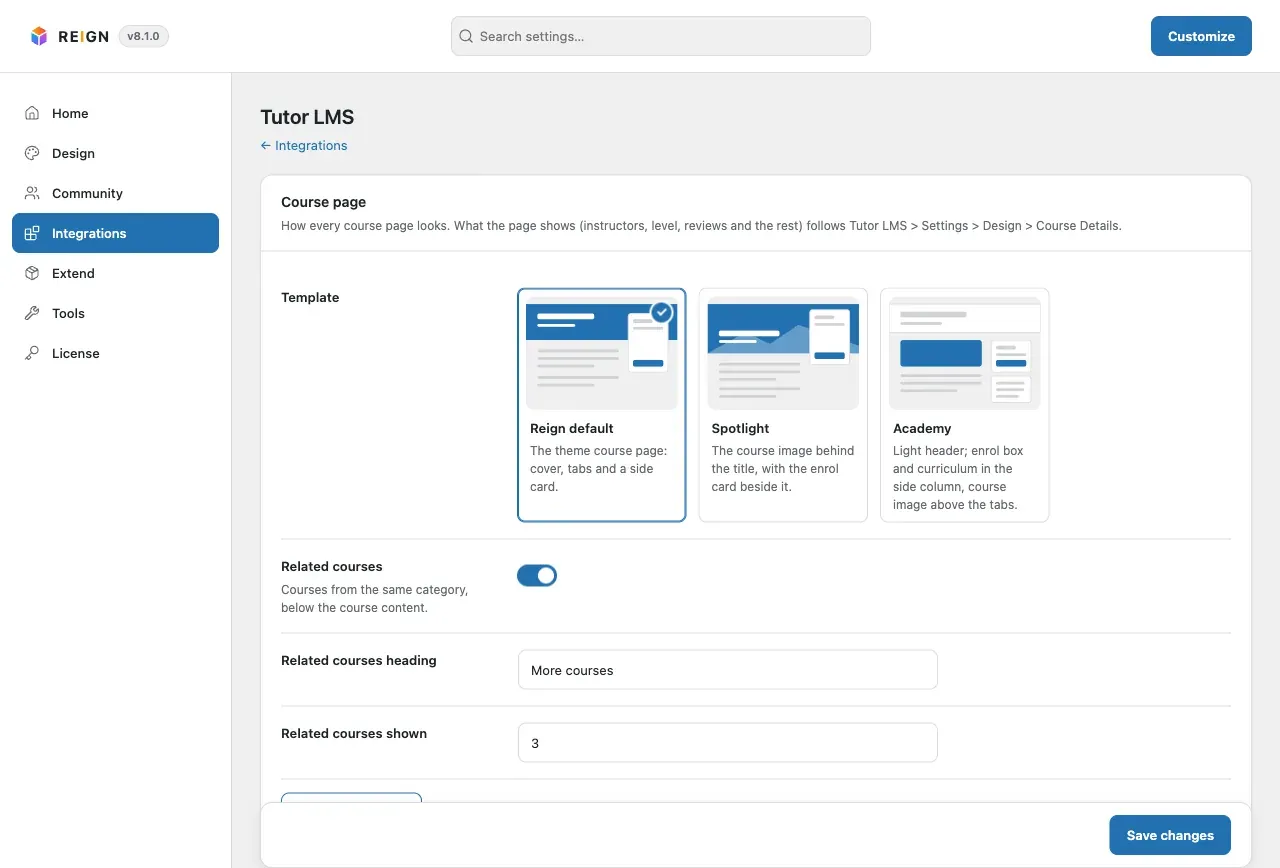
You’ll know it worked when
Section titled “You’ll know it worked when”You see the Tutor LMS screen under Reign Settings > Integrations. It starts with the Course page card.
Good to know
Section titled “Good to know”What does Tutor LMS still control?
Section titled “What does Tutor LMS still control?”Columns, courses per page, the course filters, sorting and what the course page shows are Tutor LMS settings. The add-on never repeats them. Its settings screen links to them.
What changed from version 2.2.0?
Section titled “What changed from version 2.2.0?”The old typography and colour options, the Youzify styles, the extra scripts and the copied CSS are gone. Reign 8.1.0 already draws Tutor LMS in the theme’s colours and fonts. Your profile tab choice and your shortcodes keep working. See Upgrade from 2.2.0.