

Community links (profile courses tab, groups and activity)
Reign LifterLMS Addon overviewPremiumGet Reign LifterLMS Addon →
Also called: courses on member profile, my courses tab, course group, course discussion group, activity feed posts, social learning, BuddyPress courses, BuddyBoss courses
What this does
Section titled “What this does”These options connect your courses to your community. Members get a Courses tab on their profile. A course can join its students to a group. The activity feed can show when members enrol, finish lessons and earn certificates.
Before you start
Section titled “Before you start”The Community card appears only when BuddyPress, BuddyBoss or PeepSo is active.
| Option | Default | Works with |
|---|---|---|
| Courses tab on profiles | On | BuddyPress, BuddyBoss, PeepSo |
| Link courses to groups | On (a site updated from 2.6.0 keeps its old choice) | BuddyPress, BuddyBoss. PeepSo has no groups in this add-on. |
| Post to the activity feed when a member | Enrols, completes a course, earns a certificate (a site updated from 2.6.0 keeps all seven, or what it saved) | BuddyPress, BuddyBoss, PeepSo |
- Open Reign Settings > Integrations, then Configure on the LifterLMS tile and find the Community card.
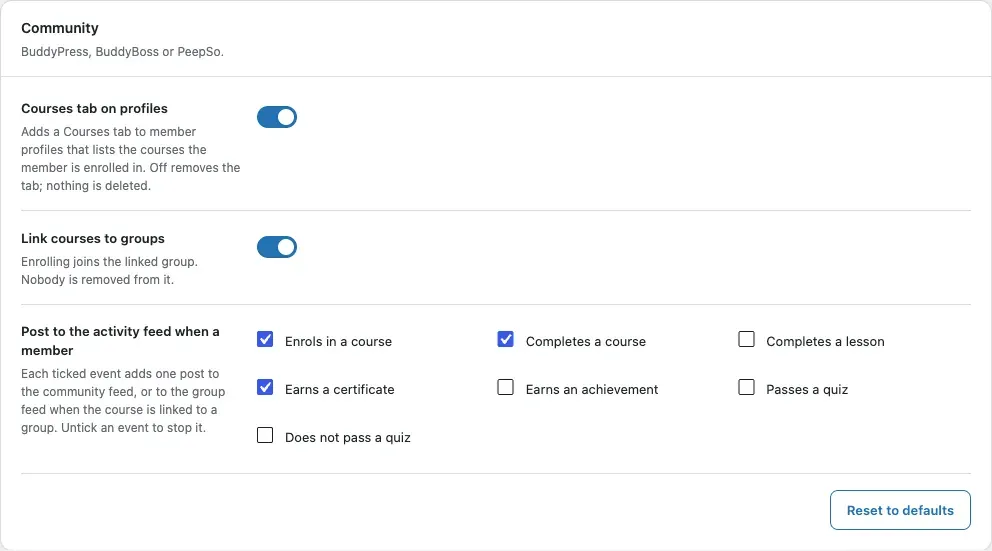
- Switch Courses tab on profiles on or off.
- Switch Link courses to groups on or off.
- Under Post to the activity feed when a member, tick each event you want in the feed. Untick an event to stop it.
- Click Save changes.
Link a course to a group
Section titled “Link a course to a group”- Edit a course and find the Community group box.
- Pick a group. From then on, enrolling a member joins them to the group. Nobody is ever removed.
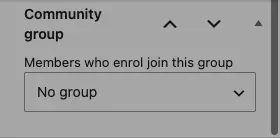
- To add students who enrolled earlier, click Add enrolled students to the group. It adds 200 students per click, with a link for the next 200.
You’ll know it worked when
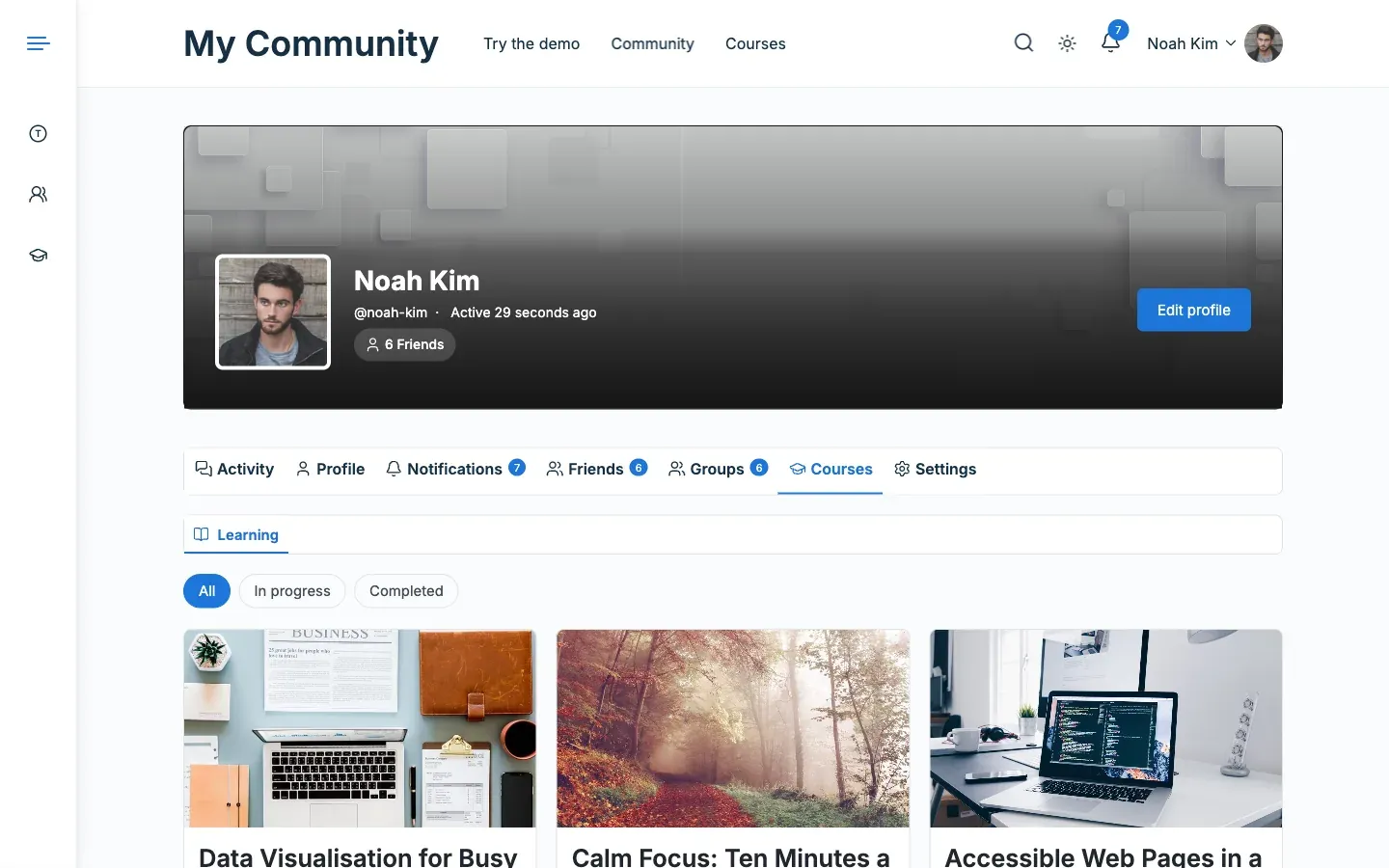
Section titled “You’ll know it worked when”- A member profile shows a Courses tab.
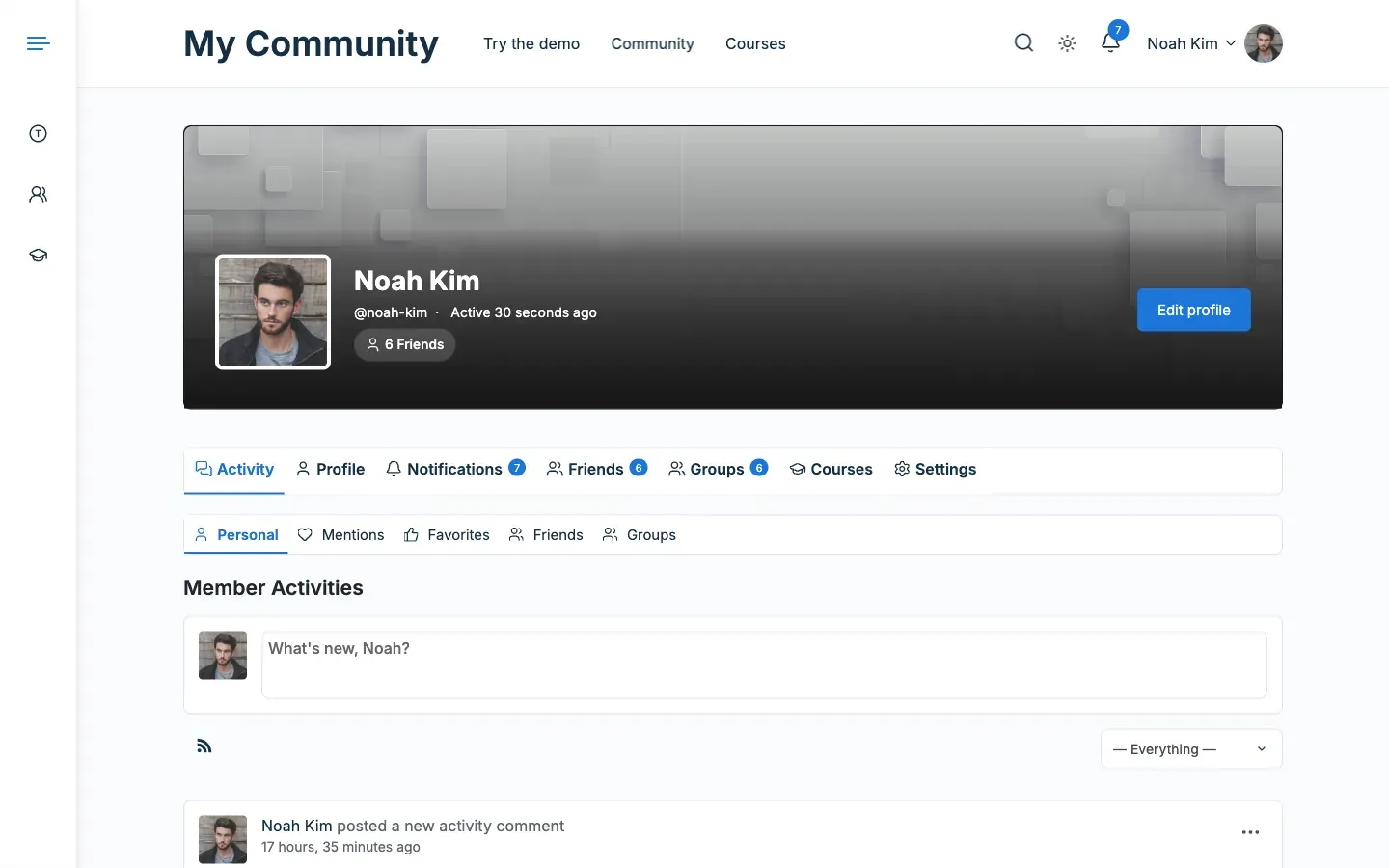
- The activity feed shows posts when members finish a lesson or a course.
Good to know
Section titled “Good to know”What does the Courses tab show?
Section titled “What does the Courses tab show?”It has two sub-tabs with the same course cards as the catalog.
- Learning lists the courses the member is enrolled in, 12 per page. On the member’s own profile it has an All, In progress and Completed filter.
- Teaching lists the 12 newest published courses the member teaches.
The tab opens on Learning. It opens on Teaching for an instructor who is not enrolled in any course. PeepSo has no sub-tabs, so two links above the cards switch the lists. A member sees their own progress on each card. Visitors do not.
When do visitors see the Courses tab?
Section titled “When do visitors see the Courses tab?”Visitors see the tab only when it has courses in it. A member with none sees “You are not enrolled in any course yet.” and a Browse courses link.
Who can link a course to a group?
Section titled “Who can link a course to a group?”You can link a group if you can manage the site or administer that group. Hidden and private groups are listed only to site managers. Group administrators see the groups they run. The picker lists the first 100 groups by name. It appears only while the Groups component is active. Adding enrolled students is quiet. It posts no “joined the group” entries to the feed.
What goes in the activity feed?
Section titled “What goes in the activity feed?”A post appears when a member does one of these things:
- Enrols in a course.
- Completes a course or a lesson.
- Earns a certificate or an achievement.
- Passes or fails a quiz.
When the course is linked to a group and the member belongs to it, the post goes to that group’s feed. A quiz that is still waiting for a grade posts nothing. The same event twice in one request posts once. Activity in a private or hidden group stays out of the sitewide feed.
For developers
Section titled “For developers”- The tab slug is
courses. Paging uses therllms_cpquery variable. - Hide the tab with the
reign_llms_courses_tab_visible( $visible, $profile_user_id, $viewer_id )filter. Returningfalsehides the menu item and the page. This example shows the tab only to the member and to administrators:
add_filter( 'reign_llms_courses_tab_visible', function ( $visible, $profile_user_id, $viewer_id ) { return $viewer_id === $profile_user_id || current_user_can( 'manage_options' );}, 10, 3 );- In BuddyPress the activity types are
reign_llms_enrolled,reign_llms_course_done,reign_llms_lesson_done,reign_llms_certificate,reign_llms_achievement,reign_llms_quiz_passedandreign_llms_quiz_failed. - Change the sentence with the
reign_lifterlms_activity_textfilter. Returning an empty string skips the post.