

Change the add-on settings (Configure the settings)
Reign LearnDash Addon overviewPremiumGet Reign LearnDash Addon →
Also called: plugin settings, course settings, Reign settings, defaults, reset settings, LearnDash options, course page options, card settings
What this does
Section titled “What this does”All the add-on’s site-wide choices sit on one screen made of cards. A new install works with no saves. Every field has a default, and a site that never saved behaves like one that did.
- Go to Reign Settings > Integrations, then Configure on the LearnDash tile.
- Change the fields you want in each card.
- Click Save changes at the bottom. It saves the cards you changed.
Reset one card
Section titled “Reset one card”- Click Reset to defaults at the bottom of the card.
- Confirm.
Only that card returns to its defaults. Other cards keep their values.
Use the extra cards
Section titled “Use the extra cards”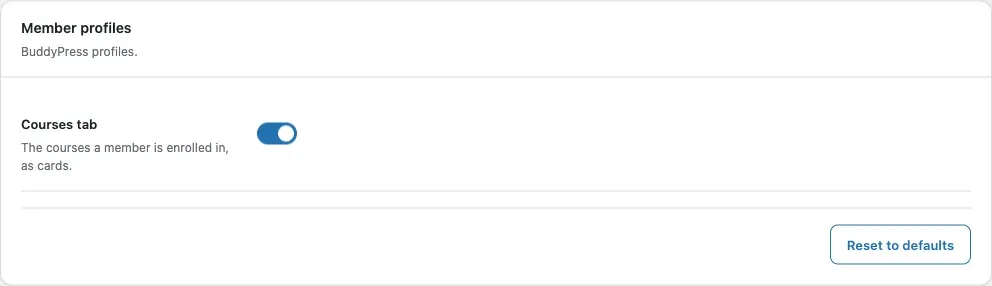
- Existing groups has the Sync now button. It shows when a link type is on.
- Update status shows what the 5.2.0 upgrade moved and any outdated template overrides. It shows only when there is something to report.
You’ll know it worked when
Section titled “You’ll know it worked when”The screen shows “Settings saved.” and your site shows the change. After a reset, the screen shows “Card reset to its defaults.”
Good to know
Section titled “Good to know”What does each card hold?
Section titled “What does each card hold?”| Card | Field | Default |
|---|---|---|
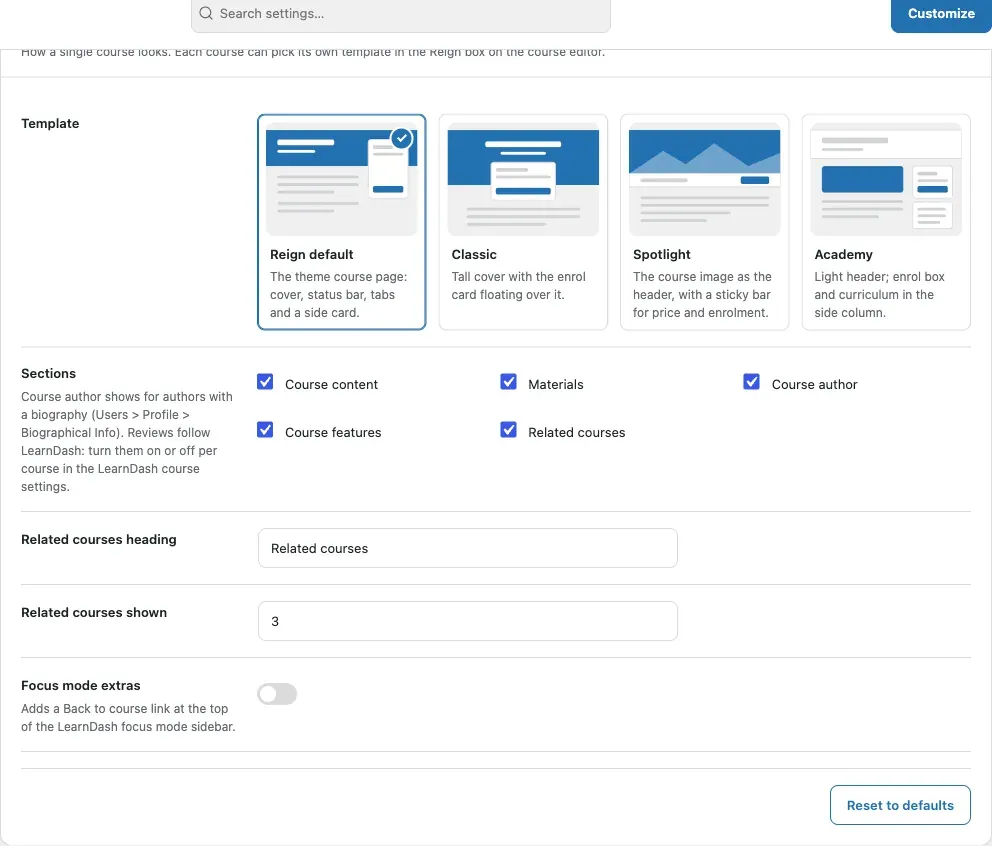
| Course page | Template | Reign default |
| Sections | Course content, Materials, Instructor, Course features, Related courses | |
| Related courses heading | Related courses | |
| Related courses shown | 3 (1 to 12) | |
| Focus mode extras | Off | |
| Course archive | Layout | Reign default |
| Cards show | Badge, short description, instructor, lesson count, rating, progress, button | |
| Filter bar | Search, Category, Price, Sort, Grid or list switch | |
| Images | Default cover image | None |
| Default course image | None | |
| Course groups | Course groups, New group privacy, Students join as | Off, follows access, Member |
| LearnDash groups | LearnDash group sync, New group privacy, Leaders join as, Users join as, Delete the social group with the LearnDash group | Off, follows access, Administrator, Member, Off |
| Activity posts | Post when a member | Enrols, completes a course, passes a quiz |
| Member profiles | Courses tab | On |
On a site with no instructor role, the add-on shows Instructor as Course author.
Details are on these pages: Course page templates, archive layouts and community sync.
Why do I not see the community cards?
Section titled “Why do I not see the community cards?”They show only when BuddyPress 14 or newer, or BuddyBoss, is active. Activity posts needs the Activity component. Member profiles shows on BuddyPress only. A hidden card keeps its saved values.
Where is the filter bar shown?
Section titled “Where is the filter bar shown?”On the courses page with Classic, Soft or Catalog, and on [modern_courses] and the Courses grid block. It is not on the Reign default courses page.
How does saving work?
Section titled “How does saving work?”Saving changes only the cards on the screen. Values for cards that are hidden stay as they are. Only values you changed from the default are saved. A value left at its default keeps following the default, so a later release can improve it. A value you changed stays as you set it.
For developers
Section titled “For developers”Setting keys, values and where they are saved: Settings keys and stored data.