Skip to content
Wbcom Designs Docs

Wbcom Designs Docs

Menu

Close
  • Home
  • Changelog
  • Roadmap
  • Home
  • Changelog
  • Roadmap

Woo Document Preview Pro

  • Intro (2)
    • Woo document preview pro Introduction
    • Feature Hightlights
  • System Requirement (1)
    • System Requirement
  • Installation (2)
    • How to install the Plugin?
    • How to configure the plugin settings ?
  • License (2)
    • Add License
    • Upgrade License
  • Admin Options (4)
    • Can I restrict the document uploading in a certain category products?
    • How to customize the preview button color?
    • Can I change the preview button position?
    • Which file formats is allowed for adding the preview file?
  • Vendor Options (4)
    • Can I add more than one document?
    • How to add document preview using WC vendor Marketplace plugin?
    • How to add document preview using WCFM Marketplace plugin?
    • How to add document preview using Dokan multivendor plugin?
  • Frontend View (1)
    • Frontend view of the document preview
  • FAQ's (1)
    • Does it require any other plugin?
  • Support (2)
    • What if I have a question?
    • What if I need more features?

Can I restrict the document uploading in a certain category products?

Get Started

Yes! You can restrict file uploading of a selected category of products.

Plugin has a dedicated setting for this feature.

Navigate to WB Plugins > Woo Document Preview Pro > General, and find the setting named “Category“.
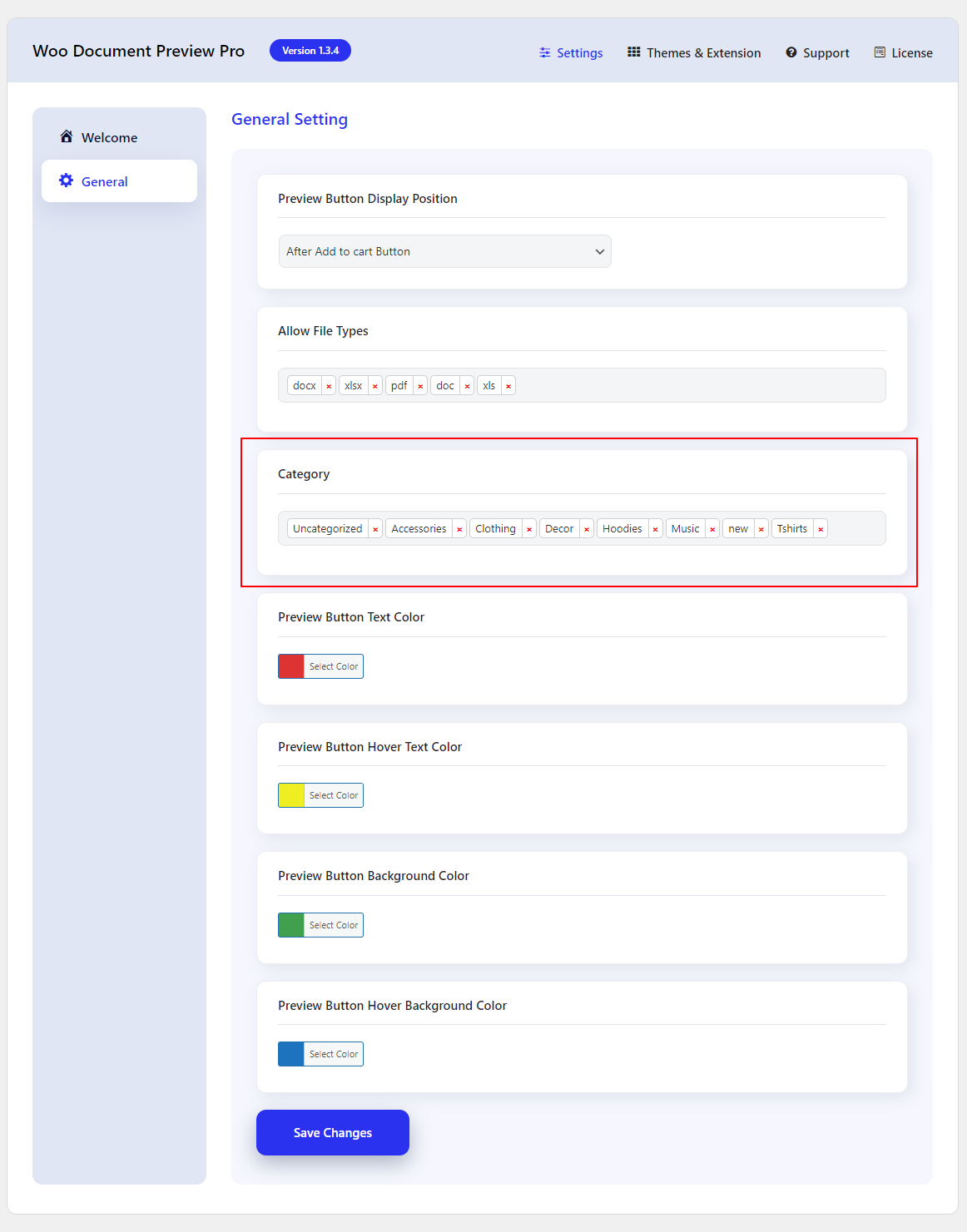
Users will be able to upload the documents in selected categories only.

Last updated: July 14, 2023
Next How to customize the preview button color?
Copyright © 2026 Wbcom Designs
Privacy Policy