Skip to content
Wbcom Designs Docs

Wbcom Designs Docs

Menu

Close
  • Home
  • Release notes
  • Home
  • Release notes

Woo Document Preview Pro

  • Intro (2)
    • Woo document preview pro Introduction
    • Feature Hightlights
  • System Requirement (1)
    • System Requirement
  • Installation (2)
    • How to install the Plugin?
    • How to configure the plugin settings ?
  • License (2)
    • Add License
    • Upgrade License
  • Admin Options (4)
    • Can I restrict the document uploading in a certain category products?
    • How to customize the preview button color?
    • Can I change the preview button position?
    • Which file formats is allowed for adding the preview file?
  • Vendor Options (4)
    • Can I add more than one document?
    • How to add document preview using WC vendor Marketplace plugin?
    • How to add document preview using WCFM Marketplace plugin?
    • How to add document preview using Dokan multivendor plugin?
  • Frontend View (1)
    • Frontend view of the document preview
  • FAQ's (1)
    • Does it require any other plugin?
  • Support (2)
    • What if I have a question?
    • What if I need more features?

How to customize the preview button color?

Get Started

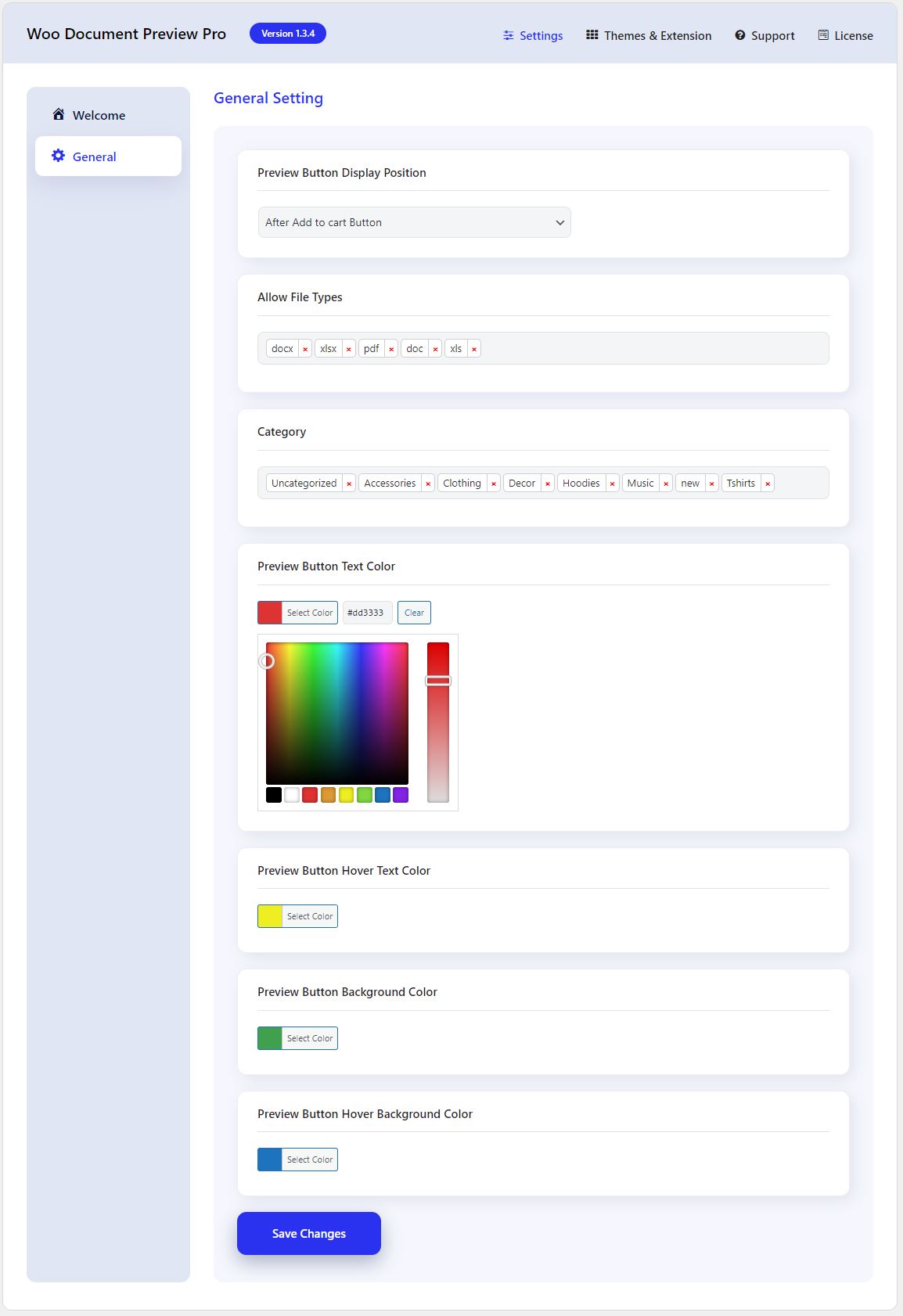
If you want to customize the preview button color then navigate to plugin settings and set the button background color, button text color, button text hover color, and button background hover color. You can set the colors according to your choice by simply just choosing the color from the color palette.

Last updated: July 14, 2023
Previous Can I restrict the document uploading in a certain category products?
Next Can I change the preview button position?
Copyright © 2026 Wbcom Designs
Privacy Policy