

Settings Reference
All SnipShare settings live under SnipShare > Settings (wp-admin/admin.php?page=snipshare) and require the manage_options capability. Settings are organized into five tabs: General, Permissions, Appearance, Integrations, and License.
General tab
Section titled “General tab”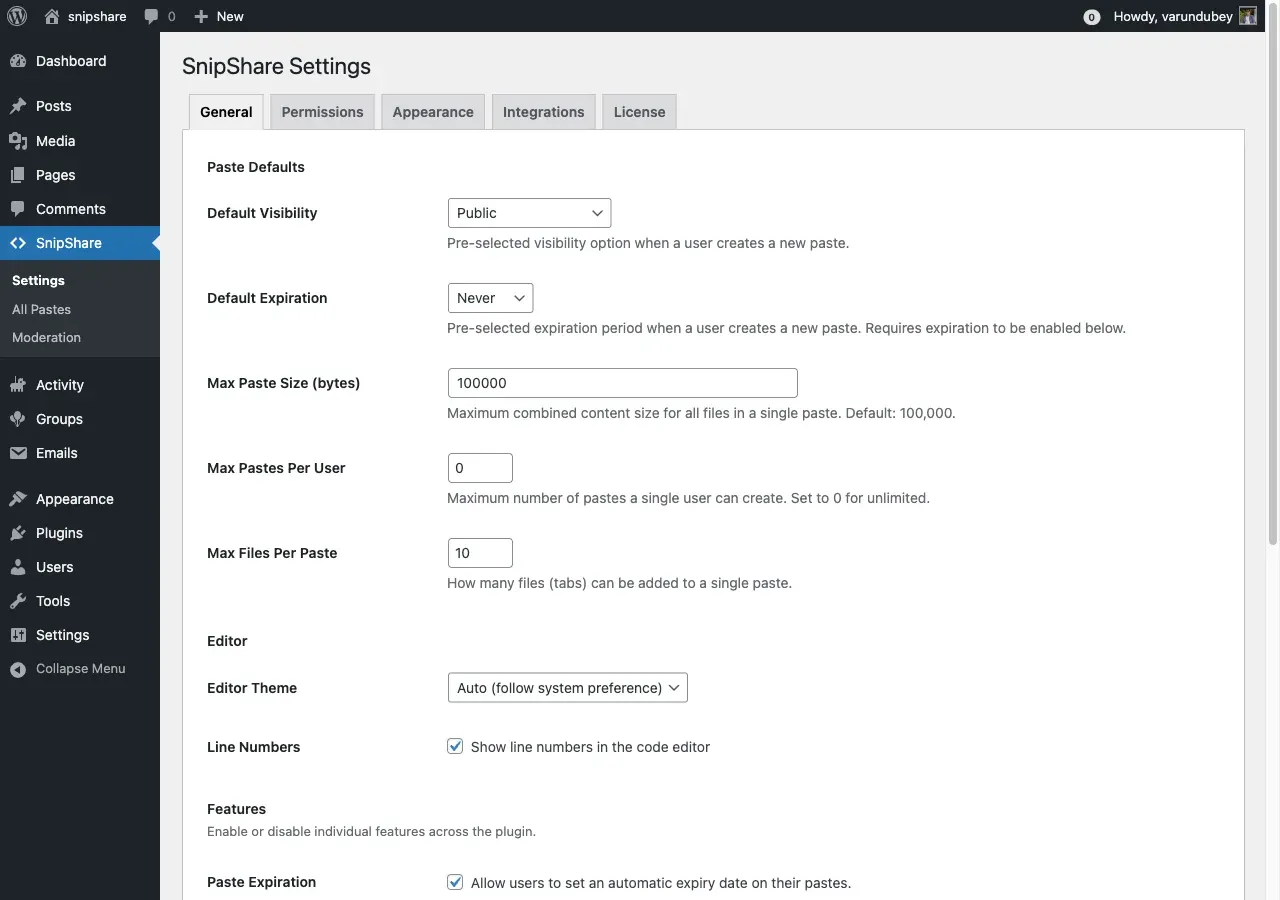
Paste Defaults
Section titled “Paste Defaults”| Setting | Default | Notes |
|---|---|---|
| Default Visibility | Public | Pre-selected visibility for new pastes: Public, Unlisted, or Private. |
| Default Expiration | Never | Pre-selected expiry for new pastes. Options: Never, 1 Hour, 1 Day, 1 Week, 1 Month. Requires the Paste Expiration feature to be enabled. |
| Max Paste Size (bytes) | 100000 | Maximum combined size of all files in one paste. Minimum 1000, in steps of 1000. |
| Max Pastes Per User | 0 | Maximum pastes a single user may create. 0 means unlimited. |
| Max Files Per Paste | 10 | Files (tabs) allowed per paste. Range 1–50. |
Editor
Section titled “Editor”| Setting | Default | Notes |
|---|---|---|
| Editor Theme | Auto | CodeMirror editor theme: Light, Dark, or Auto (follow system preference). |
| Line Numbers | On | Show line numbers in the code editor. |
Features
Section titled “Features”Each toggle turns a whole feature on or off across the plugin. All default to on.
| Toggle | Controls |
|---|---|
| Paste Expiration | Lets users set an automatic expiry on a paste. |
| Paste Forking | Lets users fork (clone) any public paste. |
| Collections | Lets users organize pastes into named collections. |
| Stars / Favourites | Lets users star pastes to save them. |
| Burn After Read | Lets users create pastes destroyed after the first view. |
| Password Protection | Lets users password-protect pastes. |
| Tags | Lets users add searchable tags. |
| Content Reporting | Lets logged-in users flag pastes for moderation. |
Permissions tab
Section titled “Permissions tab”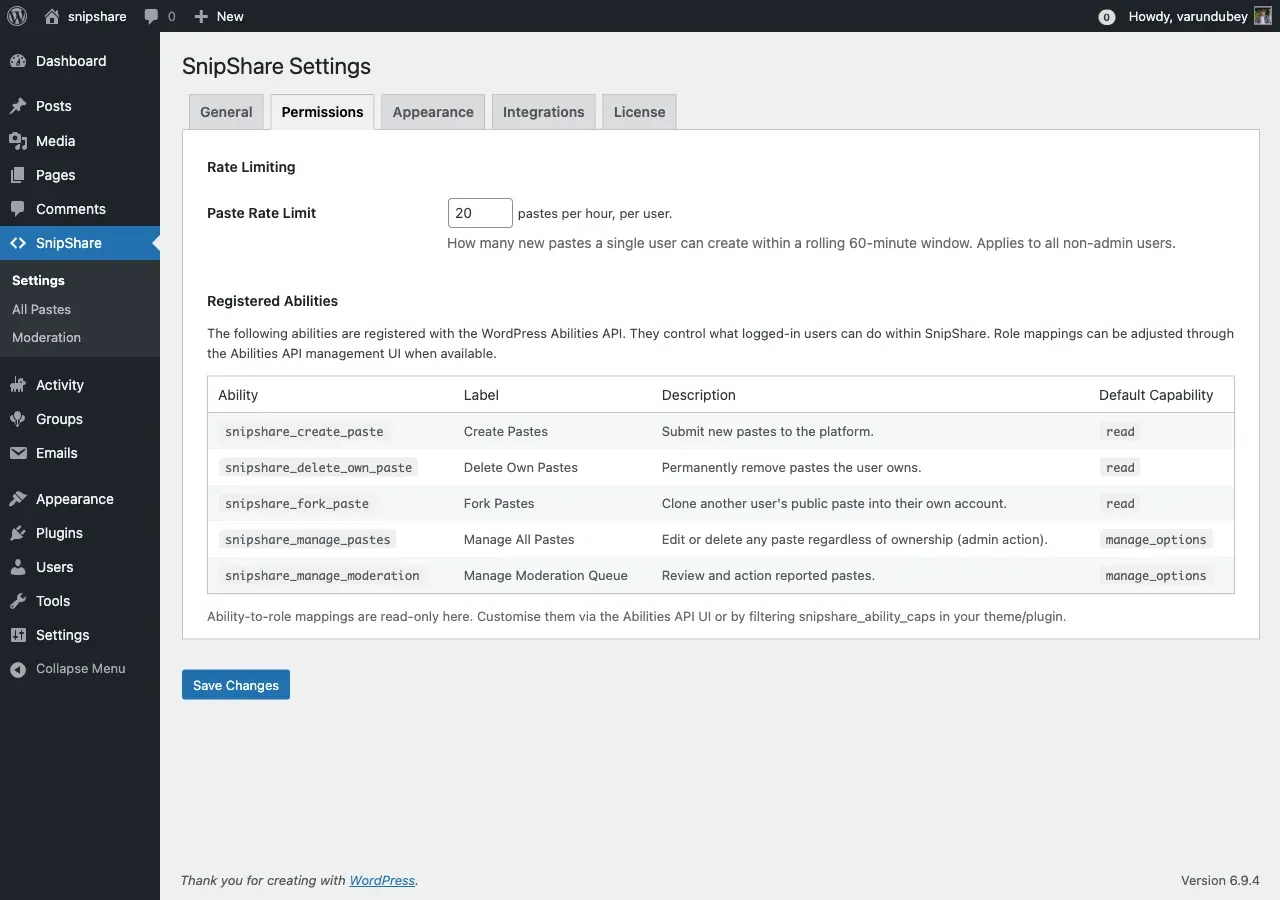
| Setting | Default | Notes |
|---|---|---|
| Paste Rate Limit | 20 | New pastes a single user may create within a rolling 60-minute window. Range 1–1000. Applies to non-admin users. |
The tab also shows a read-only reference of the SnipShare abilities and how they map to roles. Ability-to-role mapping is managed through the WordPress Abilities API; see Permissions & Abilities for the authoritative list.
Appearance tab
Section titled “Appearance tab”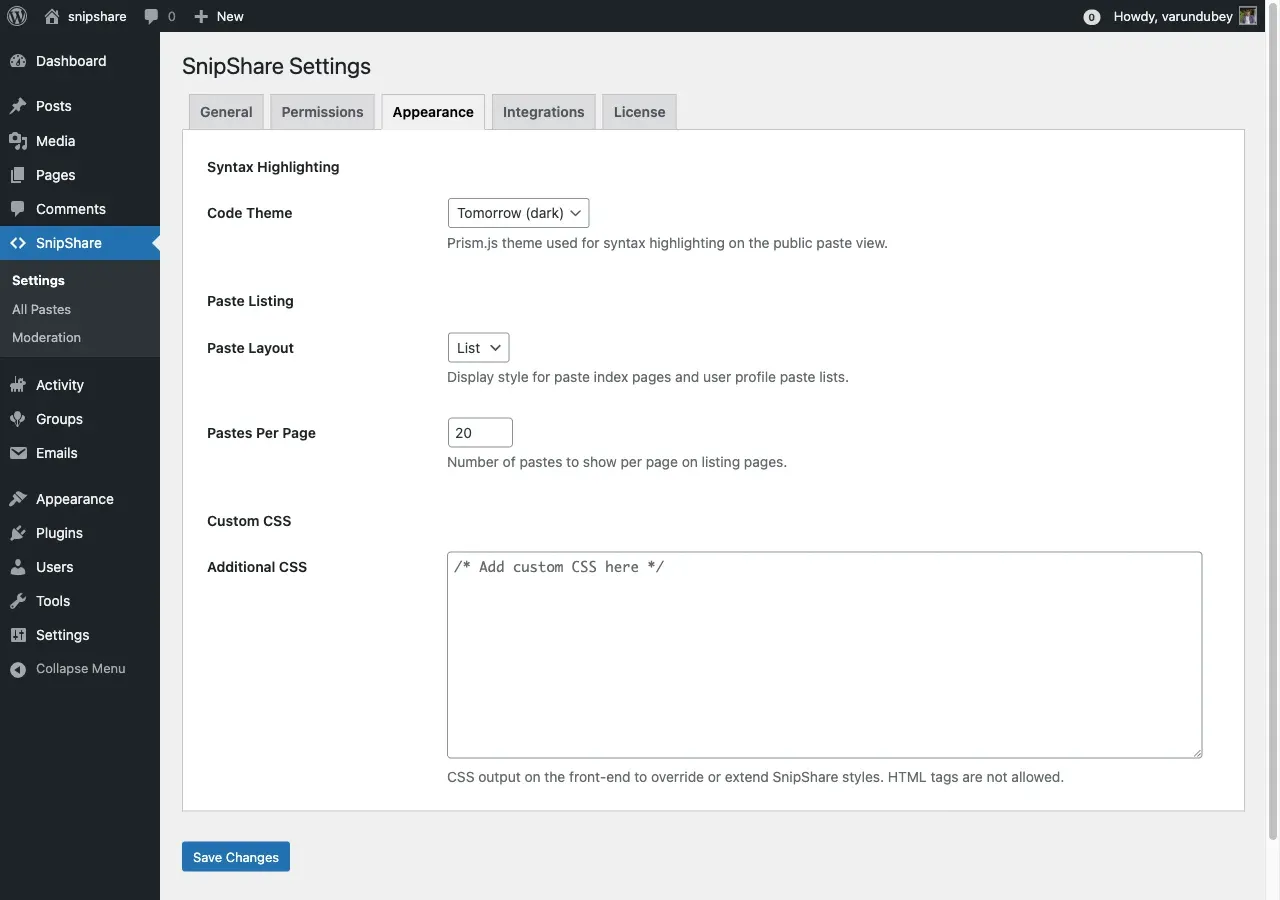
| Setting | Default | Notes |
|---|---|---|
| Code Theme | Tomorrow (dark) | Prism.js theme for the public paste view: Tomorrow, Okaidia, Twilight, Dark, Coy, Solarized Light. |
| Paste Layout | List | Layout for paste index and profile lists: List or Grid. |
| Pastes Per Page | 20 | Pastes shown per page on listing pages. Range 1–100. |
| Additional CSS | (empty) | Custom CSS output on the front-end. HTML tags are stripped. |
Integrations tab
Section titled “Integrations tab”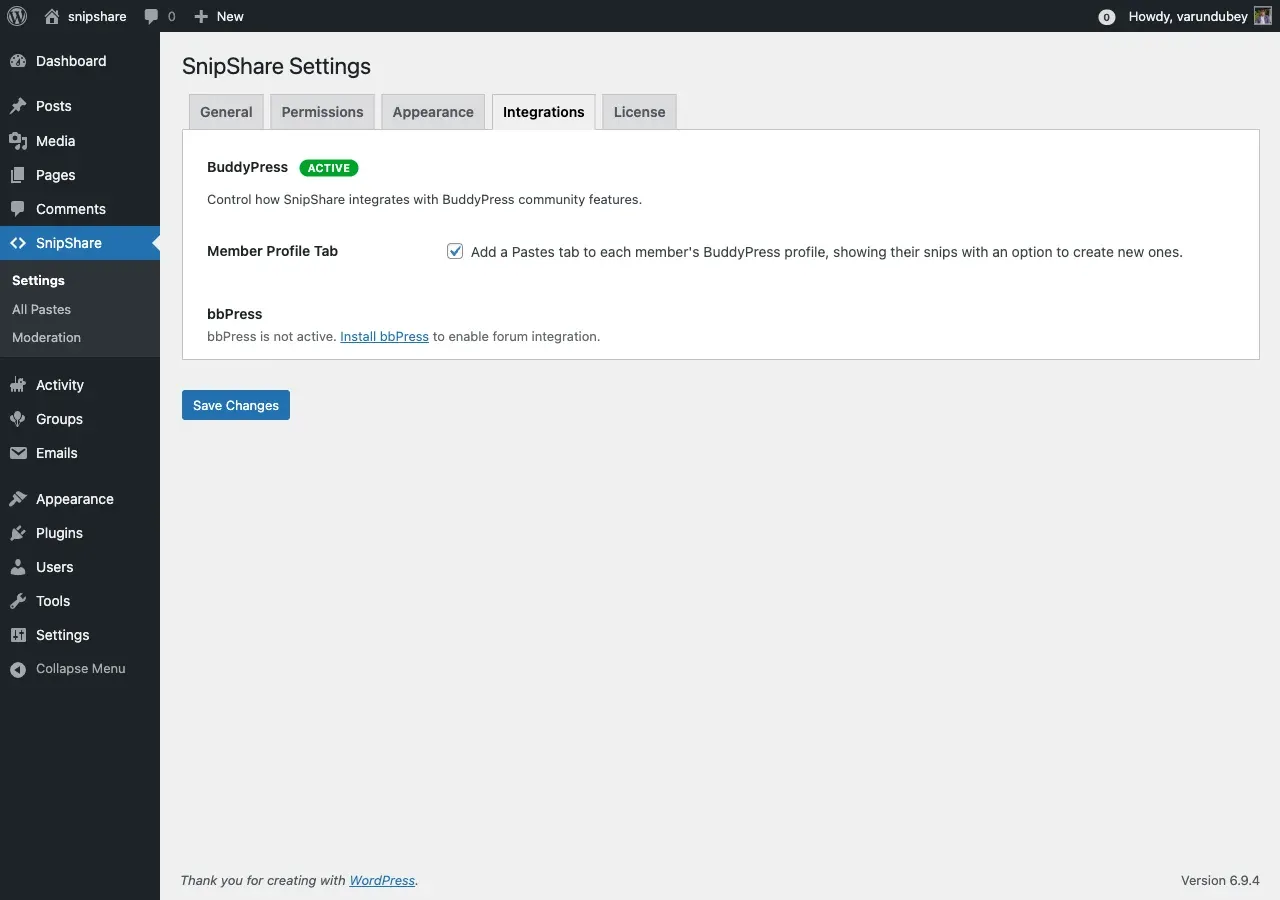
This tab only shows options for the community plugins you have active. If neither BuddyPress nor bbPress is active, it shows a notice instead.
| Setting | Applies to | Default | Notes |
|---|---|---|---|
| Member Profile Tab | BuddyPress | On | Adds a Pastes tab (with My Pastes and Starred sub-tabs) to each member’s BuddyPress profile. |
| Paste Embeds | bbPress | On | Auto-embeds SnipShare paste URLs in forum posts as inline previews. |
| Reply Toolbar Button | bbPress | On | Adds an Insert Paste button to the bbPress reply editor. |
BuddyPress activity-stream posts and star/fork notifications are also part of the integration. See BuddyPress Integration for details.
License tab
Section titled “License tab”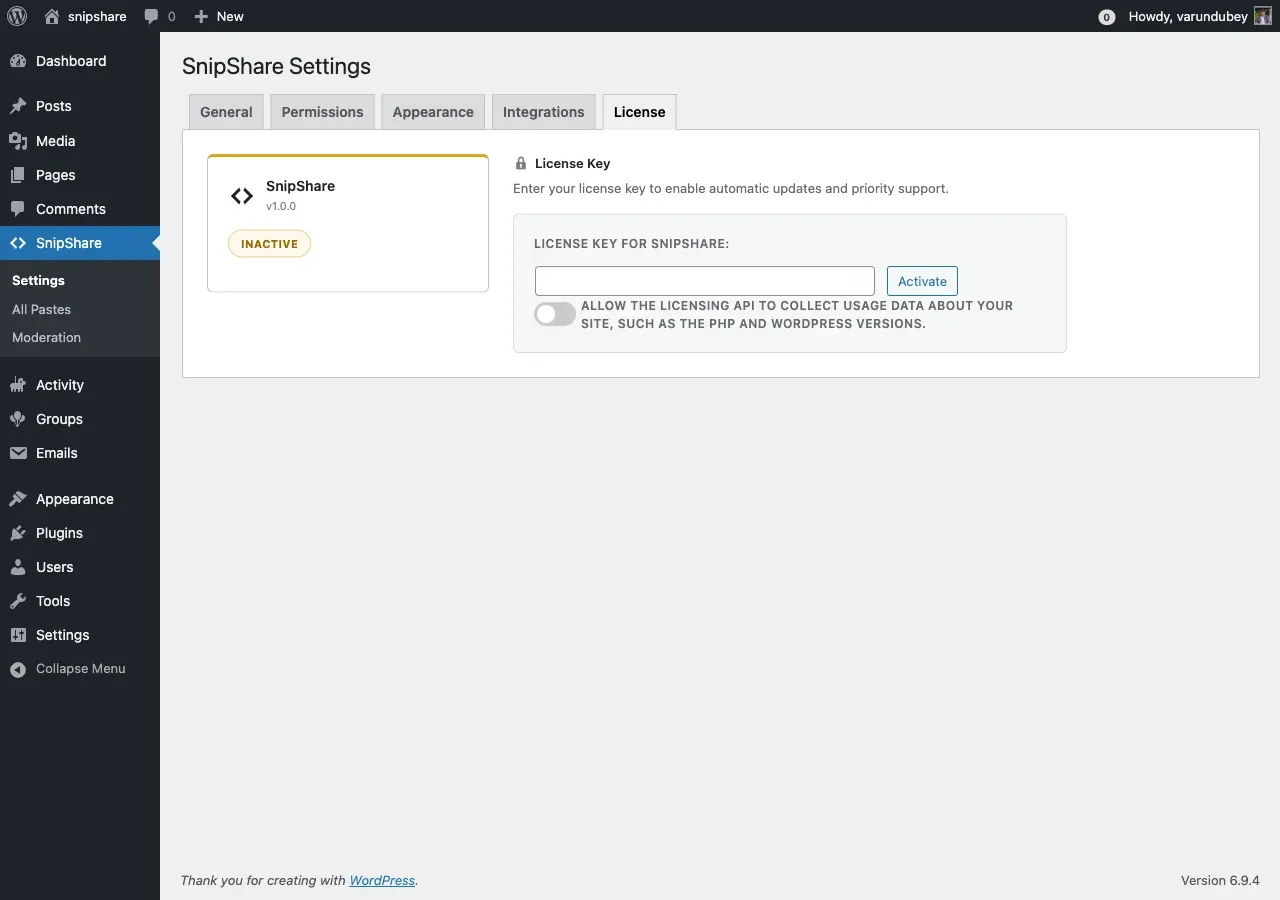
Enter your SnipShare license key to enable automatic updates and priority support. The tab shows the current license status (Active, Inactive, Expired, and so on), the expiry date, and the number of activated sites against your license limit. Licensing is handled by the Easy Digital Downloads Software Licensing SDK; if that SDK is unavailable, the tab shows “License system is not available.”