Skip to content
Wbcom Designs Docs

Wbcom Designs Docs

Menu

Close
  • Home
  • Changelog
  • Roadmap
  • Home
  • Changelog
  • Roadmap

Reign Dokan Addon

  • Intro (1)
    • Reign Dokan Introduction
  • Installation (2)
    • System Requirement
    • Plugin Installation
  • License (2)
    • Add License
    • Upgrade License
  • Backend Setting (5)
    • Mark Product as Favorite
    • Show product on Registered Vendor's BP Profile
    • Buddypress Activity on Product Review
    • BP Activity on Product Creation
    • Reign Dokan Settings
  • Widgets (2)
    • Reign Vendor Listing elementor widget setup?
    • How to set Widgets in reign-dokan-addon?
  • Customizer Settings (3)
    • Product Page Settings
    • Product Page Customization
    • Set The Location of Store Header
  • FAq'S (6)
    • How to create single store using elementor?
    • Setup Header with product search
    • Single cart icon
    • Filters for StoreMate Dokan
    • Available Shortcodes for StoreMate Dokan
    • Which template files are overridden with Dokan add-on plugin?

Reign Vendor Listing elementor widget setup?

Get Started

Vendor store listing can be created using the elementor and reign dokan Addon.

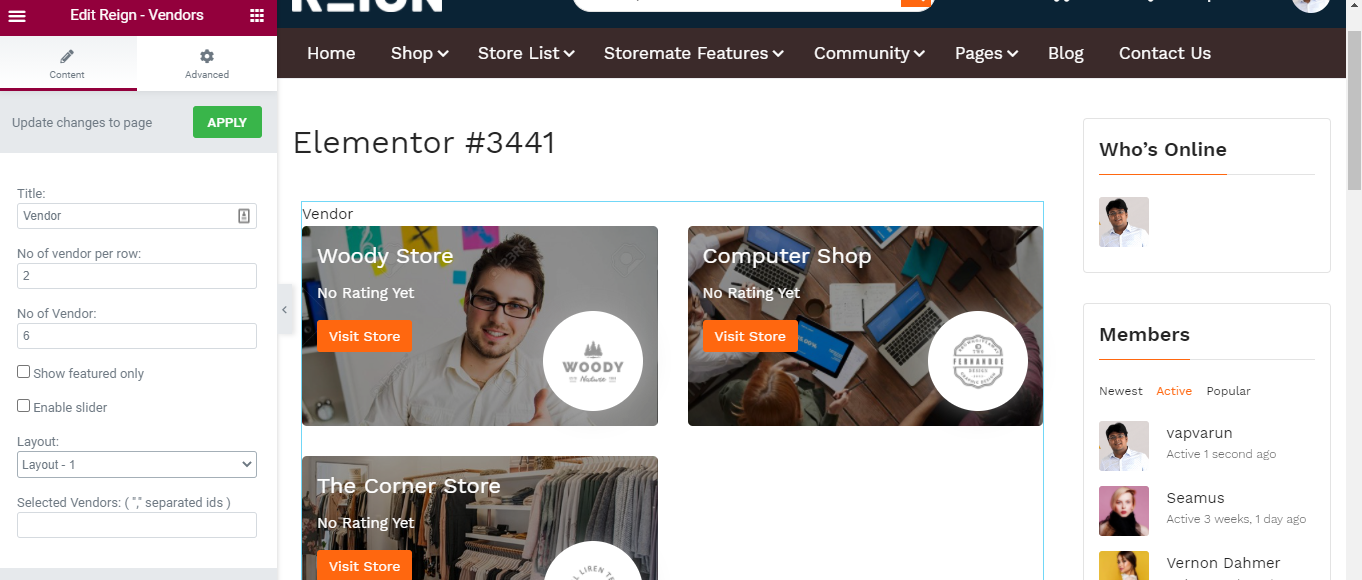
Reign dokan addon provides elementor widgets for vendor listing.

Follow the below steps to create a store listing using elementor.

  • Navigate to WordPress Dashboard >> Pages >> Create New
  • Edit with elementor
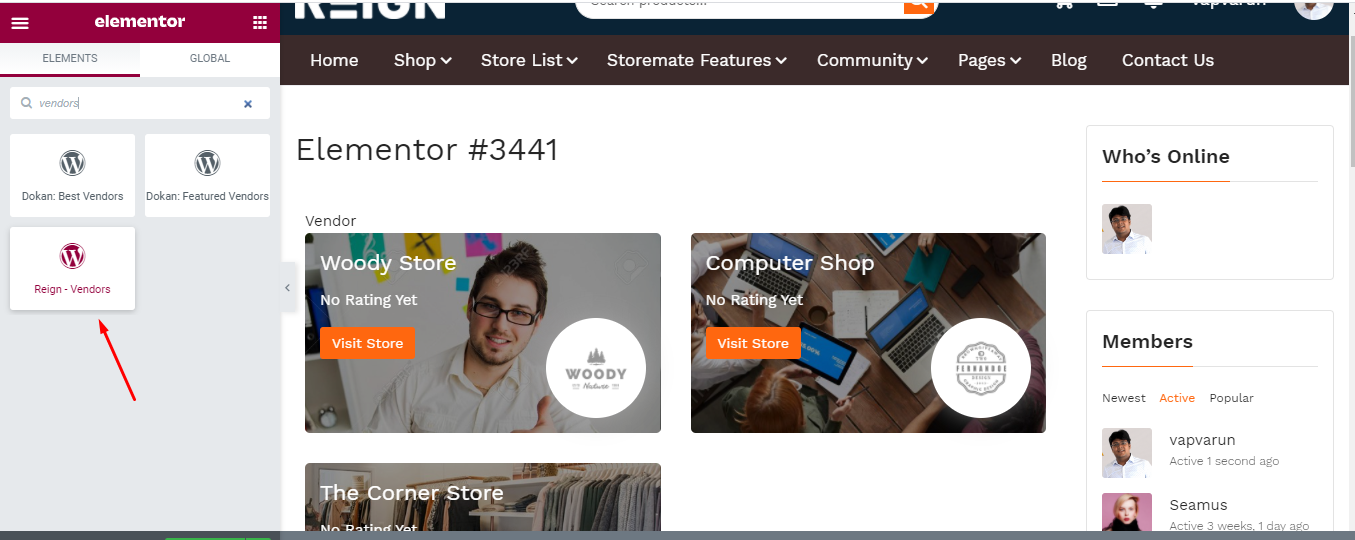
  • Scroll down to wordpress tab where you find Reign -Vendors widget
  • Drag, and drop it onto the page

Last updated: February 5, 2025
Next How to set Widgets in reign-dokan-addon?
Copyright © 2026 Wbcom Designs
Privacy Policy