Skip to content
Wbcom Designs Docs

Wbcom Designs Docs

Menu

Close
  • Home
  • Release notes
  • Home
  • Release notes

BuddyPress WooCommerce Integration

  • Intro (2)
    • BuddyPress WooCommerce Integration Feature Highlights
    • BuddyWoo Integration Plugin Introduction
  • System Requirement (1)
    • System Requirement
  • Installation (1)
    • How to install the BuddyPress WooCommerce Integration plugin?
  • General Settings (1)
    • How to configure the BuddyPress WooCommerce Integration Backend settings?
  • Activity Settings (2)
    • How product review activity settings work?
    • How new product activity settings works?
  • BuddyPress Integration (3)
    • From where I can see all my placed orders?
    • How to track the orders?
    • Give me an overview of frontend woo-commerce tabs
  • Label Settings (1)
    • How to configure Label settings
  • MultiVendor MarketPlace Support (1)
    • Does it support Multivendor MarketPlace
  • Support (2)
    • What if I have a question?
    • What if I need more features?
  • FAQ's (2)
    • Can I edit my billing address and shipping address from my buddypress profile?
    • Does it needs WooCommerce & BuddyPress both?

From where I can see all my placed orders?

Get Started

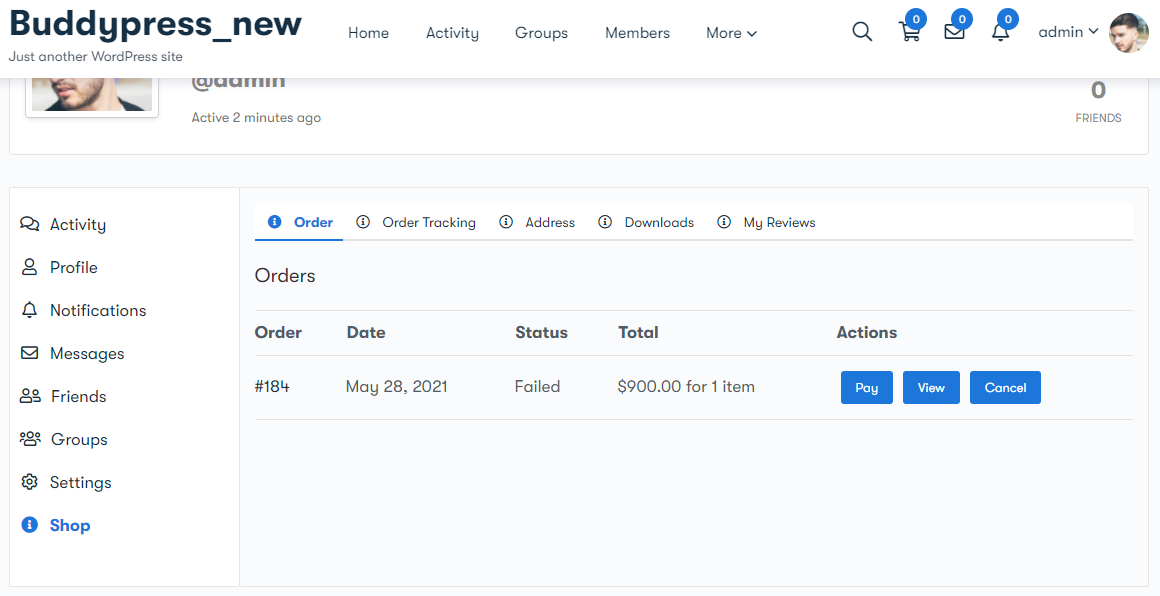
This plugin provides you with an orders subtab under the shop tab to display all the orders placed with their current order status, order date, order ID, and total amount.
Last updated: May 24, 2022
Next How to track the orders?
Copyright © 2026 Wbcom Designs
Privacy Policy