Activity setting- This setting allows the admin to enable or disable product and review activity tracking. By default, these settings are enabled, meaning that whenever a user creates or reviews a product, the activity is recorded. If the admin prefers not to generate these activities, they can simply check this box to disable the setting.

Enable New Product Activity: When ON, new product additions are logged and shown in the member activity feed. Turn it OFF to hide these activities.
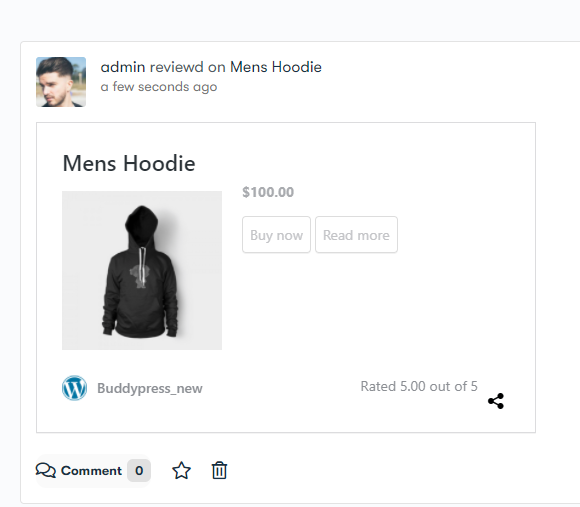
Enable Add Review Activity: When ON, new product reviews are displayed in the member activity feed. Turn it OFF to stop showing review activities.
If Admin has enabled the backend settings, then whenever the user will review on any product then the activity will be generated.