

Job board add-on for Reign (Reign WP Job Manager Addon)
Reign WP Job Manager Addon overviewPremiumGet Reign WP Job Manager Addon →
Also called: job board theme, job listing layout, job list, post a job page, resume page, employer page, job site add-on.
What this does
Section titled “What this does”This add-on gives your job board a few more layout choices. It works on top of the job and resume pages that the Reign theme already draws for WP Job Manager. It does not replace the Reign layout and it does not change the jobs you have saved.
You get these extras:
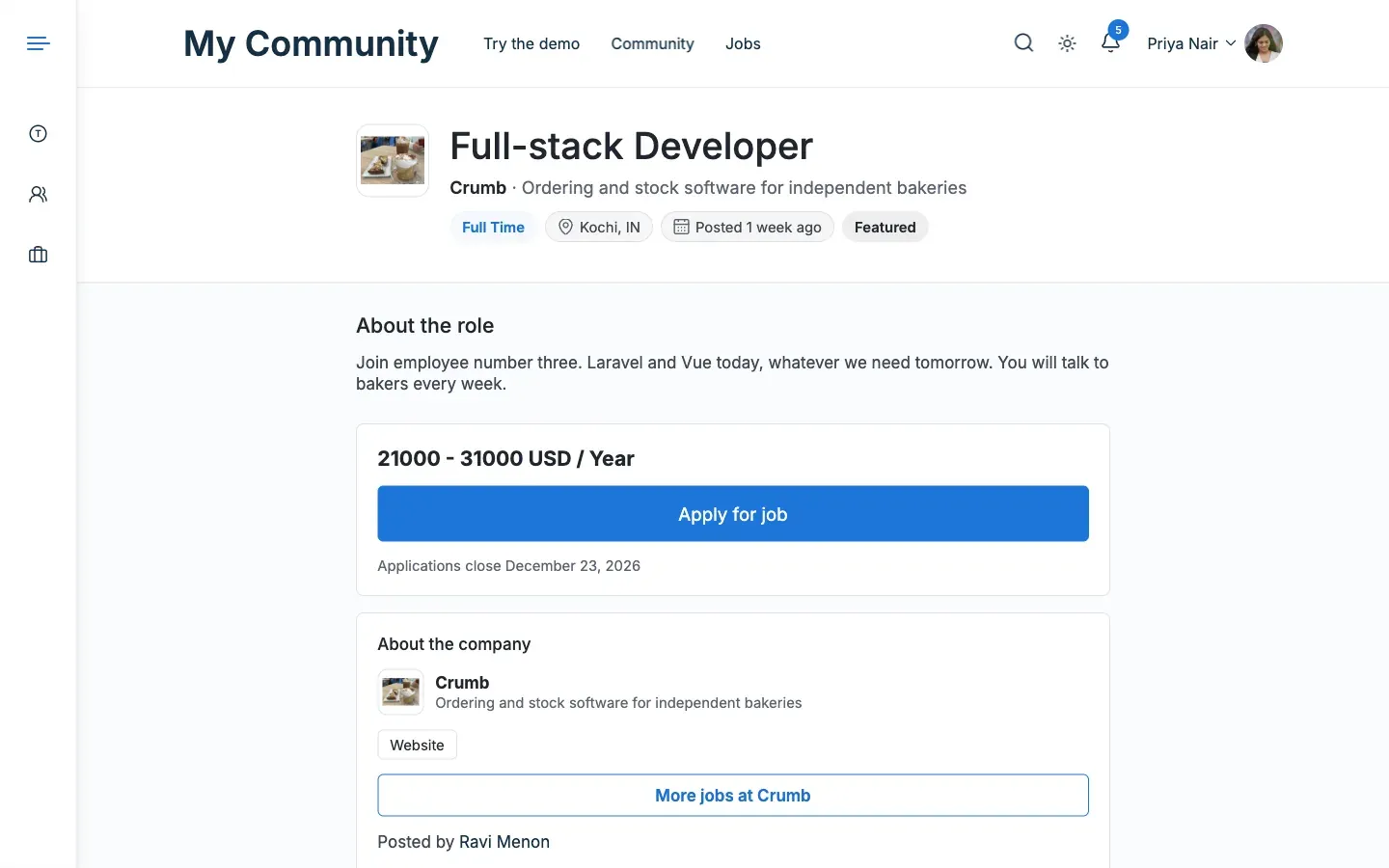
- A Reading layout for a single job page and a single resume page. It is one narrow column, with the details card after the text.
- A Grid layout for the job list and a Rows layout for the resume list.
- Related jobs under the job description. It shows up to three other open jobs in the same category.
- A Posted by link to the employer’s profile when BuddyPress, BuddyBoss or PeepSo is active.
- Thirteen optional extra fields, six for jobs and seven for resumes. Examples are salary range, career level and experience.
Before you start
Section titled “Before you start”You need all of these:
- The Reign theme, version 8.1.0 or newer.
- WP Job Manager, active on your site.
- WordPress 6.5 or newer and PHP 8.1 or newer.
- A licence key for updates. The add-on is sold separately from the theme, and you can buy it here.
Resume Manager is optional. It adds resumes and the resume settings. WP Job Manager Applications and BuddyPress are optional too.
Set up WP Job Manager itself first. Follow Set up WP Job Manager for Reign. If the job pages are not set up, the add-on looks as if it does nothing.
- Install and activate the add-on.
- Go to Reign Settings > License and enter your key in the Reign WP Job Manager Addon row. The add-on has no licence field of its own.
- Go to Reign Settings > Integrations, then Configure on the WP Job Manager tile.
- Change the layouts, lists and extra fields you want. The page and list layouts and the extra fields pages explain each choice.
You’ll know it worked when
Section titled “You’ll know it worked when”The WP Job Manager tab opens under Integrations. Your job pages then follow the layouts you picked.
Good to know
Section titled “Good to know”What if WP Job Manager or Reign is missing?
Section titled “What if WP Job Manager or Reign is missing?”The add-on pauses. It shows the notice “Reign WP Job Manager Addon is paused. Your settings are kept.” with a step for each missing part. Nothing changes on your site. Fix the missing part and the add-on runs again.
Will my site look different the moment I install it?
Section titled “Will my site look different the moment I install it?”No. Every setting starts at the plain Reign layout. The only new things are the extra fields and Related jobs. A site upgraded from 3.1.0 keeps the fields it had.
Where do I enter the licence key?
Section titled “Where do I enter the licence key?”Use Reign Settings > License. Read more in the Reign documentation and on Resources and downloads.