

Marketplace settings (WC Vendors settings)
Reign WC Vendors Addon overviewPremiumGet Reign WC Vendors Addon →
Also called: vendor settings, store settings, marketplace options, favourites switch, store tab switch, activity feed options, Reign Settings integrations.
Find them under Reign Settings > Integrations, then Configure on the WC Vendors tile.
What this does
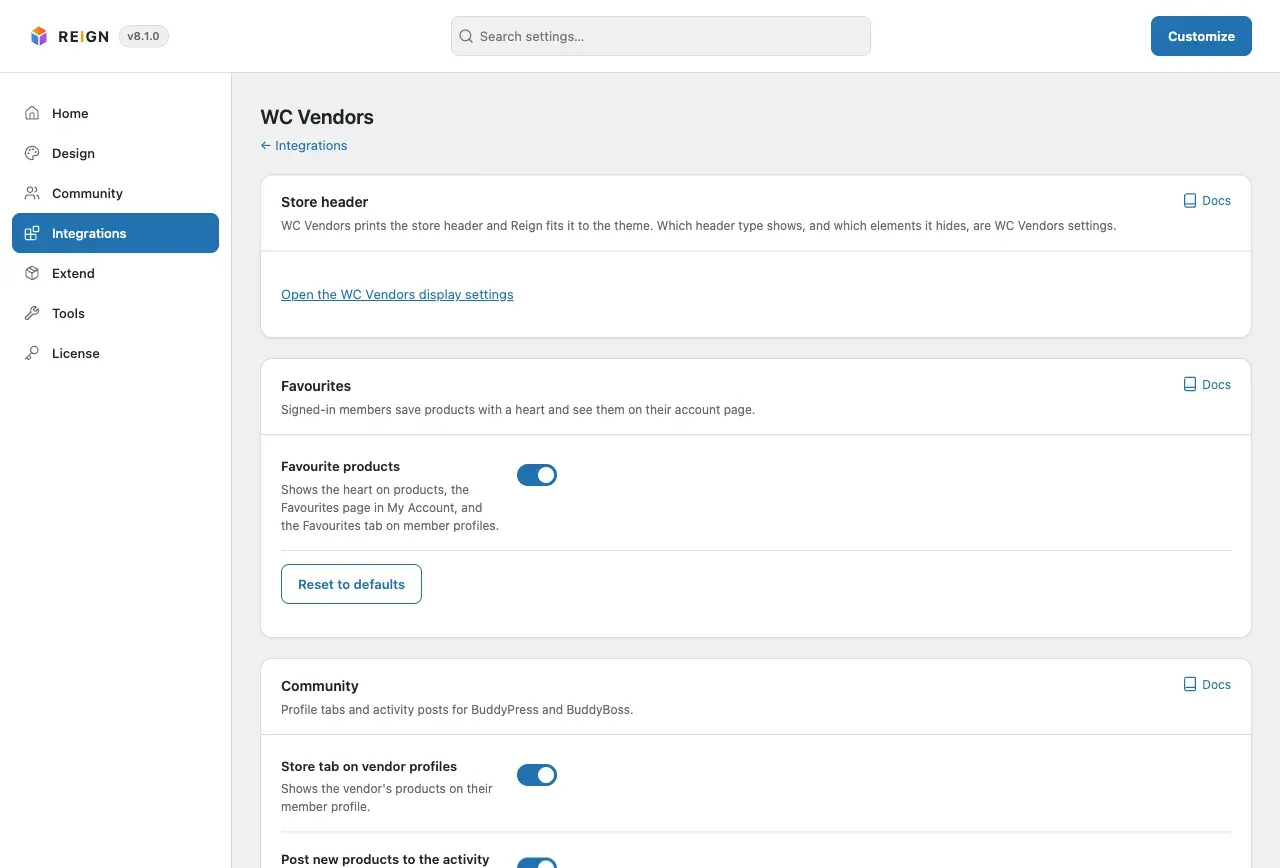
Section titled “What this does”This screen switches the add-on’s features on and off. It has three cards: Store header, Favourites and Community. One Update Settings button at the bottom saves every card.
Before you start
Section titled “Before you start”The Community card shows only when BuddyPress or BuddyBoss is active.
-
Open Reign Settings > Integrations, then Configure on the WC Vendors tile.
-
In the Favourites card, switch Favourite products on or off. It is on by default. It controls the heart, the My Account Favourites page and the profile tab.
-
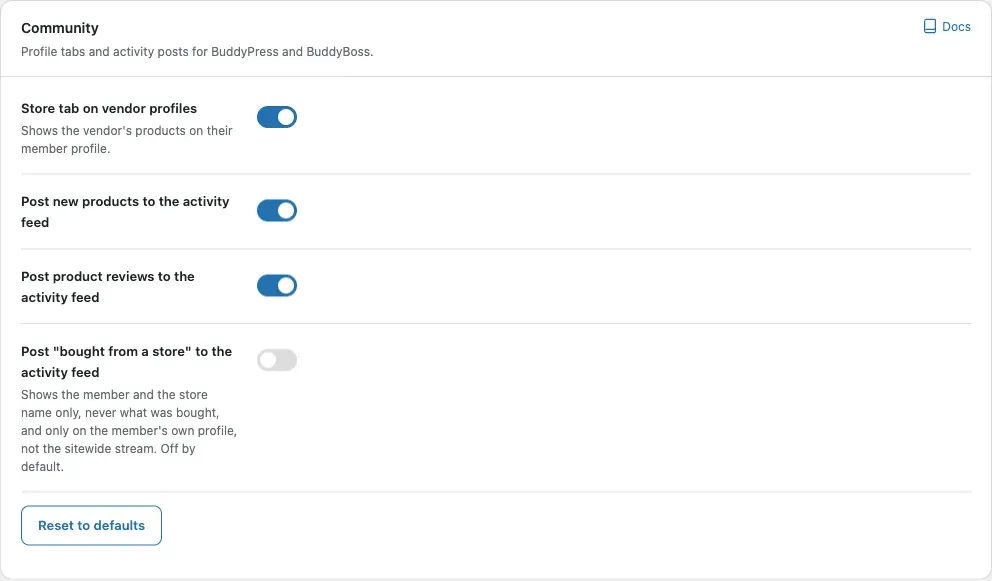
In the Community card, choose the options you want. The table below lists them.
-
Select Update Settings. You see “WC Vendors settings saved.”
-
To undo one card, select Reset to defaults on that card and confirm. You see “Card reset to its defaults.”
| Option | Default | What it does |
|---|---|---|
| Store tab on vendor profiles | On | Shows a Store tab with the vendor’s products. |
| Post new products to the activity feed | On | Posts a card when a vendor adds a product. |
| Post product reviews to the activity feed | On | Posts a card when a customer reviews a product. |
| Post “bought from a store” to the activity feed | Off | Names the member and the store only, never what was bought, on the member’s own profile only. |
The Store header card
Section titled “The Store header card”
This card holds only a link to WC Vendors’ display settings. With WC Vendors Pro, go to Display > Branding, where Store Header Visibility lives. The add-on has no header option of its own.
You’ll know it worked when
Section titled “You’ll know it worked when”After you save, the heart, the Store tab or the activity cards appear or disappear to match your switches.
Good to know
Section titled “Good to know”Why are some Community switches missing?
Section titled “Why are some Community switches missing?”On BuddyBoss with WC Vendors Pro, Pro already provides the Store tab and the new product and review posts. The card tells you this. Only the purchase switch stays.
Does Reset to defaults change my other cards?
Section titled “Does Reset to defaults change my other cards?”No. It asks first, then puts only that card back to its defaults. The Favourites and Community cards each have one.
Do I need to visit Permalinks after turning favourites on?
Section titled “Do I need to visit Permalinks after turning favourites on?”No. Changing the Favourite products switch schedules one rewrite flush. The My Account Favourites page then appears or disappears by itself.
For developers
Section titled “For developers”| Option | Saved key |
|---|---|
| Favourite products | enable_favorite_product |
| Store tab on vendor profiles | store_tab |
| Post new products to the activity feed | product_activity |
| Post product reviews to the activity feed | review_activity |
| Post “bought from a store” to the activity feed | order_activity |
A value equal to its default is not stored.