

Vendor shop tab and activity posts (Store tab)
Reign WC Vendors Addon overviewPremiumGet Reign WC Vendors Addon →
Also called: vendor profile tab, store page tab, seller products tab, shop tab, activity feed posts, news feed posts, new product post.
Needs BuddyPress or BuddyBoss.
What this does
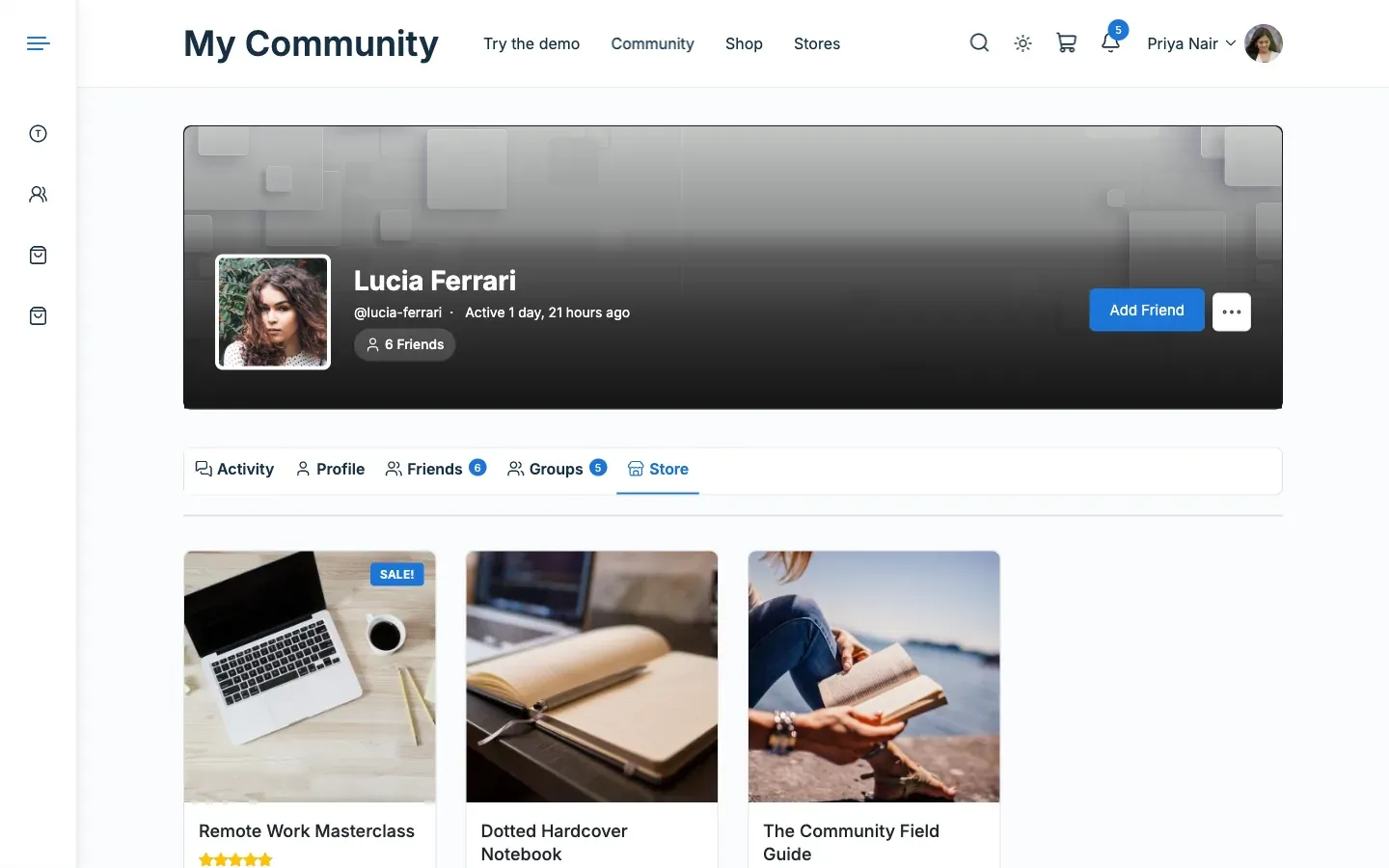
Section titled “What this does”A vendor’s member profile gets a Store tab that lists the vendor’s published products. The activity feed also gets posts when a vendor adds a product or a customer reviews one. A post for purchases is available too, and it is off by default.
Before you start
Section titled “Before you start”- BuddyPress or BuddyBoss must be active, with the Members component on for the Store tab and the Activity component on for posts.
- The vendor needs at least one published product.
- On BuddyBoss with WC Vendors Pro, Pro does this work. See the last question below.
-
Open Reign Settings > Integrations, then Configure on the WC Vendors tile and find the Community card.
-
Check that Store tab on vendor profiles is on.
-
Open a vendor’s member profile and select the Store tab. The products show 12 to a page, in the theme’s normal product grid.
-
To change which posts appear in the activity feed, use the three activity switches in the same card. WC Vendors settings lists them.
You’ll know it worked when
Section titled “You’ll know it worked when”The Store tab lists the vendor’s products. A new product or review then appears as a card in the activity feed.
Good to know
Section titled “Good to know”What do the activity posts look like?
Section titled “What do the activity posts look like?”| Post | Reads | Notes |
|---|---|---|
| New product | “{Store} added a new product” | One compact card with image, title, price and a View button. |
| New review | “{Member} reviewed {Product}” | Card with the star rating. A vendor’s reply or a plain product comment posts nothing. |
| Purchase | “{Member} bought from {Store}” | Sentence only, one per store in the order, made when the order is paid (processing or completed). Off by default. |
Does a purchase post show what was bought?
Section titled “Does a purchase post show what was bought?”No. It names the member and the store only. It appears on the member’s own profile, not the sitewide stream. A purchase makes one sentence for each store in the order, up to five.
What if a product is sold out or unpublished?
Section titled “What if a product is sold out or unpublished?”A product card shows “Sold out” in place of the price when the product is out of stock. A product that is later unpublished shows its title without a View button.
Why did my product import make no posts?
Section titled “Why did my product import make no posts?”Each post is made once. Products published through Bulk Edit, an importer or WP-CLI make no posts, so a catalogue upload does not flood the feed. Only a vendor’s own products and their reviews are posted. A review needs a signed-in reviewer.
Why does a vendor see “This store has no products yet.”?
Section titled “Why does a vendor see “This store has no products yet.”?”The vendor has no published products. The Store tab is also hidden when the Store tab on vendor profiles switch is off.
Why is there no Store tab setting on my BuddyBoss site?
Section titled “Why is there no Store tab setting on my BuddyBoss site?”WC Vendors Pro has its own Store tab and posts products and reviews. The add-on leaves those to Pro, and the Community card says so.
For developers
Section titled “For developers”To make the add-on post on BuddyBoss with WC Vendors Pro anyway, return false from the reign_wcv_step_aside_for_pro filter. Pro will then post too, so reviews can appear twice.