

Course reviews (Reviews)
Also called: course ratings, star rating, feedback, testimonials, learner reviews, comments on courses, rate a course
What this does
Section titled “What this does”Learners rate a course from 1 to 5 stars and write a short review. The reviews show in a Reviews section on the course page. Reviews are off until you turn them on.
-
Go to Reign Settings > Integrations, then Configure on the Sensei LMS tile.
-
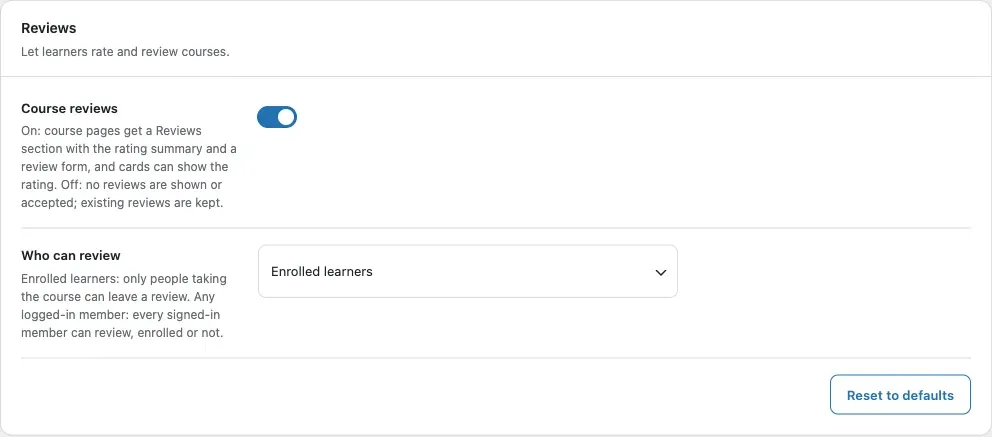
Find the Reviews card.
-
Switch Course reviews on. The default is Off.
-
Under Who can review, pick Enrolled learners or Any logged-in member. The default is Enrolled learners.
-
Click Save changes.
You’ll know it worked when
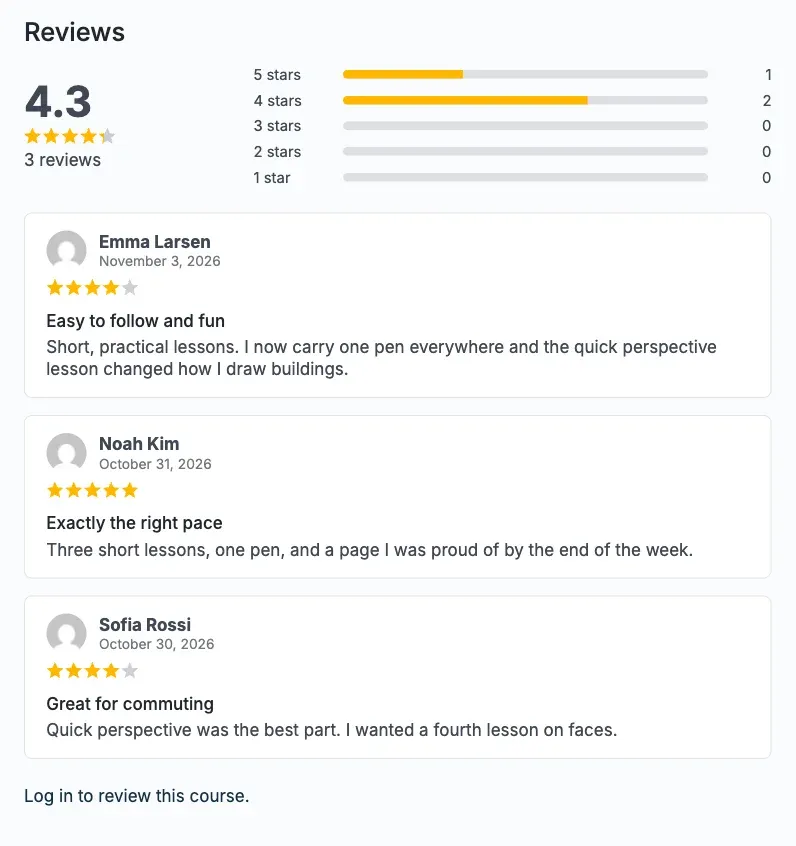
Section titled “You’ll know it worked when”The course page shows a Reviews section with the average, the star bars and the reviews.
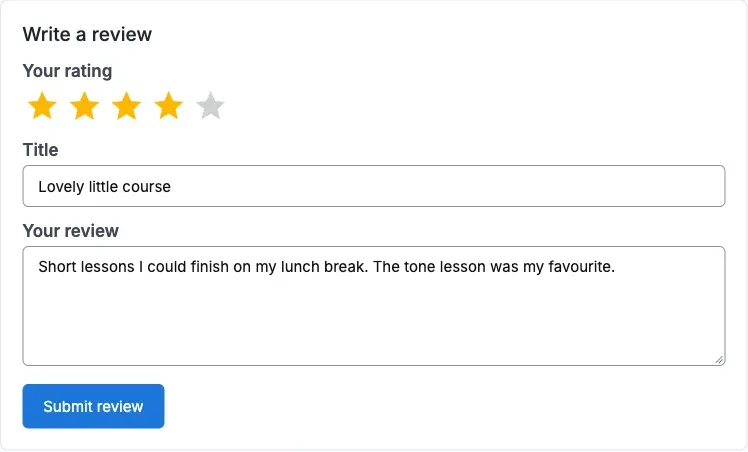
A learner who may review sees this form.
Good to know
Section titled “Good to know”What does a review contain?
Section titled “What does a review contain?”A rating from 1 to 5, an optional title of up to 120 characters, and the text. Each learner can leave one review per course. Sending it again replaces the first. A learner can delete their own review.
Who sees the form?
Section titled “Who sees the form?”Guests see a log-in link. Say the rule is Enrolled learners. Then a logged-in member who is not enrolled sees “Only learners enrolled in this course can review it.”
Can I approve reviews first?
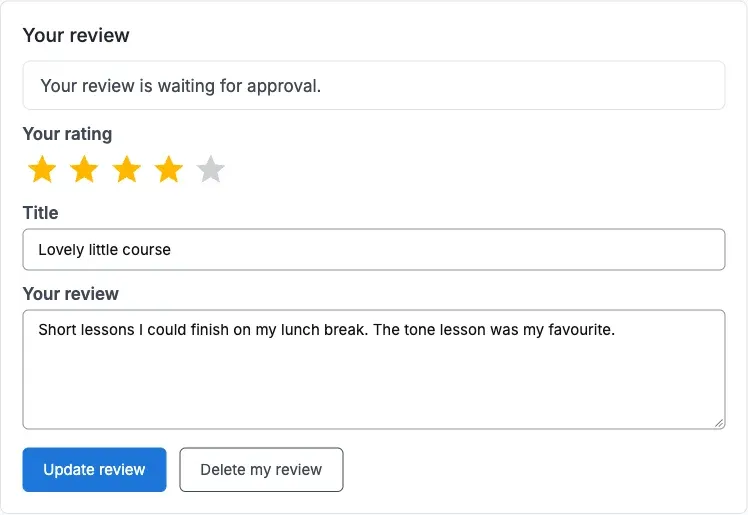
Section titled “Can I approve reviews first?”Yes. Reviews follow your Settings > Discussion rules. A held review is visible only to its author, with a notice, until you approve it. Editing the title or text runs the same check again.
What does the learner see after sending?
Section titled “What does the learner see after sending?”They return to the Reviews section with one notice: your review is saved, waiting for approval, or deleted. Two other notices say they cannot review this course, or must choose a rating from 1 to 5.
Where do I moderate reviews?
Section titled “Where do I moderate reviews?”Under Comments in wp-admin. Reviews are normal comments. While Course reviews is on, the usual comment form is switched off on courses. Reviews then show once, in the Reviews section. While it is off, the add-on leaves course comments as Sensei and your site have them.
What happens when I turn reviews off?
Section titled “What happens when I turn reviews off?”The Reviews section and the Rating on cards are hidden. The reviews stay in your database.
Will a course with thousands of reviews be slow?
Section titled “Will a course with thousands of reviews be slow?”No. Reviews show 10 to a page. The average and star bars come from one grouped query and are cached.
Why is there no Reviews section on a course?
Section titled “Why is there no Reviews section on a course?”The section is left out when there is nothing to show and the visitor cannot review.
For developers
Section titled “For developers”- A review is a comment with the comment meta
ratingandtitle. - Long lists page with the
?rpage=query argument.