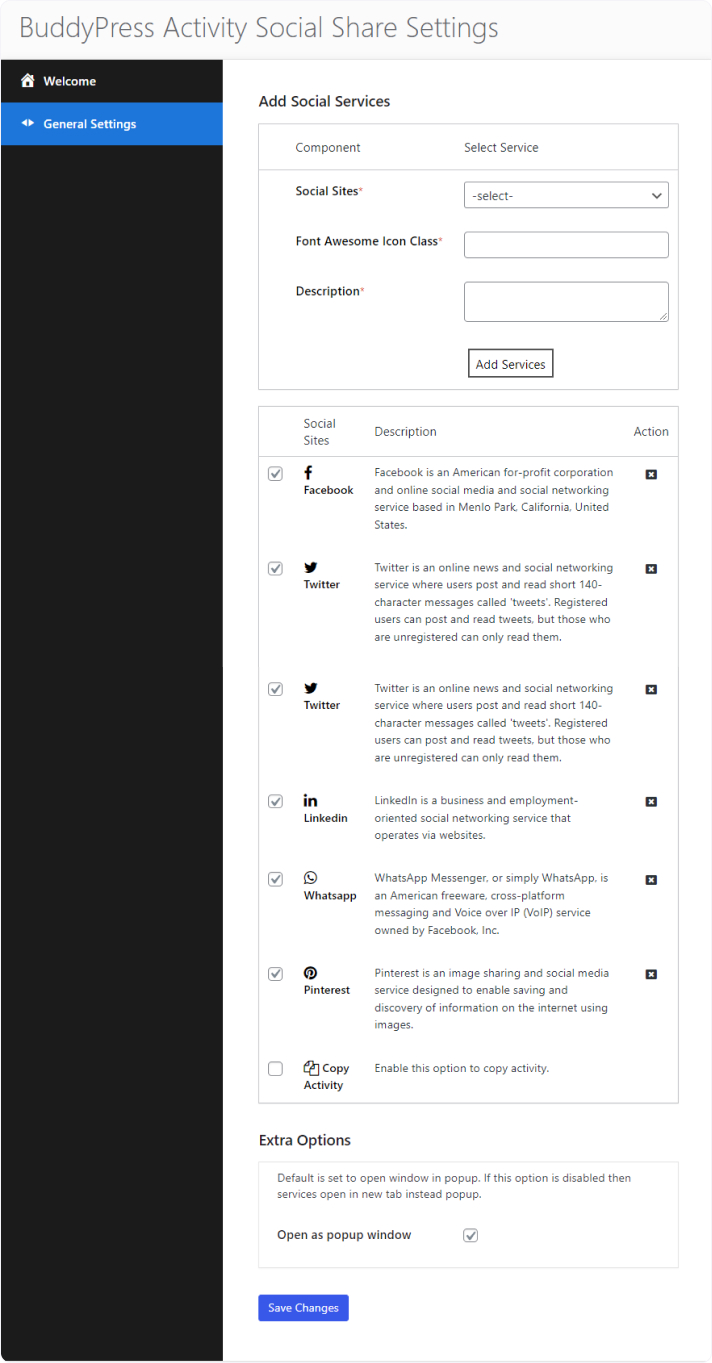
To configure the settings for the BuddyPress Activity Social Share plugin, follow these steps:
- Access your website’s WordPress admin area by logging in with your credentials.
- In the Admin Panel, go to WB Plugins > Then, click on BuddyPress Share to access the social sharing options for BuddyPress activities
- You should now see the plugin settings page, which will look similar to the provided screenshot.

Here, you can enable or disable specific sharing platforms through drag and drop, adjust display settings, and configure other options to fit your sharing preferences on BuddyPress activities.
Open as Popup Window
This option, if enabled, opens the sharing window as a popup, making it more convenient for users to share without leaving the current page.
- If this option is disabled, the sharing links will instead open in a new browser tab.
Frontend View