

Dokan settings (Reign Settings)
Also called: Dokan integration, marketplace settings, store card style, vendor block, favourites switch, activity posts, reset to defaults
What this does
Section titled “What this does”This one screen controls everything the add-on adds. Find it at Reign Settings > Integrations, then Configure on the Dokan tile.
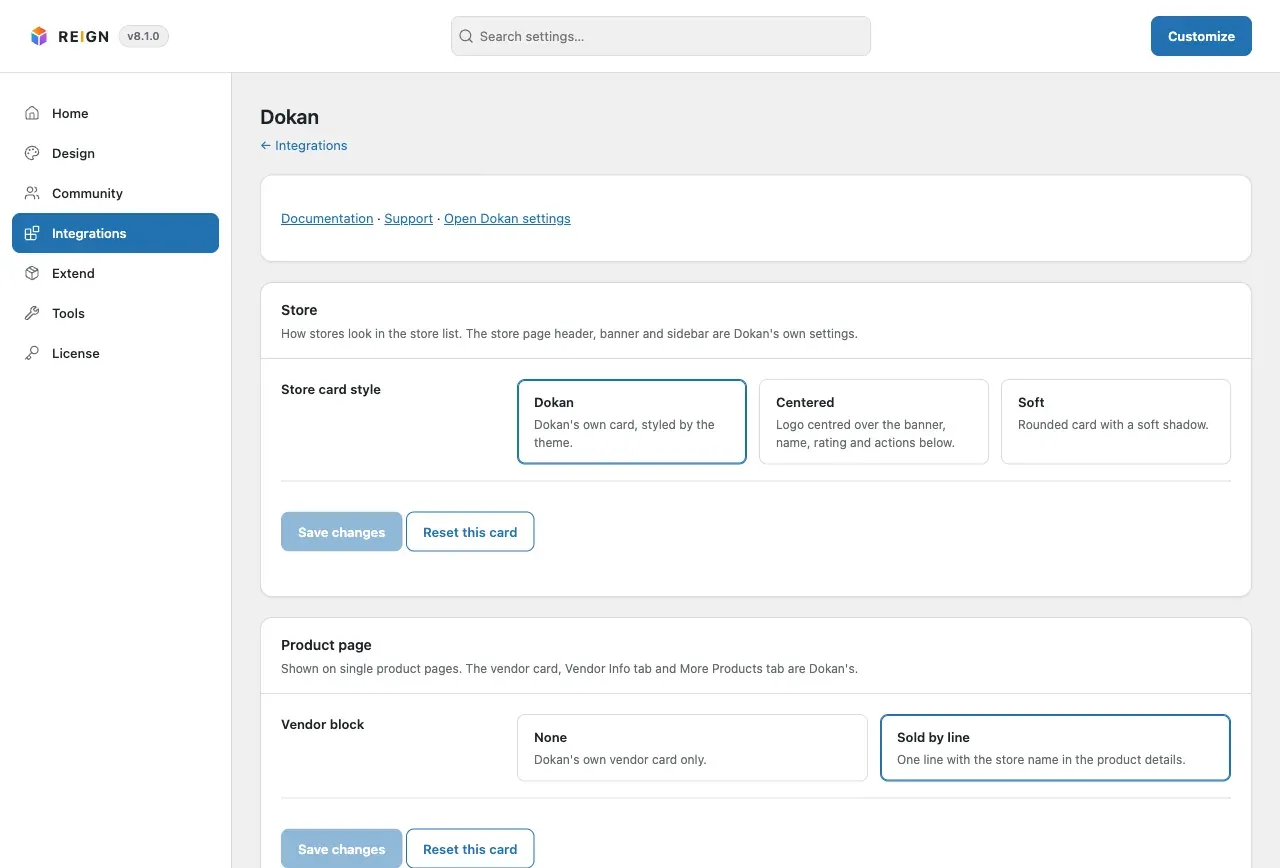
- Open Reign Settings > Integrations, then Configure on the Dokan tile.
- Change the options in the Store, Product page and Community cards.
- Click Save changes. It saves all three cards, so an edit in another card is never lost.
- To undo one card, click its Reset this card button and confirm.
The options
Section titled “The options”| Card | Setting | Default | What it does |
|---|---|---|---|
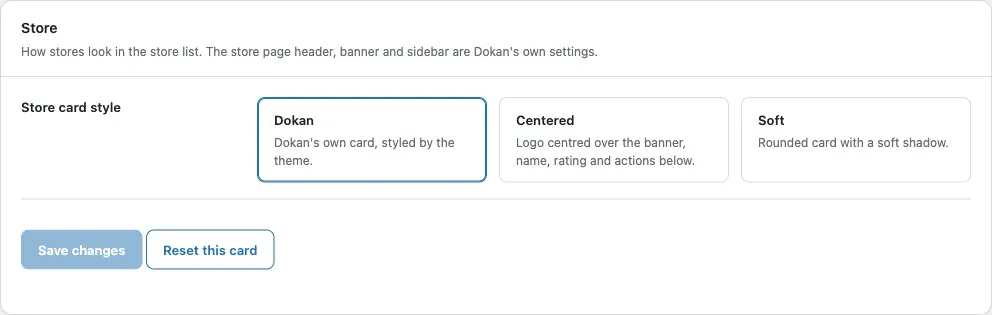
| Store | Store card style | Dokan | Dokan, Centered or Soft. See Store cards. |
| Product page | Vendor block | Sold by line | Sold by line adds one line with the store name. None keeps Dokan’s own vendor card only. |
| Community | Favourite products | On | A heart on product cards, a page in My Account and, with a community plugin, a profile tab. |
| Community | Store tab on vendor profiles | On | A Store tab on a vendor’s profile. BuddyPress or BuddyBoss only. |
| Community | Post to the activity stream when | Product, review | Tick any of: a product is published, a product gets a review, someone buys from a store. BuddyPress or BuddyBoss only. |
You’ll know it worked when
Section titled “You’ll know it worked when”The page shows “Settings saved.” or “Settings reset.” at the top.
Good to know
Section titled “Good to know”Why do I only see one option in Community?
Section titled “Why do I only see one option in Community?”The Community card shows only the Favourite products switch unless BuddyPress or BuddyBoss Platform is active.
Where do I change the store header, banner or vendor dashboard?
Section titled “Where do I change the store header, banner or vendor dashboard?”Those are Dokan’s own settings. Click Open Dokan settings at the top of the page, next to the Documentation and Support links.
What happens if a value is wrong?
Section titled “What happens if a value is wrong?”It is corrected on save. An unknown card style becomes Dokan, an unknown vendor block becomes None, and unknown activity types are dropped.
For developers
Section titled “For developers”Settings live in the dokan key of the reign_options option. Keys: card_style, vendor_block, favourites_tab, store_tab and activity. Only values that differ from the default are stored, so an unchanged default follows any later change. Other keys are ignored.