

Profile tabs and activity posts (Community)
Also called: seller profile, vendor profile tab, store tab, activity feed, activity stream, BuddyPress, BuddyBoss, new product post
What this does
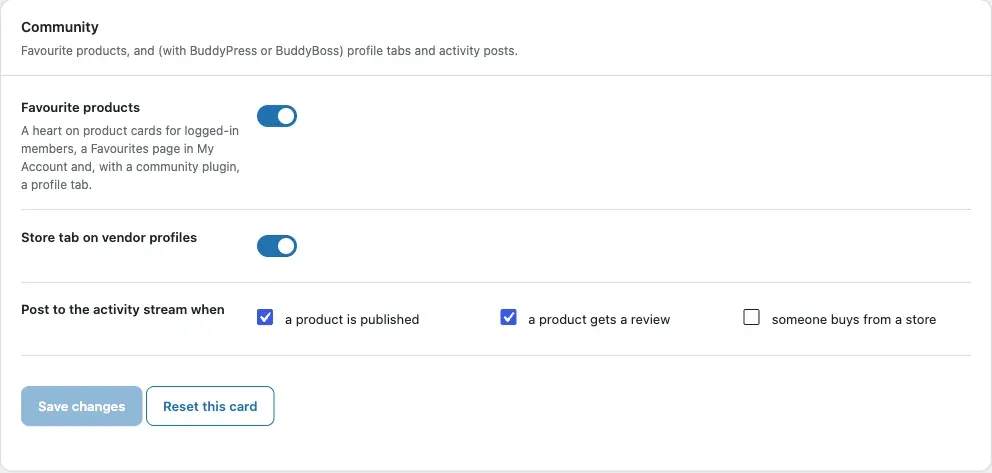
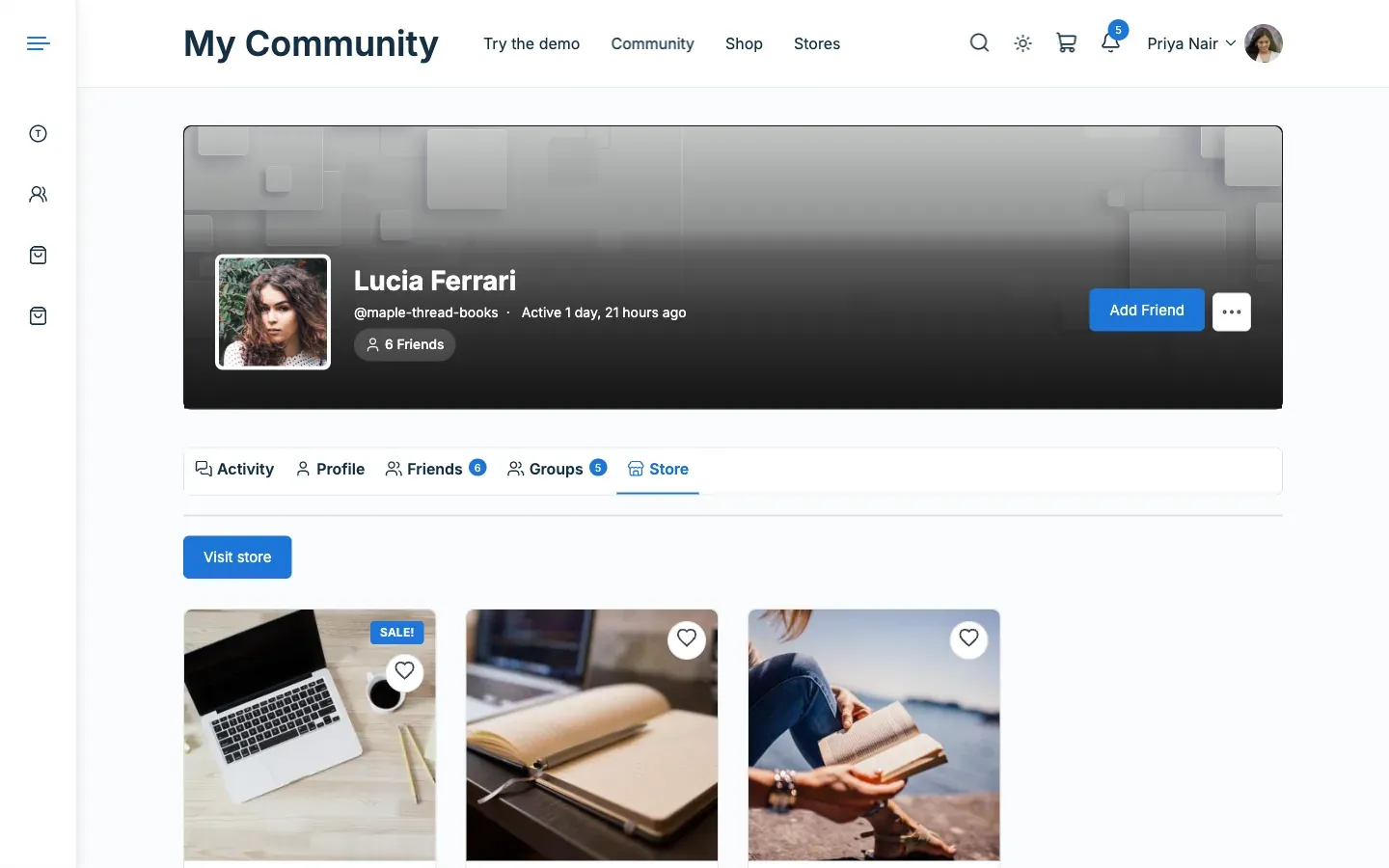
Section titled “What this does”With BuddyPress or BuddyBoss Platform, vendors get a Store tab on their profile. Members get a Favourite products tab. The activity stream can post about new products, reviews and purchases. Without one of those plugins, these options are hidden.
Before you start
Section titled “Before you start”BuddyPress or BuddyBoss Platform must be active. For activity posts, turn the Activity component on in its settings.
- Go to Reign Settings > Integrations, then Configure on the Dokan tile and open the Community card.
- Switch Store tab on vendor profiles on or off.
- Under Post to the activity stream when, tick what you want: a product is published, a product gets a review, someone buys from a store.
- Click Save changes.
You’ll know it worked when
Section titled “You’ll know it worked when”A vendor’s profile shows a Store tab with their products and a Visit store button.
Good to know
Section titled “Good to know”What is in the Store tab?
Section titled “What is in the Store tab?”The vendor’s published products, 12 per page. Products hidden from the shop catalogue are left out.
Who sees the Favourite products tab?
Section titled “Who sees the Favourite products tab?”Only the member, on their own profile. BuddyPress keeps its own Favorites tab for activity.
Which activity posts are on by default?
Section titled “Which activity posts are on by default?”New products and reviews are on. Store purchases are off.
- A new product posts when it is published. Imports, Bulk Edit, Woo’s CSV import and WP-CLI publishes post nothing.
- A review posts once. A reply to a review is not a review and posts nothing.
- A purchase posts once, when the order is paid. This works by card, by bank transfer, or when an admin marks it processing or completed.
Do purchase posts show customer details?
Section titled “Do purchase posts show customer details?”No. They show the store name, not the buyer’s order details. They appear on the buyer’s own profile only, never in the sitewide stream.
How do the posts look?
Section titled “How do the posts look?”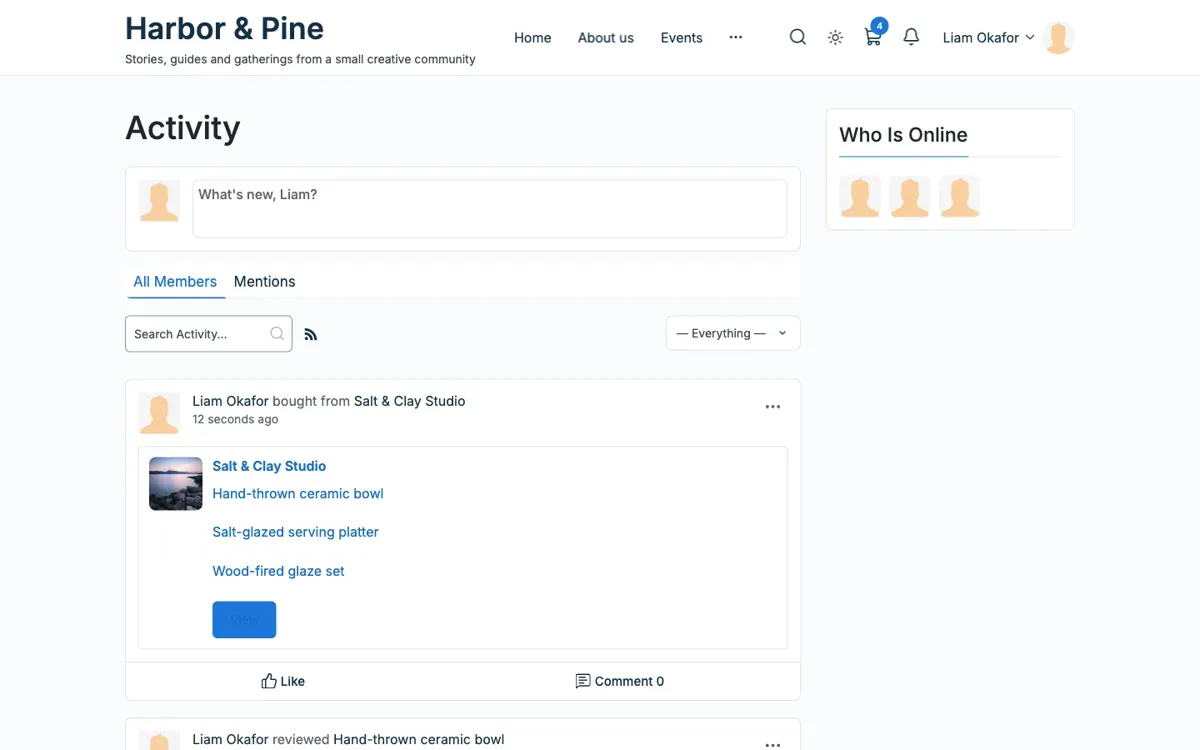
Each post is a card with a picture, a title and a View button. In the activity filter the three types are named New products, Product reviews and Store purchases. A repeated event does not post twice.