

Sold by line (Product page)
Also called: sold by, vendor name on product, seller name, store link on product, vendor block, who sells this
What this does
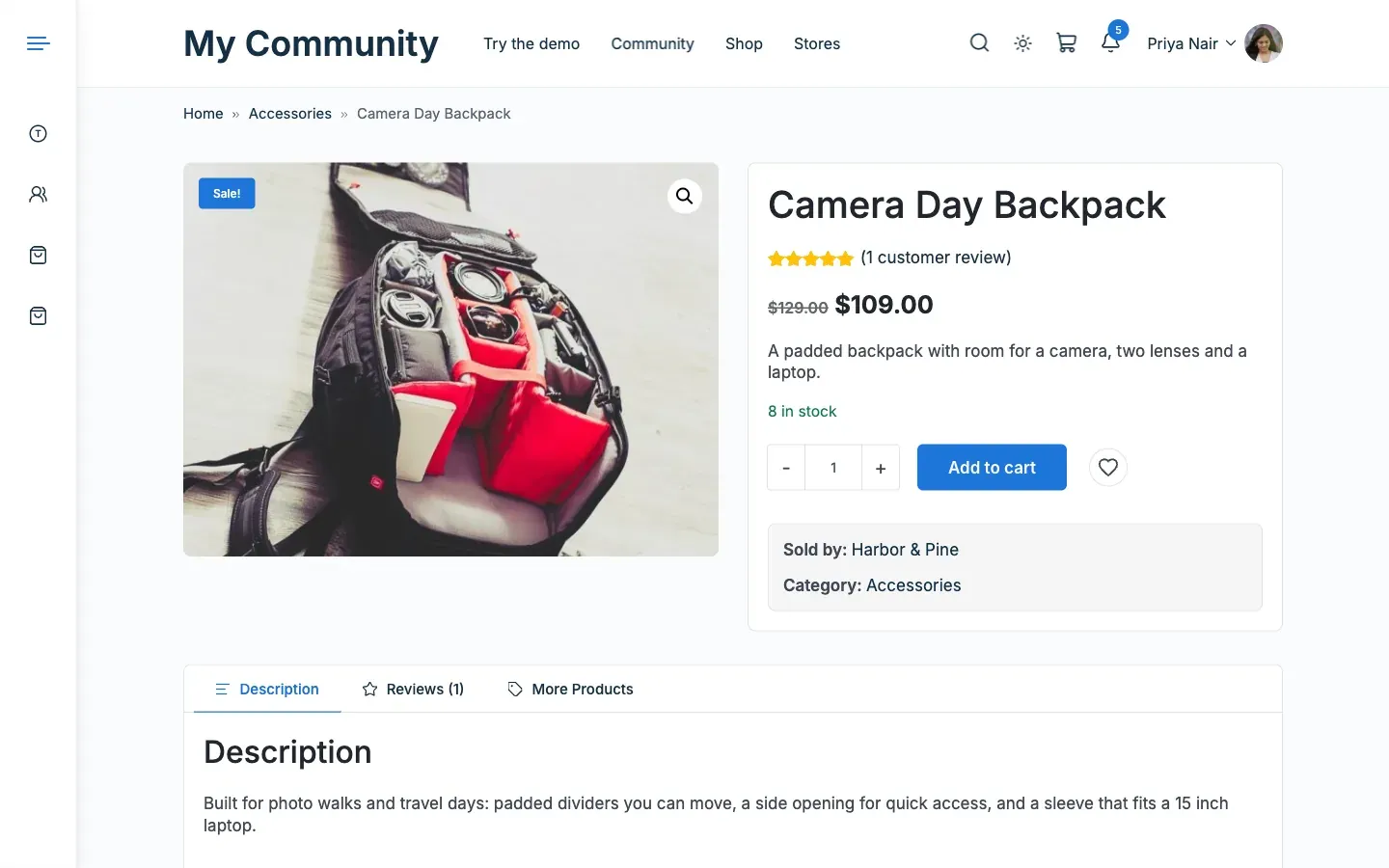
Section titled “What this does”It adds a “Sold by” line with the store name under the product details. The name links to the store. Dokan’s own vendor card, the Vendor Info tab and the More Products tab stay as they are.
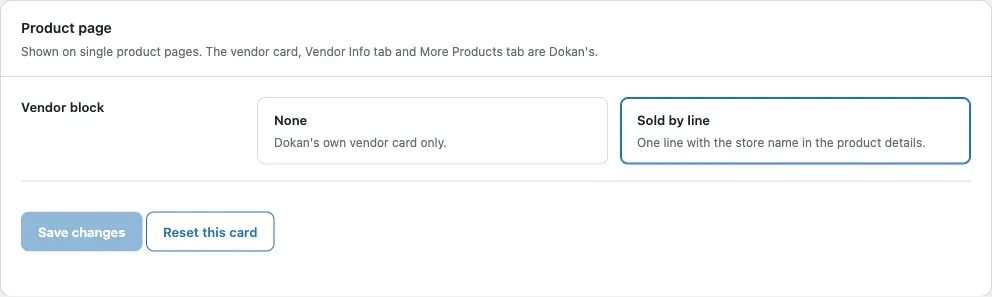
- Go to Reign Settings > Integrations, then Configure on the Dokan tile.
- In the Product page card, set Vendor block:
| Choice | Result |
|---|---|
| Sold by line | One line with a link to the store. This is the default. |
| None | Only Dokan’s own vendor card. |
- Click Save changes.
You’ll know it worked when
Section titled “You’ll know it worked when”Open a product from a vendor. The “Sold by” line shows under the price and details.
Good to know
Section titled “Good to know”Why is there no Sold by line?
Section titled “Why is there no Sold by line?”The product must belong to a vendor with selling enabled, and Vendor block must be set to Sold by line.
For developers
Section titled “For developers”To change the markup, copy templates/sold-by.php into dokan/reign/sold-by.php in your child theme.