Skip to content
Wbcom Designs Docs

Wbcom Designs Docs

Menu

Close
  • Home
  • Changelog
  • Roadmap
  • Home
  • Changelog
  • Roadmap

BuddyPress Auto Friends

  • Intro (2)
    • BuddyPress Auto Friends Features Highlights
    • BuddyPress Auto Friends Plugin Introduction
  • Installation (1)
    • How to Install The BuddyPress Auto Friends Plugin?
  • License (2)
    • Upgrade License
    • Add License
  • Global Settings (3)
    • Friend List
    • General Settings
    • How Admin can add users to be a Global Friends?
  • Frontend (1)
    • How does the friend list feature works?
  • FAQ's (3)
    • Can I remove the users from the global friend list?
    • Can I add common friend for all the existing users?
    • Can we have multiple members for as common friends for all?

Can I add common friend for all the existing users?

Get Started

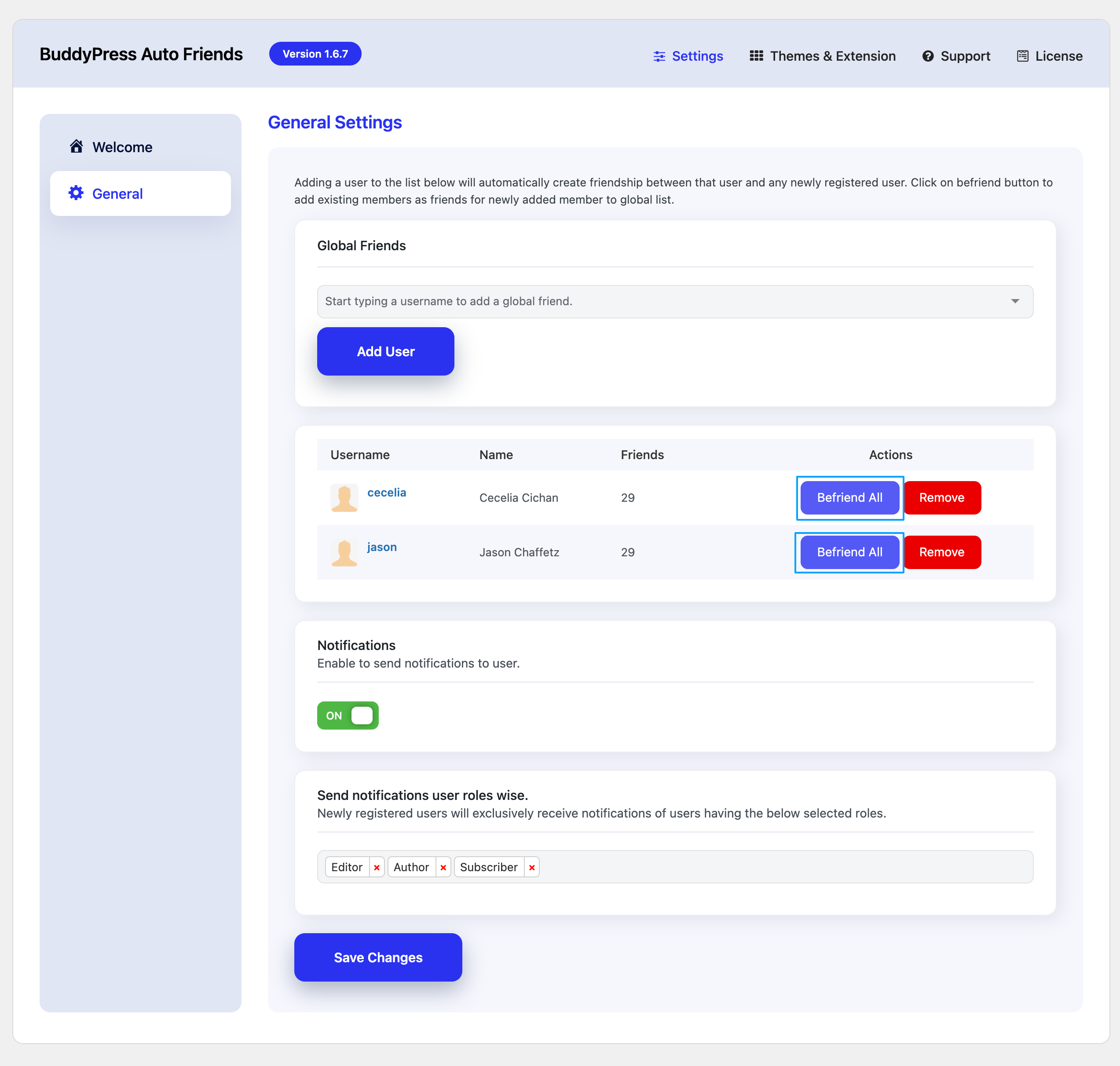
Yes, Admin can easily add a user to be a global/common friend for all the existing members on the website by navigating through :

Dashboard >> WB Plugins >> Auto Friends >> General

Now add the user from the list and click on the Befriend All button. This will create a friendship between the user and all the existing users.
 

Last updated: January 9, 2024
Previous Can I remove the users from the global friend list?
Next Can we have multiple members for as common friends for all?
Copyright © 2026 Wbcom Designs
Privacy Policy