what happen if we buy a subscription service
Get Started

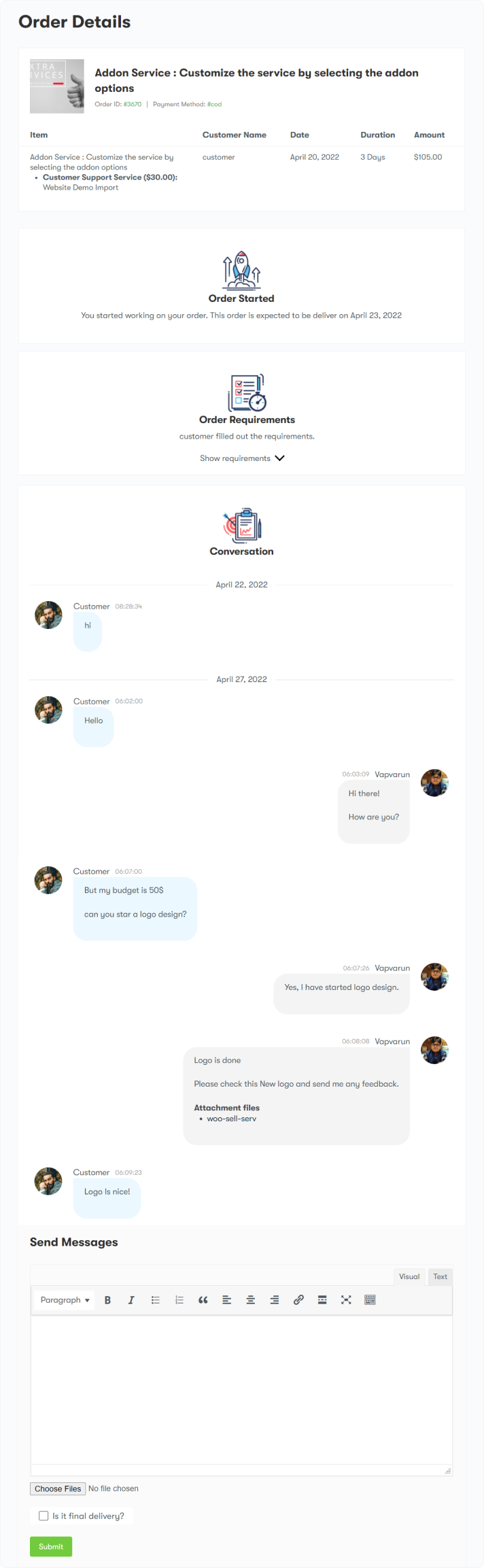
The WooSell Services Subscription process facilitates seamless communication between clients and service providers throughout the subscription lifecycle. Below is a step-by-step explanation of how the workflow operates:

1. The Client Signs Up for a Subscription Service

  • A client subscribes to a service provided through WooSell Services.

2. Client Fills Up the Service Requirement

  • After signing up, the client is prompted to fill in the details or requirements for the service they subscribed to.
  • The client provides all the necessary information or specifics regarding the service they are requesting (e.g., project details, preferences, etc.).

3. Conversation Starts Between Client and Service Provider

  • Once the requirements are filled, a conversation thread begins between the client and the service provider.
  • The service provider reviews the client’s requirements and starts communication regarding the service. This conversation takes place in a thread linked to the initial order.

4. Subscription Renewal

  • When the client’s subscription reaches its renewal period, a new WooCommerce order is created for the renewal.
  • A new order is generated for the renewal of the subscription, ensuring continuous access to the service.

5. No New Thread for Conversation

  • Unlike the initial order, the renewal does not generate a new conversation thread.
  • The conversation between the client and service provider continues in the same thread as the original subscription order, ensuring all communication is kept in one place.

6. Notice of Renewal in the Existing Thread

  • In the existing conversation thread, a notice is added to inform both the client and service provider that the subscription has been successfully renewed.
  • The plugin automatically adds a notice to the conversation thread, confirming that the subscription renewal has been completed. This keeps the thread organized and up to date.


Last updated: December 12, 2024