
Reign allows you to customize the Resume Archive page provided by the WP Job Manager.
To access the customization settings, You can navigate to the Customizer >> Resume >> Archive
You’ll find the below settings:
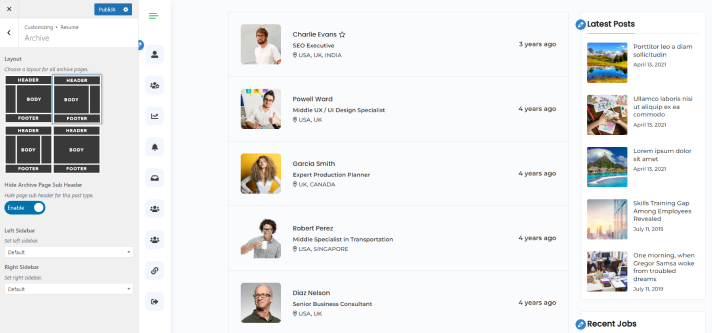
Layout
This setting helps you to choose a layout for the Resume archive page. Four types of layout are provided:
- Left Sidebar Layout
- Right Sidebar Layout
- Both Sidebar Layout
- Default Layout
Hide Archive page subheader
This setting helps you to show/hide Sub Header on the Resume Archive page.
Enable Sub Header Image
Enable this setting to manage the image of the subheader.
Left Sidebar
Choose the left sidebar from the dropdown.
Right Sidebar
Choose the right sidebar from the dropdown.