Skip to content
Wbcom Designs Docs

Wbcom Designs Docs

Menu

Close
  • Home
  • Release notes
  • Home
  • Release notes

Reign WP Job Manager Addon

  • Intro (2)
    • Introduction
    • Features
  • Installation (3)
    • System Requirement
    • Installation
    • Installing Demo Content
  • License (2)
    • Add License
    • Upgrade License
  • User Guide for Reign WP Job manager Addon (3)
    • Features Overview - Reign WP Job Manager Addon
    • Frequently Asked Questions - End Users
    • Getting Started with Reign WP Job Manager Addon
  • Developer's Guide for Reign WP Job Manager Addon (3)
    • API Reference - Reign WP Job Manager Addon
    • Developer FAQ - Reign WP Job Manager Addon
    • Hook Usage Guide Reign - WP Job Manager Addon
  • Backend Settings (5)
    • Map Settings
    • Single Resume Layout
    • Resume listing Layout
    • Single job Layout
    • Job Listing layout
  • Customizer Settings (1)
    • Resume Archive Page Customization
  • Sidebars (1)
    • Sidebars provided by Reign WP Job Manager Addon
  • Shortcodes (3)
    • Job Listing Sortcode - Reign WP Job Manager Addon
    • Resume Listing Shortcodes- Reign WP Job Manager Addon
    • Search Filter- Reign WP Job Manager Addon

Single Resume Layout

Get Started

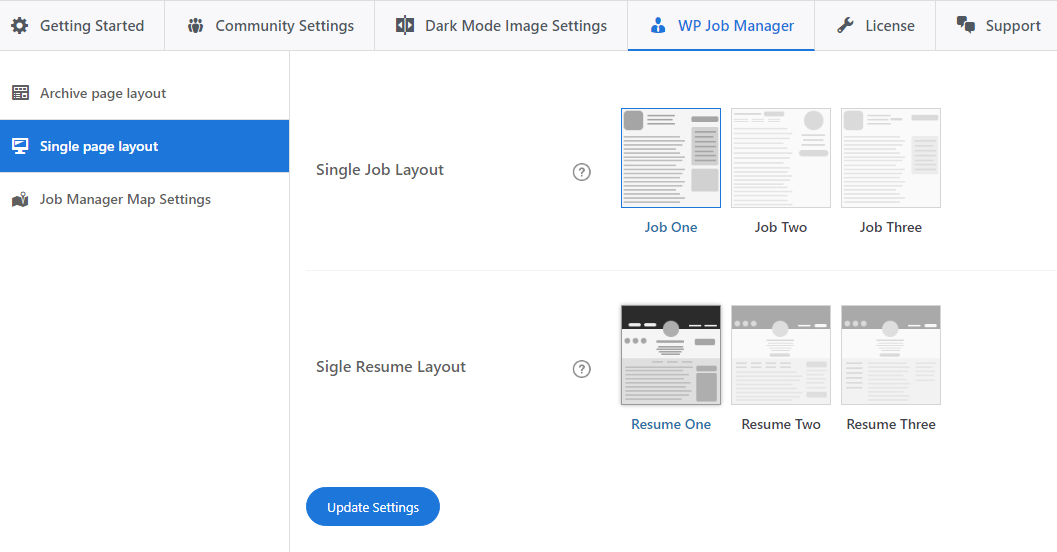
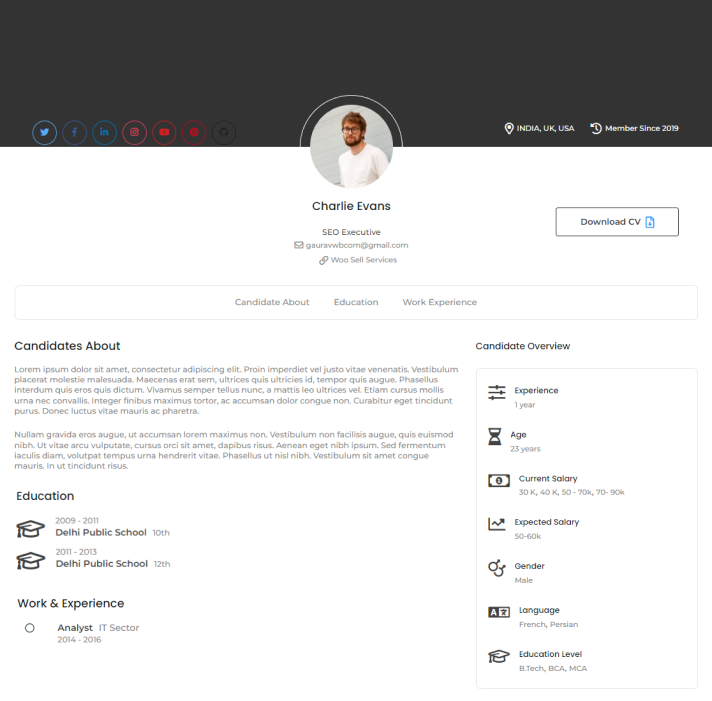
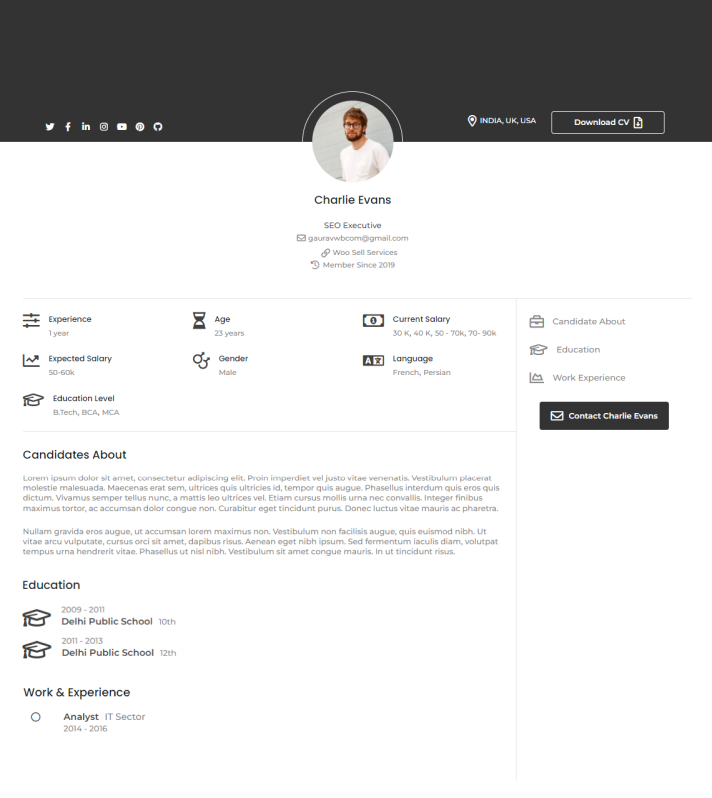
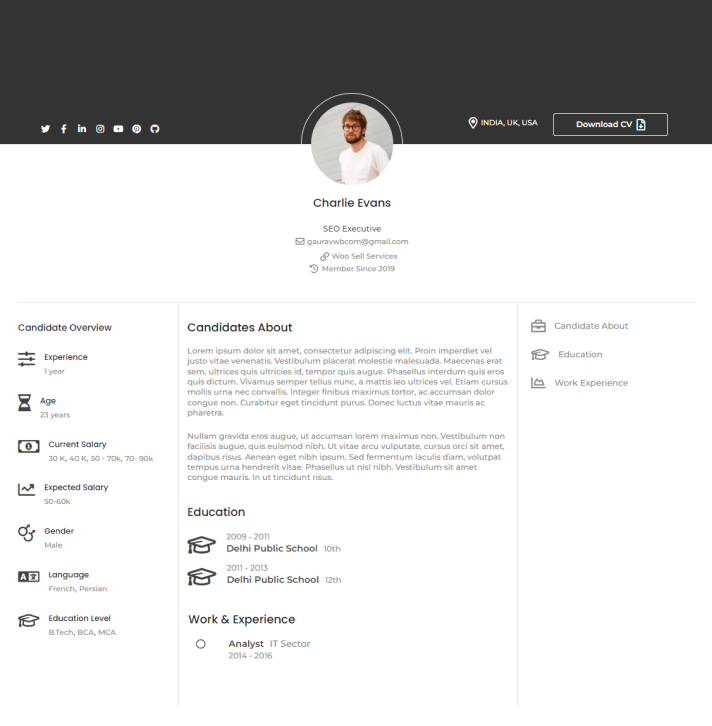
Reign WP job manager addon provides three different layouts to display candidate resumes.

You can choose any of them to display on the front end.

Follow the below steps to change the layout of a single resume.

  1. navigate Dashboard >> Reign settings >> Wp Job Manager >> single page layout >> Single resume layout
  2. Select the Layout
  3. Save the changes.

Resume One

Resume Two
Resume Three
Last updated: June 15, 2023
Previous Map Settings
Next Resume listing Layout
Copyright © 2026 Wbcom Designs
Privacy Policy