Skip to content
Wbcom Designs Docs

Wbcom Designs Docs

Menu

Close
  • Home
  • Changelog
  • Roadmap
  • Home
  • Changelog
  • Roadmap

Reign Dokan Addon

  • Intro (1)
    • Reign Dokan Introduction
  • Installation (2)
    • System Requirement
    • Plugin Installation
  • License (2)
    • Add License
    • Upgrade License
  • Backend Setting (5)
    • Mark Product as Favorite
    • Show product on Registered Vendor's BP Profile
    • Buddypress Activity on Product Review
    • BP Activity on Product Creation
    • Reign Dokan Settings
  • Widgets (2)
    • Reign Vendor Listing elementor widget setup?
    • How to set Widgets in reign-dokan-addon?
  • Customizer Settings (3)
    • Product Page Settings
    • Product Page Customization
    • Set The Location of Store Header
  • FAq'S (6)
    • How to create single store using elementor?
    • Setup Header with product search
    • Single cart icon
    • Filters for StoreMate Dokan
    • Available Shortcodes for StoreMate Dokan
    • Which template files are overridden with Dokan add-on plugin?

How To Set Store Page

Get Started

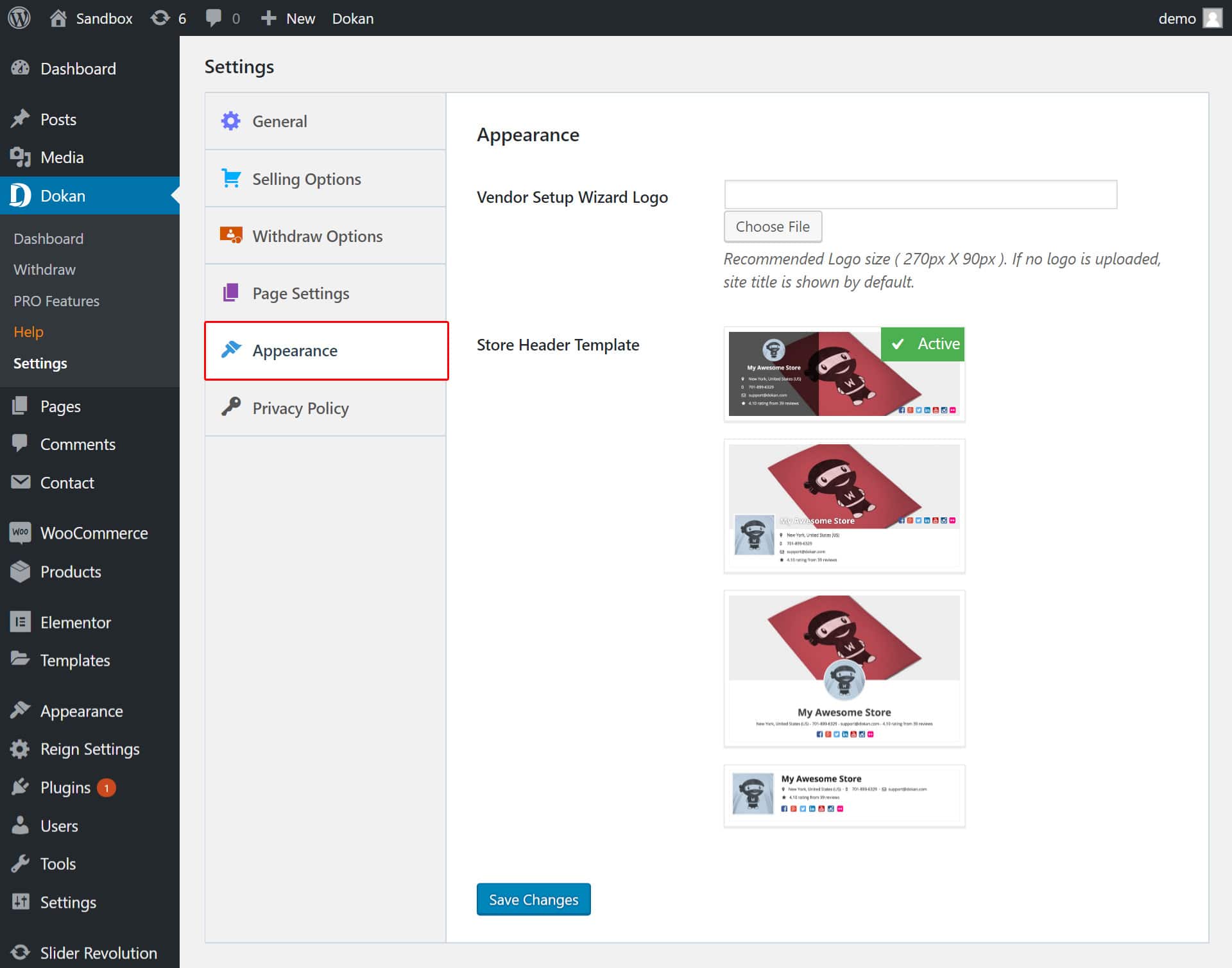
You can set the store appearance via:
Dashboard << Dokan << Settings << Appearance

Vendor Setup Wizard Logo – Recommended Logo size ( 270px X 90px ). If no logo is uploaded, the site title is shown by default.

Store Header Template – Allows you to select store header template.
Last updated: May 31, 2019
Previous Product Page Customization
Next Withdraw Options
Copyright © 2026 Wbcom Designs
Privacy Policy