Skip to content
Wbcom Designs Docs

Wbcom Designs Docs

Menu

Close
  • Home
  • Changelog
  • Roadmap
  • Home
  • Changelog
  • Roadmap

PeepSo LearnDash Integration

  • Activity Generation (1)
    • Give an overview of different instances of activity generation - PeepSo LearnDash Integration
  • Configuration Settings (1)
    • Backend Options Configuration
  • FAQ's (1)
    • How users can disable the activities to be triggered in PeepSo Learndash Integration?
  • Frontend View (1)
    • Give me an overview of front end course's tabs
  • Group Integration (1)
    • Auto Assign Group to Courses in PeepSo Learndash Integration
  • Installation (1)
    • How to install the PeepSo Learndash Integration plugin?
  • Intro (2)
    • PeepSo LearnDash Integration Introduction
    • Features of PeepSo LearnDash Integration
  • License (2)
    • Add License
    • Upgrade License
  • Support (2)
    • What if I have a question?
    • What if I need more features?
  • System Requirements (1)
    • System Requirement

How users can disable the activities to be triggered in PeepSo Learndash Integration?

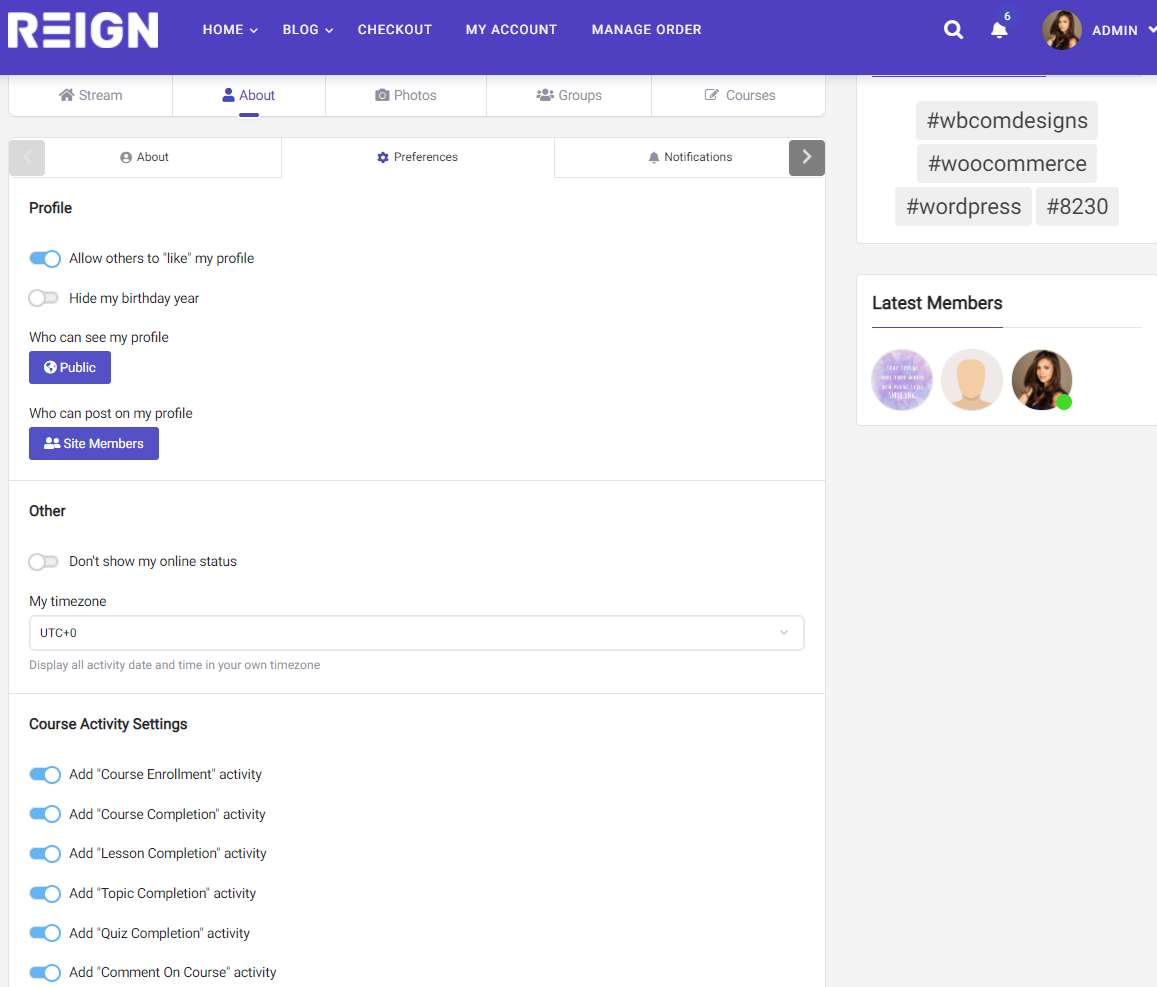
While admin globally set the activity generation. But If any user does not want his activities to be triggered. He can easily manage that by navigating to User Profile >> Preference
Here he can manage all the Course-related activities
  • Course-Enrollment Activity
  • Course Completion Activity
  • Lesson completion Activity
  • Topic Completion activity
  • Quiz Completion Activity
  • Course Comment Activity


Last updated: May 24, 2022
Copyright © 2026 Wbcom Designs
Privacy Policy