Skip to content
Wbcom Designs Docs

Wbcom Designs Docs

Menu

Close
  • Home
  • Changelog
  • Roadmap
  • Home
  • Changelog
  • Roadmap

BuddyPress Search

  • Intro (2)
    • Feature Highlights
    • Buddypress search Introduction
  • Installation (1)
    • How to install the BuddyPress search Plugin?
  • Configuration Settings (1)
    • How to configure the plugin settings?
  • Frontend View (4)
    • Can I search product categories also?
    • How live search settings works?
    • How to display the search form in the frontend?
    • How search settings works?
  • FAQ's (3)
    • Does this plugin allow me to search user profile fields and xprofile fields ?
    • Can I search hidden and private groups also?
    • Does it require any other plugin?

How live search settings works?

Live search settings provides you with two option:

  • Enable Autocomplete:  This allows you to enable/disable the auto-suggestion feature
  • Number of Results: This allows you to set the no. of results to display on the search form

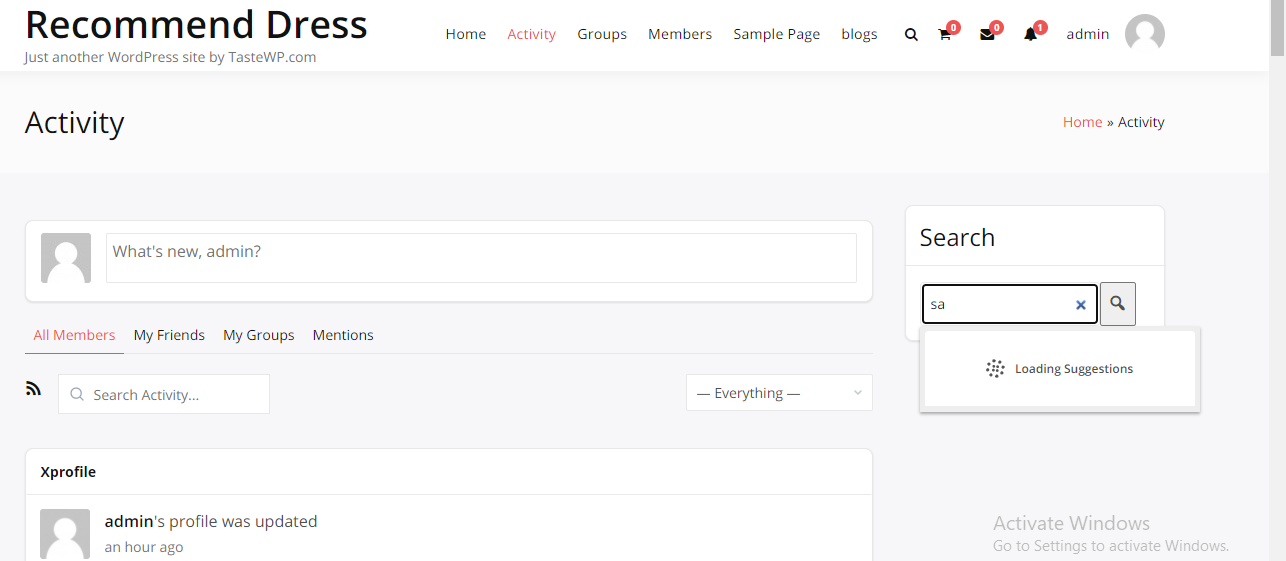
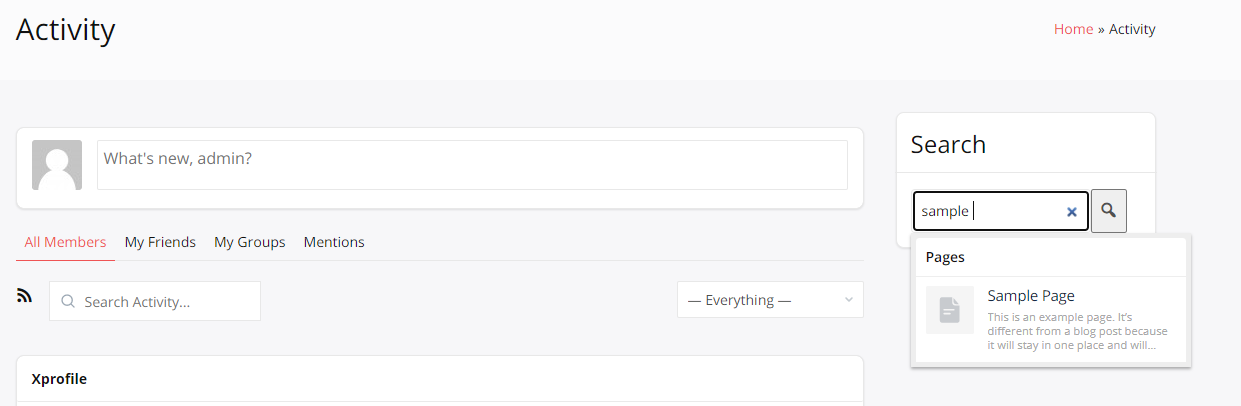
If Autocomplete is enabled from the backend then it will display you auto-suggestion whenever you will type anything.
Last updated: May 24, 2022
Previous Can I search product categories also?
Next How to display the search form in the frontend?
Copyright © 2026 Wbcom Designs
Privacy Policy