Skip to content
Wbcom Designs Docs

Wbcom Designs Docs

Menu

Close
  • Home
  • Changelog
  • Roadmap
  • Home
  • Changelog
  • Roadmap

BuddyPress Resume Manager

  • Intro (1)
    • Introduction and Feature Highlights of BuddyPress Resume Manager
  • Installation (2)
    • System Requirement
    • Installating BuddyPress Resume Manager
  • License (1)
    • License Activation
  • Member Profiles (1)
    • Profile Search Field - BuddyPress Resume Manager
  • Global Settings (1)
    • Global Settings
  • Field Setting (1)
    • Field Setting
  • Group Settings (1)
    • Group Setting
  • Resume Layouts (1)
    • Resume Layouts
  • Frontend View (5)
    • Member Search
    • Share Resume
    • Show/Hide Resume tab
    • Choose Resume Layout
    • Create Resume
  • FAQ's (4)
    • Can members share their resumes using a custom URL? - BuddyPress Resume Manager
    • How do members change the layout of their resumes? - BuddyPress Resume Manager
    • Is there an option for members to add multiple entries under a single section, like education or work experience?
    • How can I add embed Video in our resume?

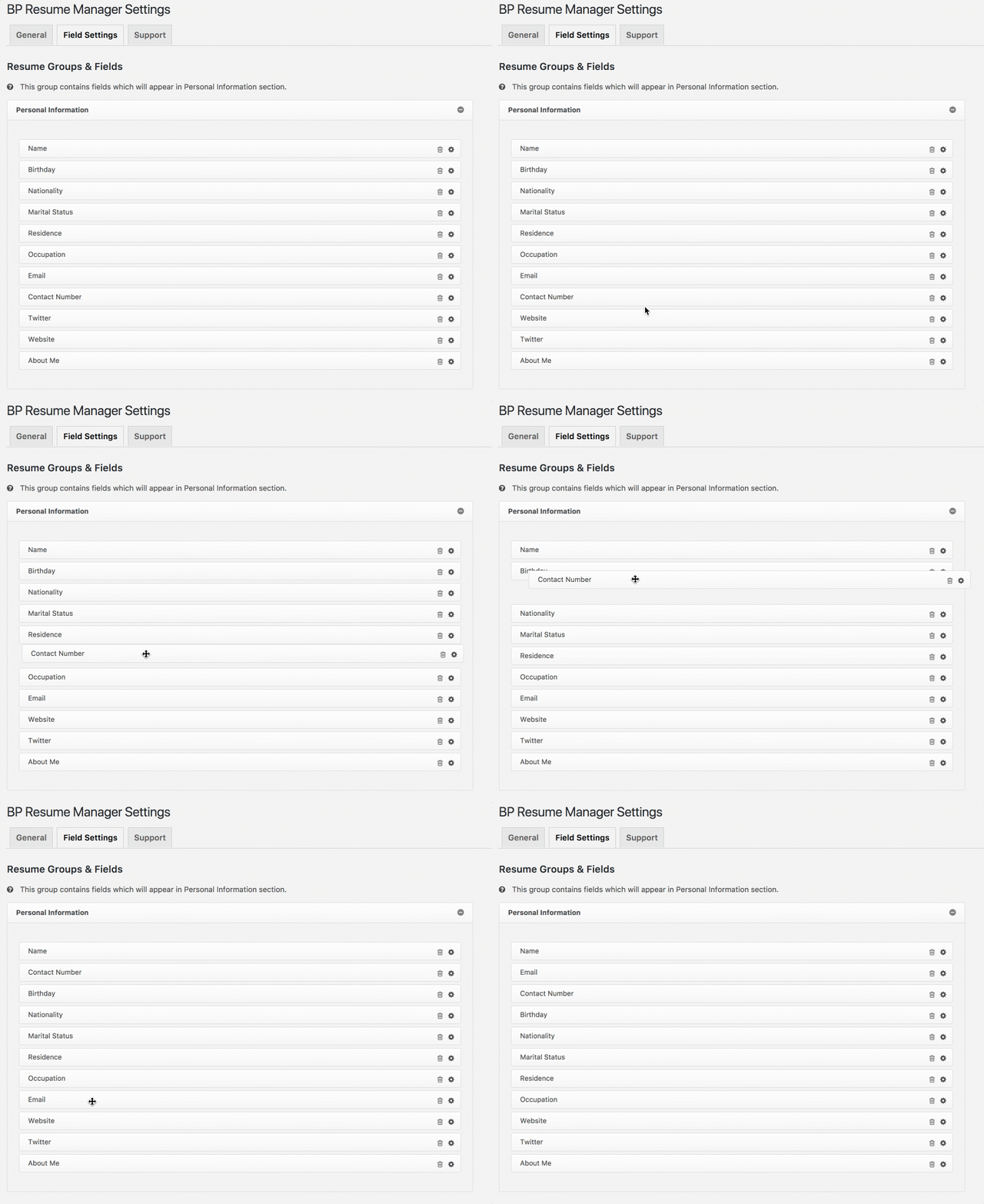
How to change the field order for BuddyPress Resume Manager?

Get Started

You can easily change the order of the fields with simple drag and drop.

change the field order for BuddyPress Resume Manager

Last updated: November 27, 2018
Previous Front view of the resume
Next Get a key for Google Places API Web Service
Copyright © 2026 Wbcom Designs
Privacy Policy