Skip to content
Wbcom Designs Docs

Wbcom Designs Docs

Menu

Close
  • Home
  • Release notes
  • Home
  • Release notes

BuddyPress Profile Pro

  • Intro (3)
    • BuddyPress Profile Pro Features Highlight
    • Getting Started With BuddyPress Profile Pro
    • BuddyPress Profile Pro Introduction
  • System Requirement (1)
    • System Requirement
  • Installation (1)
    • How to install the BuddyPress Profile Pro Plugin?
  • License Activation (1)
    • Activate License
  • General Settings (1)
    • How to configure the BuddyPress Profile Pro plugin settings?
  • Field Setting (2)
    • Where I can view and edit member's extended fields?
    • Front View of the Extended Fields
  • Group Settings (2)
    • Profile Fieldsets Option
    • How to add multiple education groups in BuddyPress Profile Pro
  • Profile Search (1)
    • Search the members
  • FAQ's (8)
    • Dynamically integrate custom fields into the BuddyPress registration process - BuddyPress Profile Pro
    • Get all Profile Groups and Fields Names & Meta Values - BuddyPress Profile Pro
    • Display specific BuddyPress profile field value(s).
    • Display Field keys and Group keys
    • How to keep only desired fields in the form?
    • Plugin's hooks and filters
    • Get a key for Google Places API Web Service
    • How to create repeater fields with xprofile

Where I can view and edit member’s extended fields?

Get Started

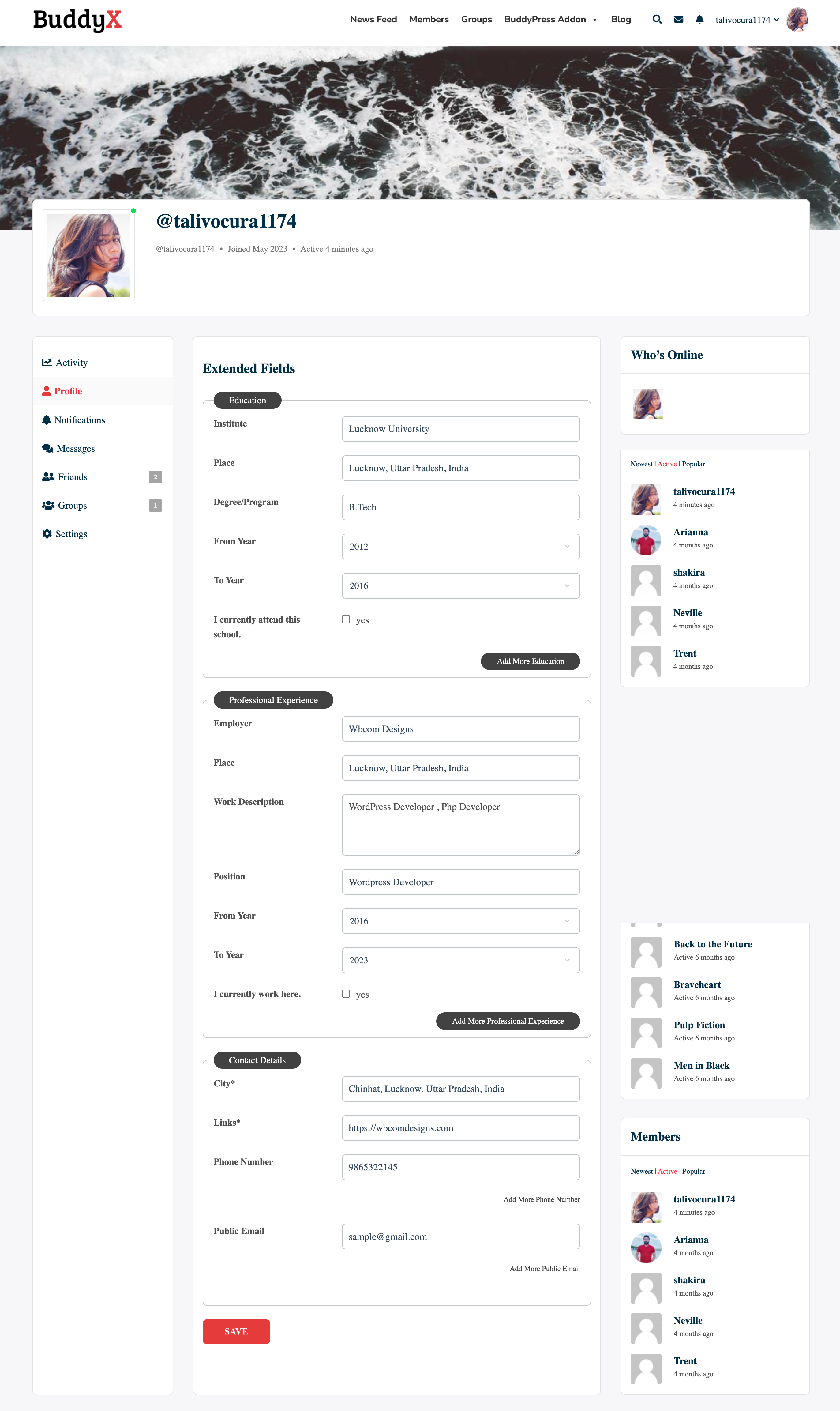
You can edit and view saved extended fields at BuddyPress profile under the extended Profile menu tab.

To access that go to BuddyPress Profile > Edit Profile > Extended Fields.
Last updated: November 24, 2023
Next Front View of the Extended Fields
Copyright © 2026 Wbcom Designs
Privacy Policy