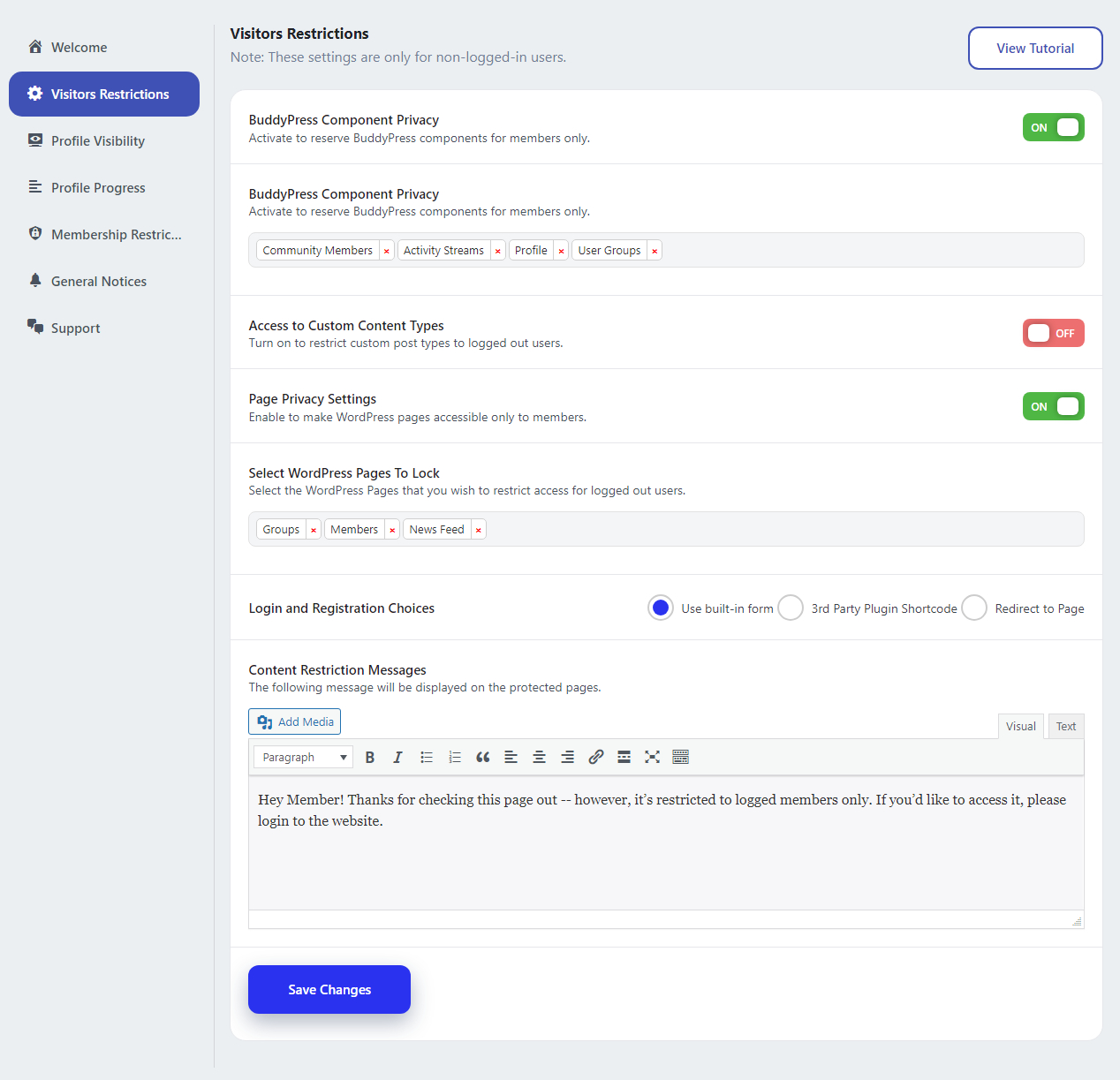
This plugin provides the restriction settings for logged-out users(website visitors). You can lock down the Buddypress component, post types, and lock pages for logged-out users, and also edit custom restriction messages according to you.
Lock BuddyPress Components
Enable this option if you wish to restrict the access of BuddyPress Components for logged-out users. Once you enable the ‘Lock BuddyPress Components’ option, you’ll need to select the components from the options available in the select box.
Lock Custom Post Types
Enable this option if you wish to restrict the access of Custom Post Types for logged-out users. Once you enable the ‘Lock Custom Post Types’ option, you’ll need to select the custom post types from the options available in the select box.
Lock Pages
Enable this option if you wish to restrict access to WordPress Pages for logged-out users. Once you enable the ‘Lock Pages’ option, you’ll need to select the pages from the options available in the select box.
Login Registration Form
Set the member redirection when they try to access the locked-out components. Three different ways are available here:
- Use plugin Template: Choose the template provided by the plugin and set the custom message for that.
- 3rd Party Plugin shortcode: You can also use a third-party plugin shortcode.
- Redirect to page: Select the page to redirect the members.