Skip to content
Wbcom Designs Docs

Wbcom Designs Docs

Menu

Close
  • Home
  • Changelog
  • Roadmap
  • Home
  • Changelog
  • Roadmap

BuddyPress Private Community Pro

  • Intro (1)
    • Introductions and Feature Highlights - BuddyPress Private Community Pro
  • Installation (2)
    • Installing BuddyPress Private Community Pro
    • System Requirement
  • License (1)
    • License Activation
  • General Notice (1)
    • General Notices Settings
  • Membership Restrictions (1)
    • Membership Restrictions
  • Profile Progress (1)
    • Profile progress
  • Profile Visibility (1)
    • Profile Visibility Settings
  • Visitors Restrictions (1)
    • Visitor Restrictions
  • FAQ's (1)
    • How can I restrict access to the default WordPress "post" post type using BP Private Community Pro?

How to restrict BP component According to user role?

Get Started

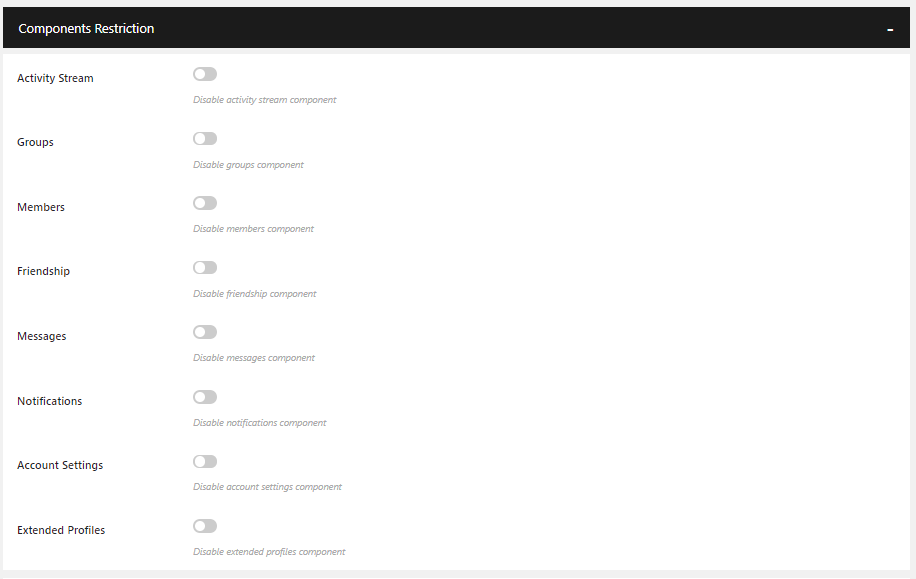
Navigate to WB Plugins >> Community Pro>> Membership Restrictions, And select the user role from the dropdown.

Now click the  BP Component Restriction tab, And lock the components you want.
Last updated: January 5, 2022
Previous How does the activity restrictions work?
Next How to restrict BuddyPress pages based on user roles?
Copyright © 2026 Wbcom Designs
Privacy Policy