Skip to content
Wbcom Designs Docs

Wbcom Designs Docs

Menu

Close
  • Home
  • Release notes
  • Home
  • Release notes

BuddyPress Giphy

  • Intro (1)
    • BuddyPress Giphy Introduction
  • System Requirements (1)
    • System Requirement
  • Installation (1)
    • Installation
  • License (1)
    • License Activation
  • Backend Configuration (4)
    • General Settings
    • Can I post the GIFS inside activity comments.?
    • How can I disable the GIF posting from the members profile and activity posting?
    • How can I disable the GIF posting from the Groups Activity?
  • Rest API (1)
    • BP Giphy Rest Api – Activity Data
  • FAQs (2)
    • Does this plugin work with BuddyBoss Platform
    • How to create a giphy API Key?

How to create a giphy API Key?

Get Started

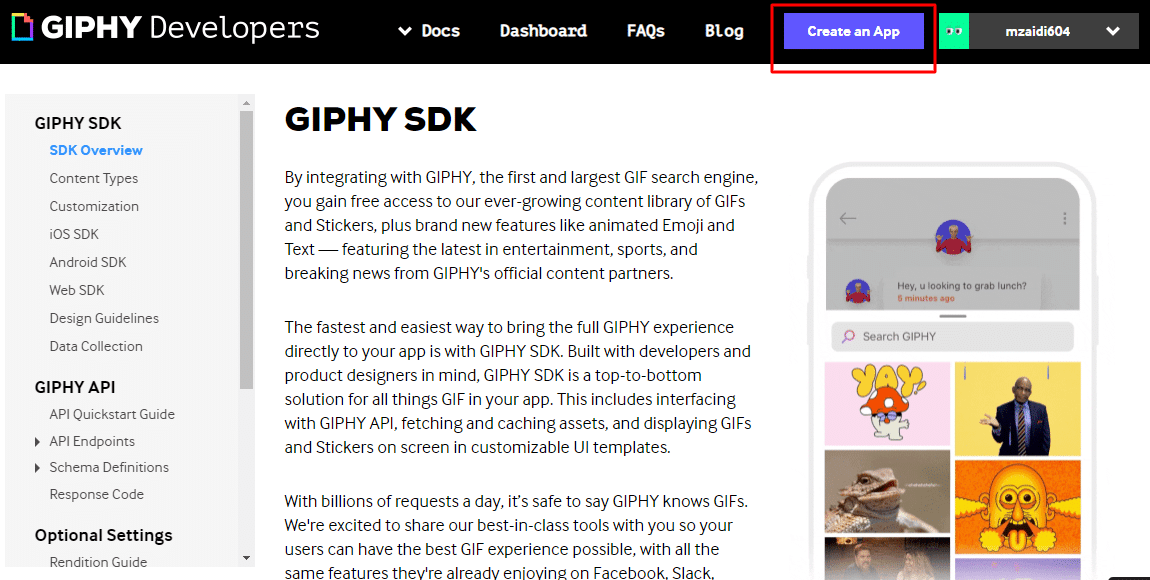
In order to use this feature, you need to create an account at GIPHY. Create your account, and then click Create an App.

Follow the below steps to create an API key:

  • Create an account at https://developers.giphy.com/
  • Click on Create an App button
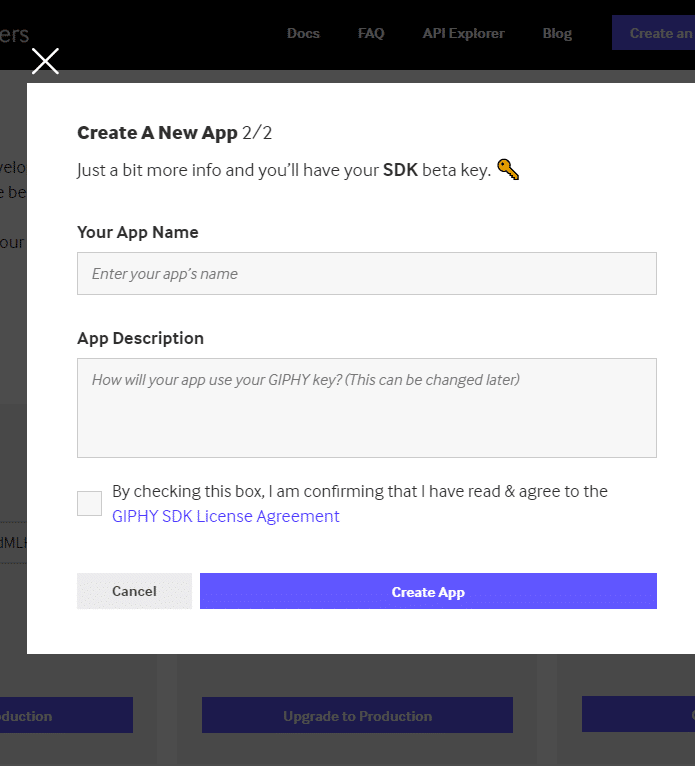
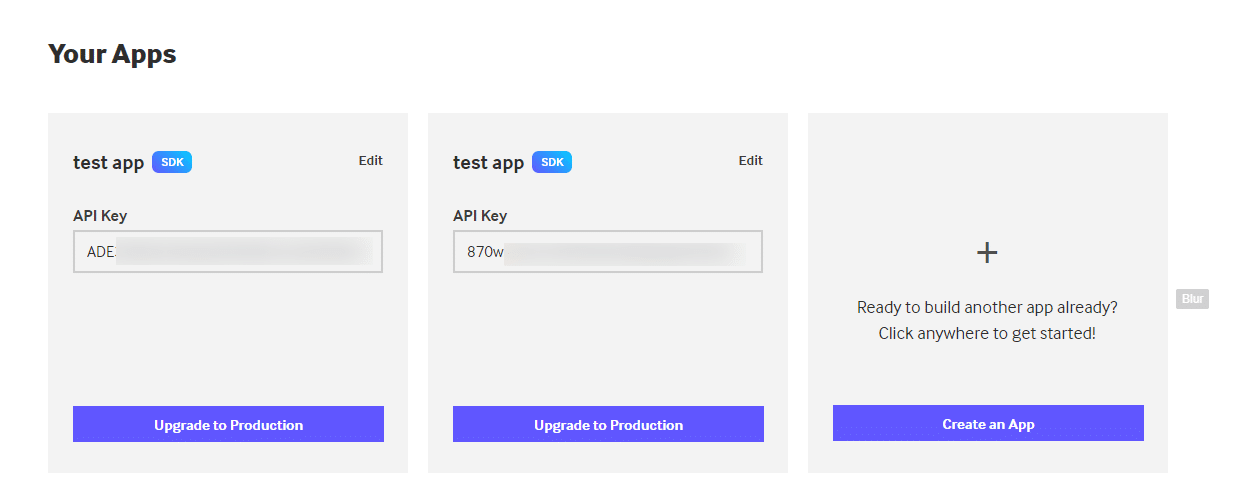
  • Fill in your details and copy the API key

Step: 1
Step: 2
Step: 3
Last updated: May 26, 2022
Previous Does this plugin work with BuddyBoss Platform
Copyright © 2026 Wbcom Designs
Privacy Policy