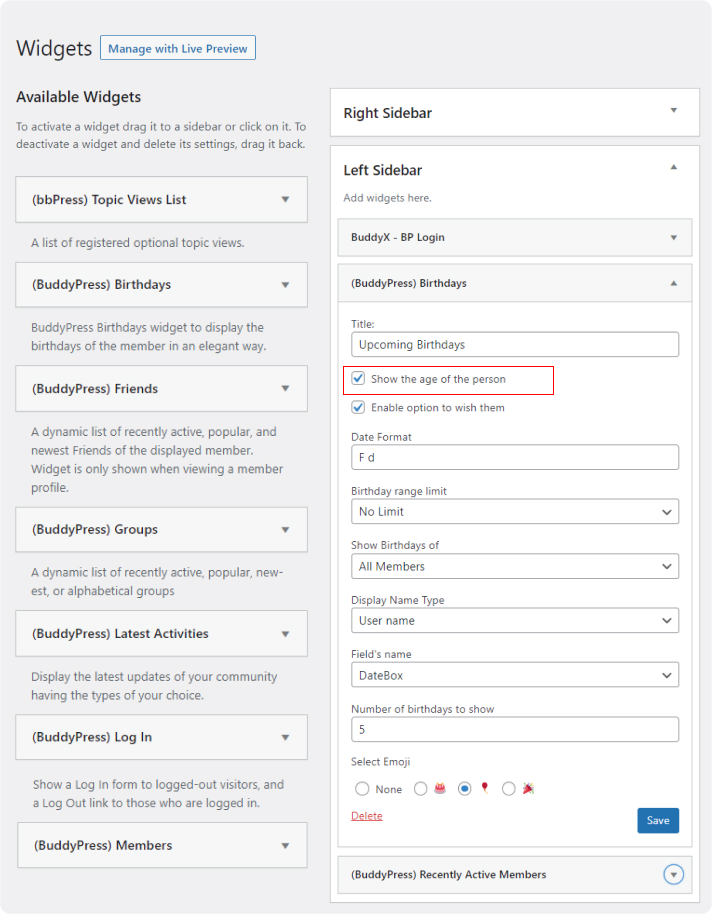
BuddyPress Birthday plugin allows you to show/hide the users age on birtday widget.
You can choose whether to show the birthday or hide.
to do so, Navigate to appearance >> Widget >> bP Birthday, and check/uncheck the checkbox saying Show the age of the person
- Check Box is checked: Age of the users will display on the widget.
- Check Box is unchecked: Age of the users will not display on the widget.